

To enjoy Spotify music and audio without any restrictions, or region boundaries in your offline world, ViWizard Spotify Converter is an all-in-one solution. So, before starting your steps with this trending and much-talked-about tool, let's get an overall and detailed ViWizard review with the analysis of different dynamics and a promising alternative for some additional benefits.
- 1.What is The ViWizard Spotify Music Converter?
- 2.Is ViWizard Safe?
- 3.ViWizard Spotify Music Converter: Users' Review
- 4.How Much Does The ViWizard Spotify Music Converter Cost?
- 5.How Does ViWizard Spotify Music Converter Work?
- 6.Is There Any Error In ViWizard Spotify Music Converter?
- 7.Best Alternative to ViWizard Spotify Music Converter: MusicFab
- 8.FAQs
- 9.Conclusion
What is The ViWizard Spotify Music Converter?
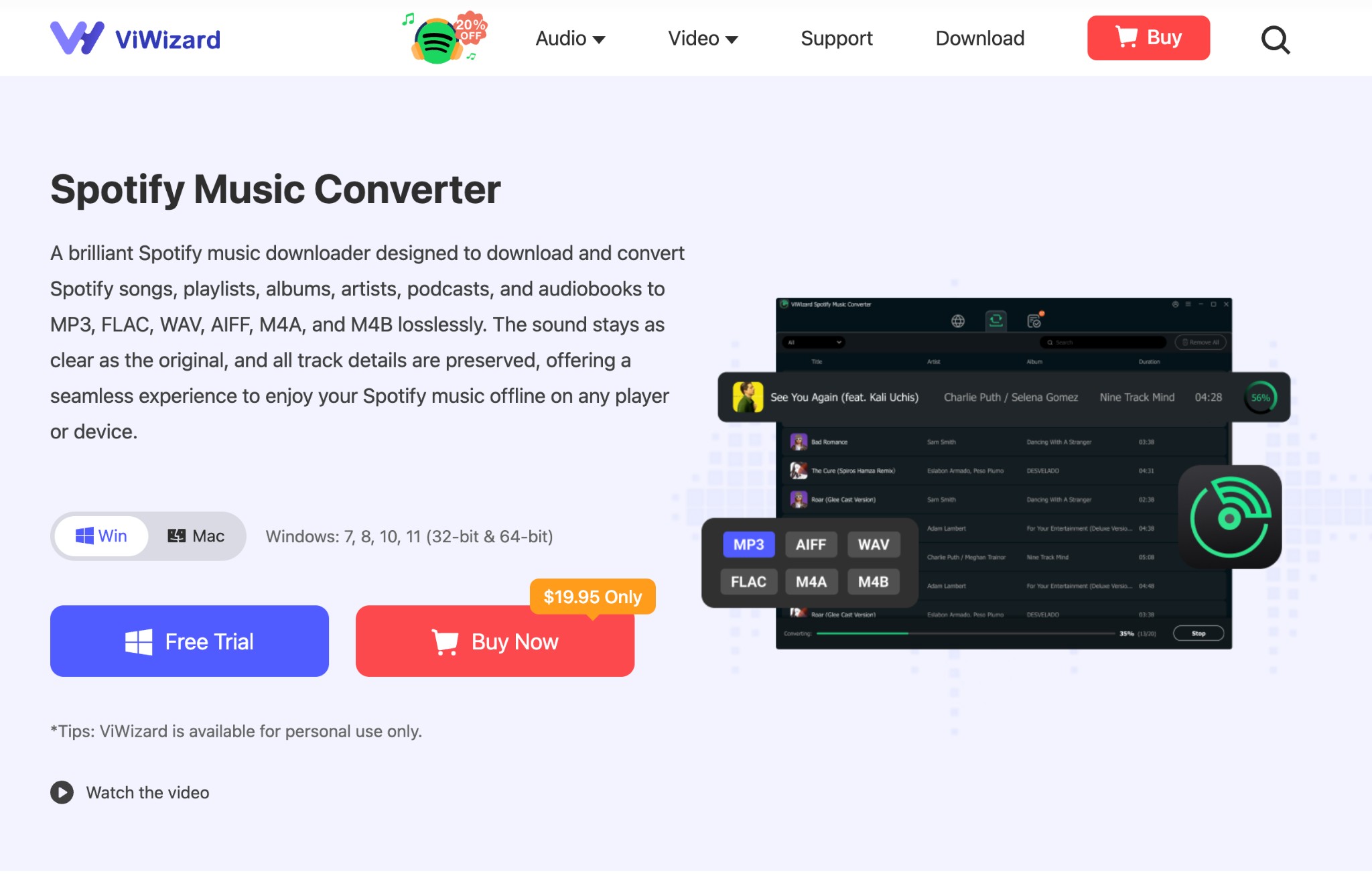
ViWizard Spotify Music Converter is dedicated software for Windows and Mac that converts and downloads the entire Spotify library, including songs, music, audiobooks, podcasts, albums, playlists, etc., for seamless offline listening. While supporting multiple audio formats, ViWizard ensures lossless compression to provide high-quality output without any essential data loss. It also helps you organize your offline library according to albums, artists, etc., with the detailed data synchronization option. Therefore, let's go through the significant ViWizard review with all aspects.
Key Features of Viwizard
- Conversion With Multiple Format Support: ViWizard offers various output audio formats, such as MP3, WAV, M4A, FLAC, M4B, and AIFF.
- Saving with ID3 Syncing: You can also organize the downloads in your offline library using metadata like artist name, album year, track title etc with ID3 tag syncing support.
- Fast Batch Downloading & Auto Library Organization: To save time, ViWizard offers 15X higher downloading speed to download multiple Spotify content automatically in batches. It automatically manages and organizes your offline library and archive with audio files based on your preferred artists, albums, etc.
- Personalized Parameters With Unlimited Downloading: While downloading Spotify songs, you can adjust the output parameters using the built-in audio settings options, such as bitrate, sample rate, channels, etc., according to your specifications.
Is ViWizard Safe?
ViWizard is a safe tool without any ads and risks of virus and malware infection. However, while installing this tool on your Windows or Mac, you may have faced virus threats if your system's security measures have not been activated properly.
ViWizard Spotify Music Converter: Users' Review
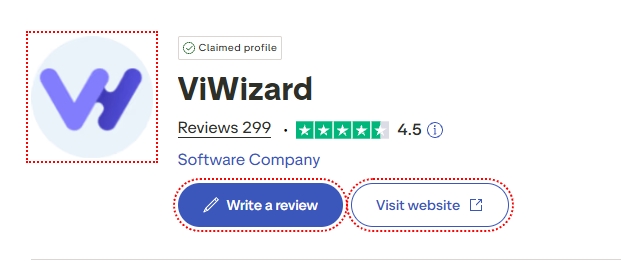
Trustpilot Review : 4.5/ 5
To get an unbiased ViWizard review, we have gone through the most authentic Trustpilot user reviews and given you an overview of the real feedback on this tool. Some users are very impressed with ViWizard's refund policy and customer support. However, some are very disappointed with the only 30-second downloading option and the sudden suspension of their paid accounts. So, overall, there are mixed reviews about Viwizard.
How Much Does The ViWizard Spotify Music Converter Cost?
While talking about ViWizard price, you will be glad to know that ViWizard is a freemium program with free and paid version. You can use this tool for free, but it has limited features and functions. However, for limitations and restrictions, free use, you have to take any of the paid plans from the various options. Apart from this, it also has a free trial option to begin with this tool. ViWizard has two dedicated plans for individuals and families.
Individual Plans:
- Yearly Plan: $47.95 / Year
- Monthly Plan: $19.95 / Month
- Lifetime License: $87.95
Family Plans:
- Yearly Plans: $69.95
- Monthly Plans: $29.95
How Does ViWizard Spotify Music Converter Work?
We have tried the ViWizard working process of this tool to share the real-time audio converting and downloading steps. These steps will guide you to understand the overall interface and workability of the ViWizard tool.
Steps to Set up ViWizard
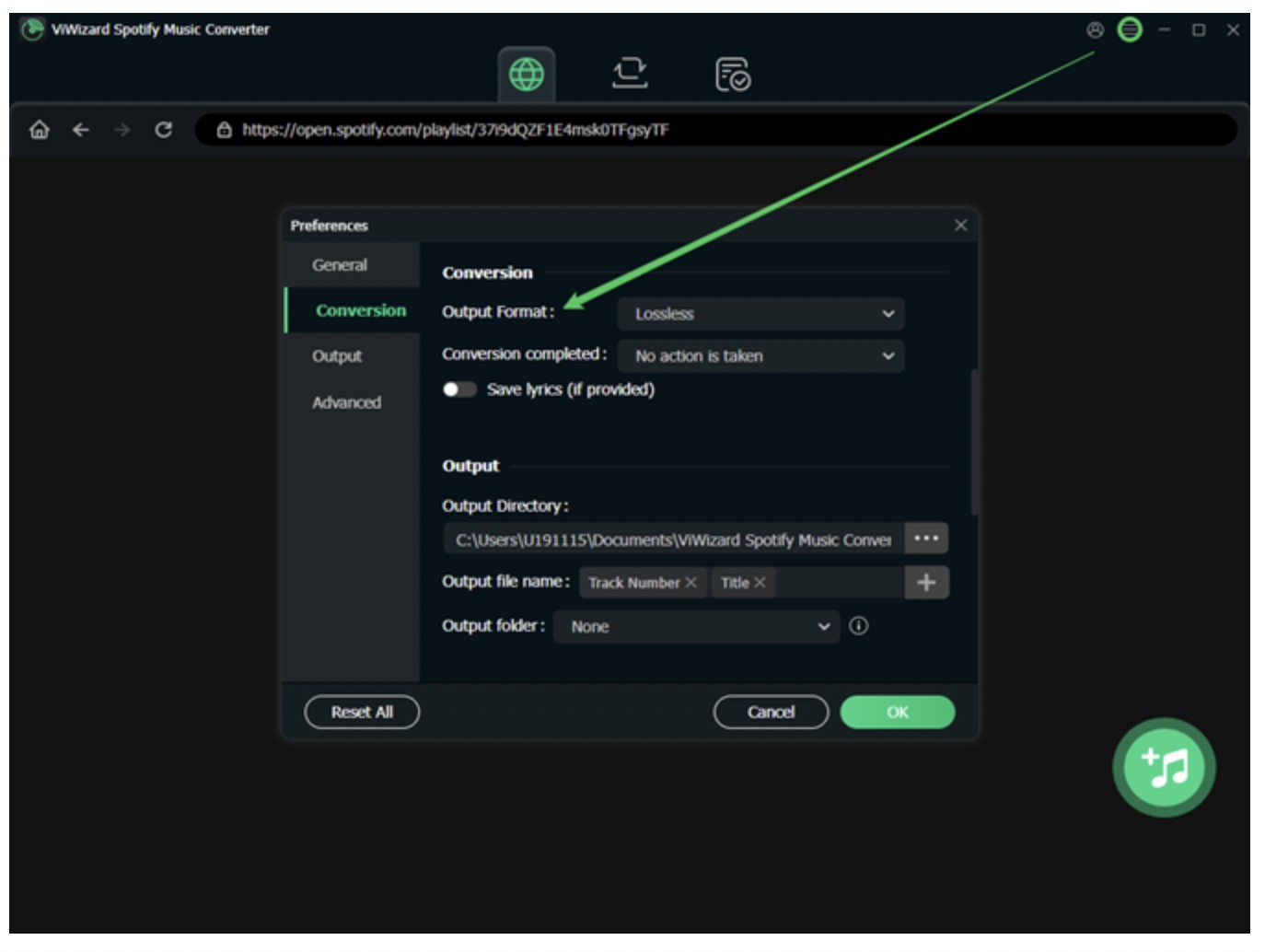
Step 1: Once you launch the program, select the three lines at the top right corner, select “Preferences,” > and you will see various customization settings.
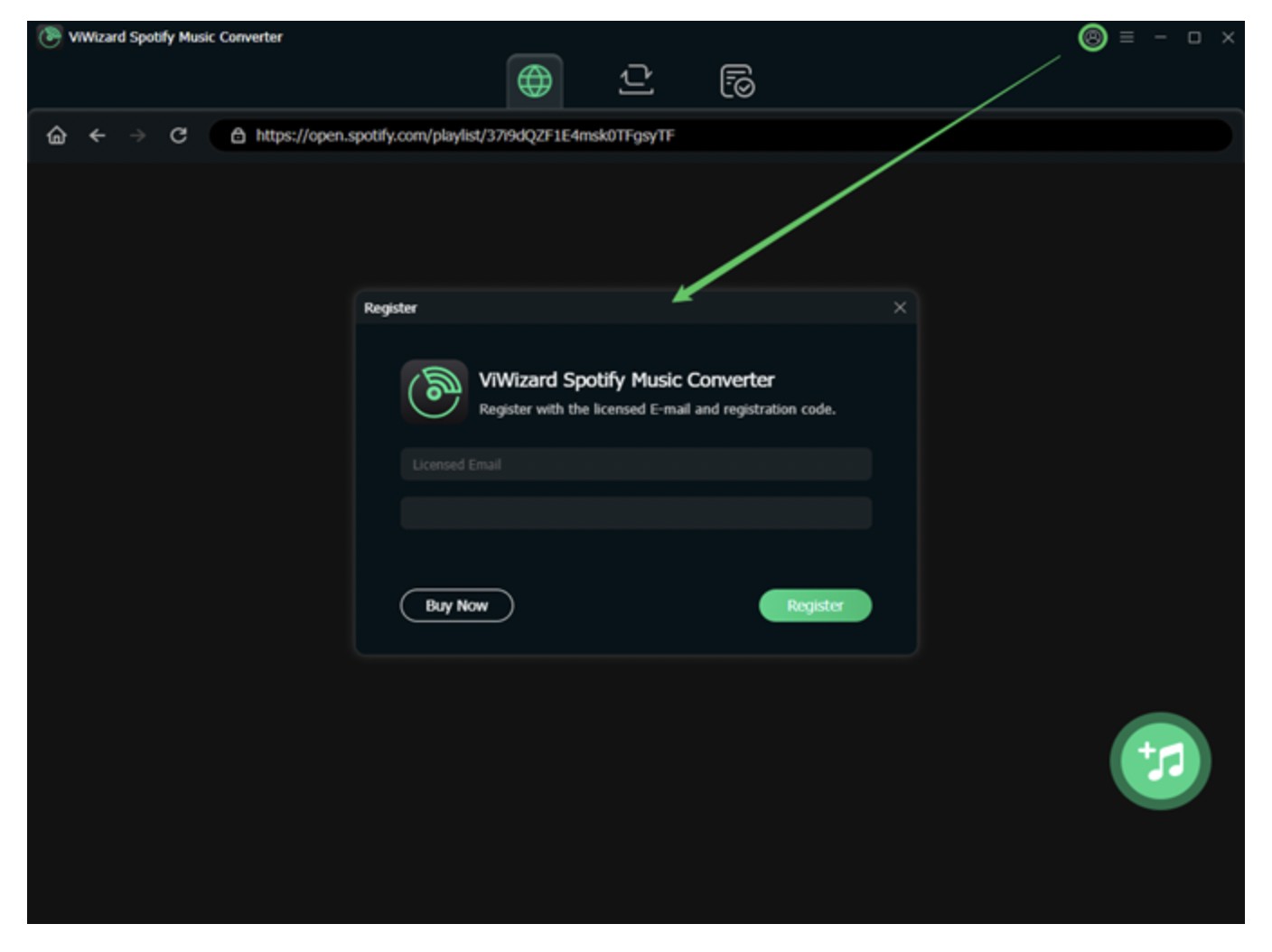
Step 2: “Common Settings” refers to language and update settings > and “Conversion” is to select output format, sample rate, bitrate, and channel. To select your desired option, select the toggle > show the drop-down menu > choose your preferred settings.
Step 3: If you set the “Archive output tracks” setting to “None,” the exported files will be deleted automatically.
Steps to use ViWizard
Step 1: After setting up the ViWizard tool, go to the Spotify service and copy the URL of your desired Spotify songs, tracks, playlists, or other audio for offline saving.
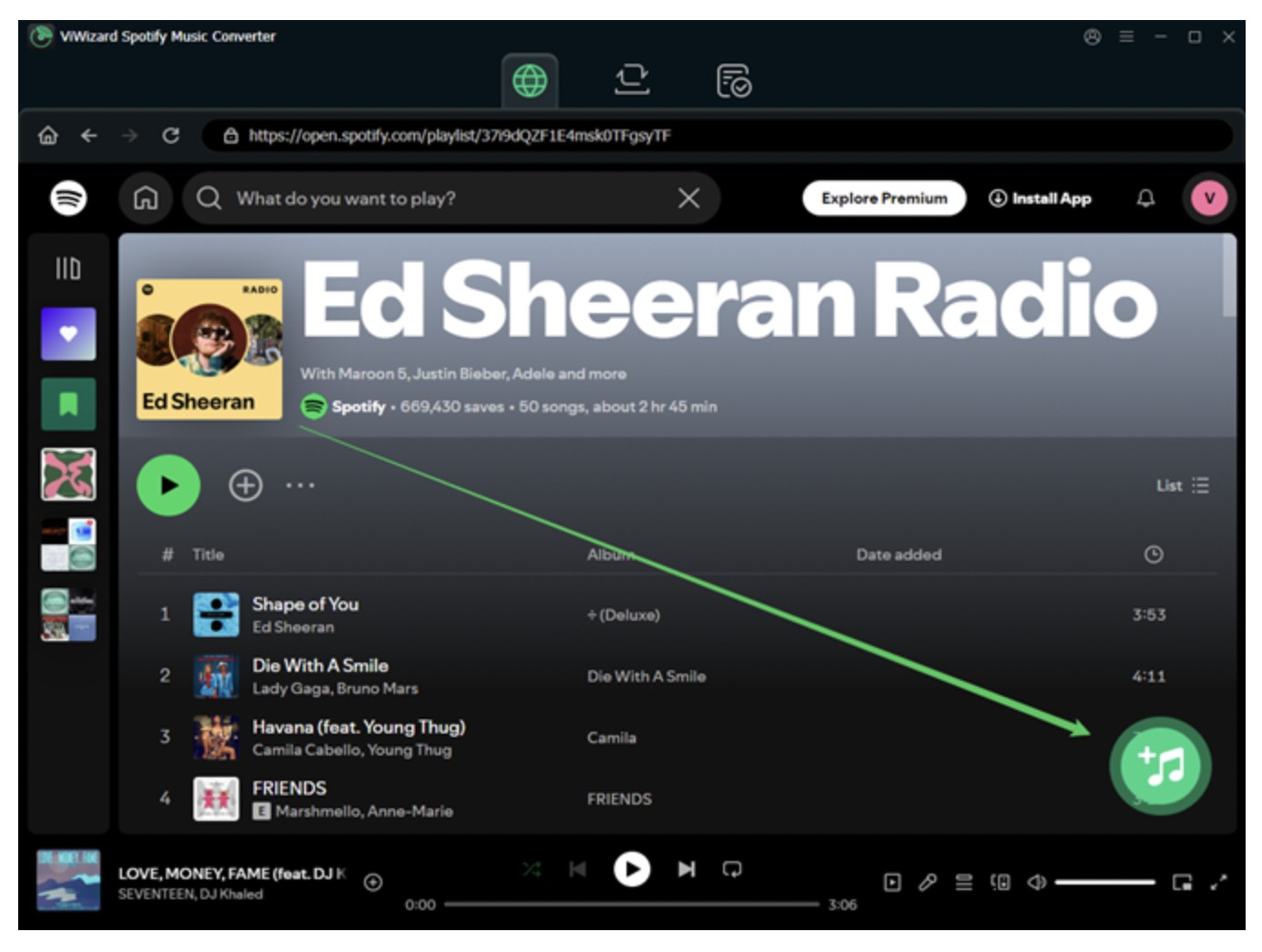
Step 2: Select the “Add” option to upload the copied link. Once the content is uploaded, select “Convert” at the bottom right side. The number of converted files will be shown in the “Red Dots” below.
Is There Any Error In ViWizard Spotify Music Converter?
Yes, unfortunately, you may have encountered different types of errors when Viwizard is not working. When we tried this tool, we faced a few errors like “Conversion Failed” and “ViWizard Freezes.” Users have also mentioned some errors they have faced during their audio content conversion process. Here, we are showing you the most common errors you may have found in ViWizard.
- “Spotify Not Directed” / “Failed to Load Spotify”
- “Output Files Unplayable / Corrupted”
- “Download Error” / “Conversion Failed”
- “DRM-Protection Error”
- “Trial Version Limitations”
- “ViWizard Freezes / Crashes”
The main purpose of using this tool is to have a seamless Spotify library downloading experience without any hassle or limitations. However, these errors could bother you during your ViWizard use and may not satisfy your expectations according to specifications. Therefore, to bypass these errors and limitations, you should try the alternative advanced tool, MusicFab Spotify Music Converter.
Best Alternative to ViWizard Spotify Music Converter: MusicFab
What is MusicFab?
If you also love to download streaming video or copy/rip DVDs, you might know about StreamFab and DVDFab. MusicFab is a related software product developed by the same company. MusicFab mainly concentrates on music downloading, converting, and management.
Why MusicFab?
Unlike ViWizard, which focuses on recording music to save it offline, MusicFab downloads songs directly, making it 20X faster batch processing.
From playlists to podcasts, this tool can download anything in your desired format, bitrate, or sample rate to ensure your purpose-specific audio conversion process. However, if you want to save more audio from multiple music streaming services, you can try the MusicFab All-in-One, which allows you to download from more than 10 music streaming services.

- Various audio format support like MP3, M4A, FLAC, WAV, OPUS etc
- Download Spotify songs/playlists/albums/podcasts in a batch
- Quality selection option from 128kbps to 320kbps
- 44.1 kHz Sampling rate support
- Download with lyrics integration and ID3 tag synchronization
- Use the built-in browser to locate your desired Spotify content inside the tool
Steps to Download Spotify Audio With MusicFab Spotify Music Converter
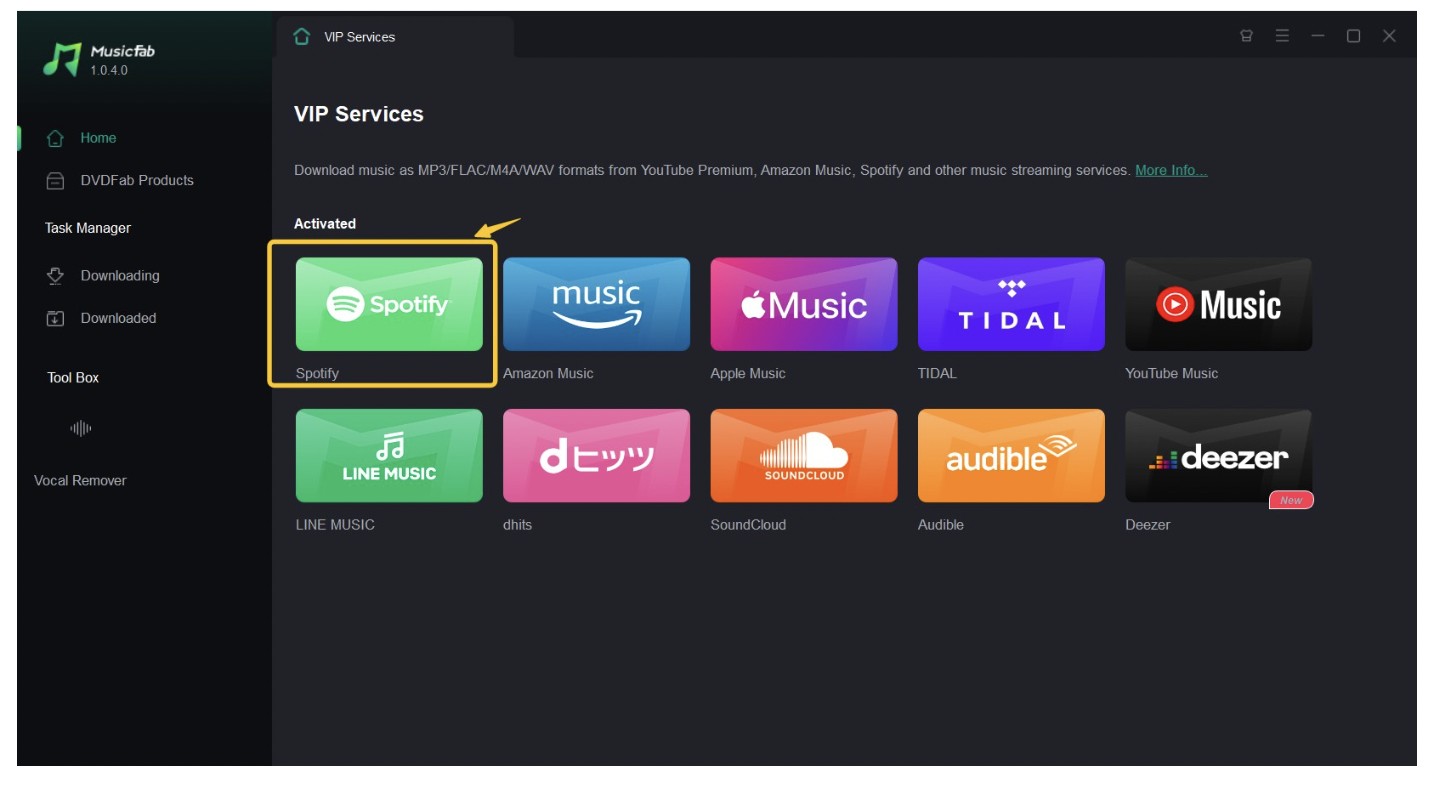
Step 1: Launch and start the Music Fab tool on your Windows and Mac systems. Then, move to the VIP service, select the Spotify card icon, and sign in to your Spotify account using your authentic credentials.
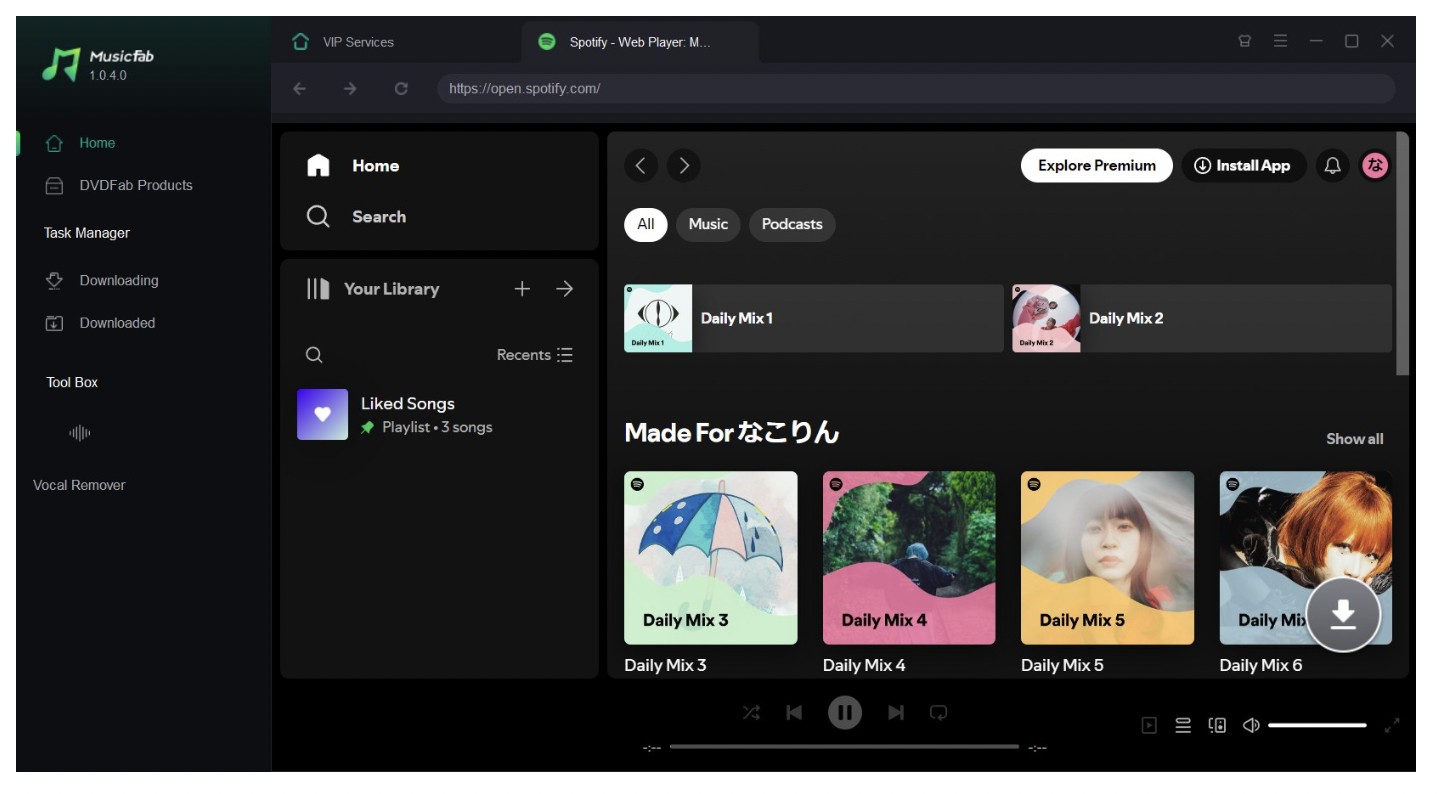
Step 2: Use the built-in browser to locate your desired Spotify audio, such as music, songs, podcasts, playlists, etc. Once you select the final Spotify audio content for downloading, hit the down arrow option at the lower right side.
Step 3: A pop-up panel will appear for further customization like format, audio quality etc depending on your need. You can also download the entire Spotify playlist with batch processing support if needed.
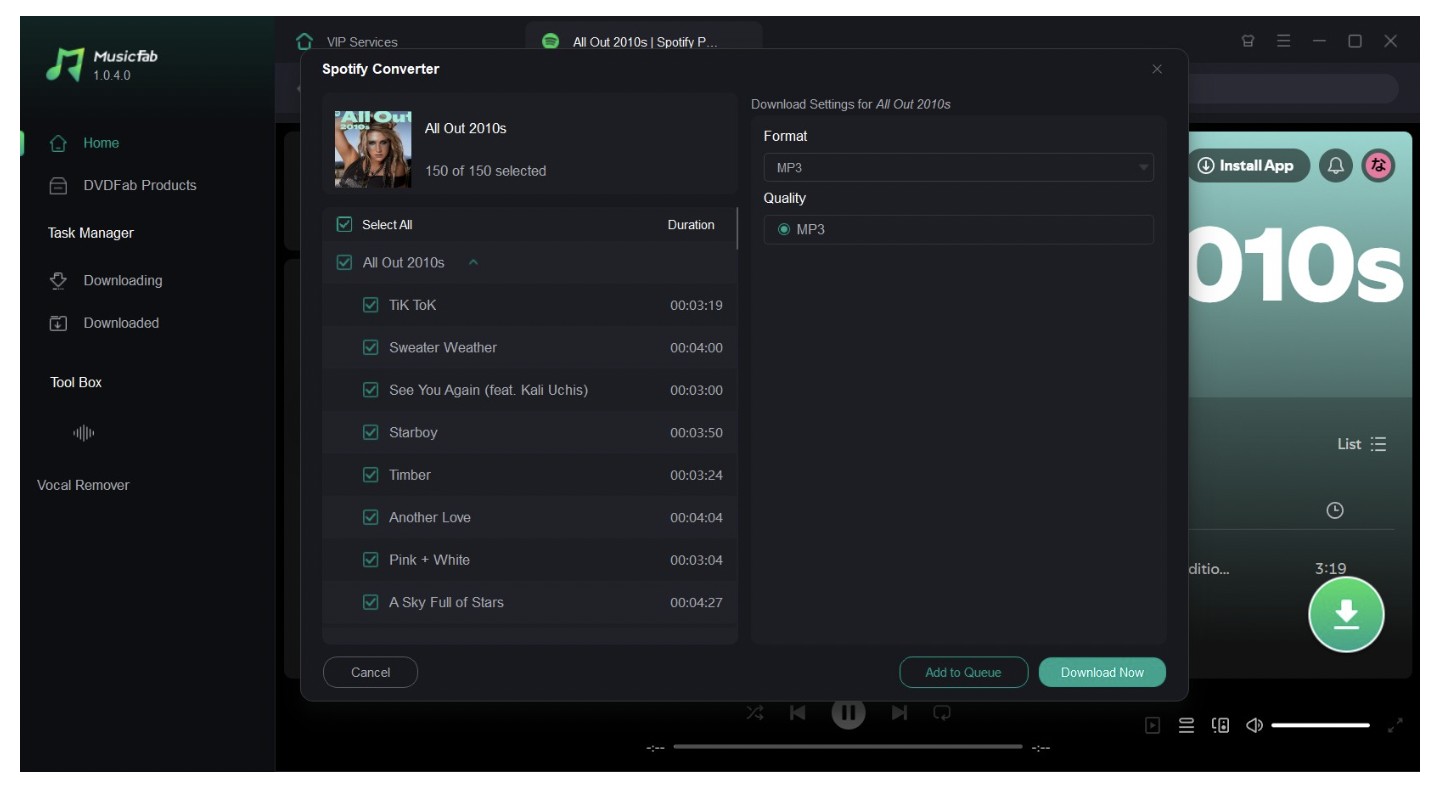
Step 4: Select the “Download Now” option at the bottom right side. The downloading process will be finished within a few seconds, and the content’s ID3 tags and lyrics will be saved automatically.
FAQs
Is It Legal to Use The ViWizard Crack Version?
It is not legal to use the ViWizard crack version of the app as it is a pirated version. Using this pirated version could be risky and illegal since it violates the software's privacy, security, and copyright policy. Violating copy-protection rules is a legal offense. Apart from this, using the crack version invokes malware and virus infection risks. It is also considered a criminal offence. Therefore, it is not recommended to use.
Is ViWizard Legal to Use?
It is legal to use only for personal purposes. However, using this tool for commercial purposes is not legal.
Conclusion
While going through the entire ViWizard review, you will have a complete idea of this tool and its different dynamics. This guide will help you make the best out of this tool. However, despite offering many innovative functions, ViWizard also lags in certain performance factors. If you want an alternative with more advanced options without any errors or hassle, MusicFab Spotify Converter could be the best option.

![10 Best YouTube to WAV Converters 2025 [Safe & Fast]](https://c.musicfab.org/uploads/images/2024-07/17206996344468865-25133daf28c92d3ac9abe86a67fddcf8.)
