

This DRmare review will provide comprehensive insights into the DRmare Spotify Music Converter software. Stay tuned to learn the features, price, safety, working, and what other users have to say in their DRmare converter review. Let's get started.
- 1.What is the DRmare Spotify Music Converter?
- 2.What Can You Do With DRmare Spotify Music Converter?
- 3.Pricing of DRmare Spotify Music Converter
- 4.How to Use DRmare Spotify Music Converter
- 5.DRmare Spotify Music Converter Errors
- 6.Alternative to DRmare Spotify Music Converter - MusicFab Spotify Music Converter
- 7.Comparison Between DRmare Spotify Music Converter Vs MusicFab Spotify Music Converter
- 8.FAQs
- 9.Final Wrap Up
What is the DRmare Spotify Music Converter?
DRmare Spotify Music Converter offers a comprehensive solution for converting and downloading all Spotify Music. Whether you need to tune in to a specific audio track or groove to your Spotify playlist, DRmare provides an extensive music library.
What Can You Do With DRmare Spotify Music Converter?
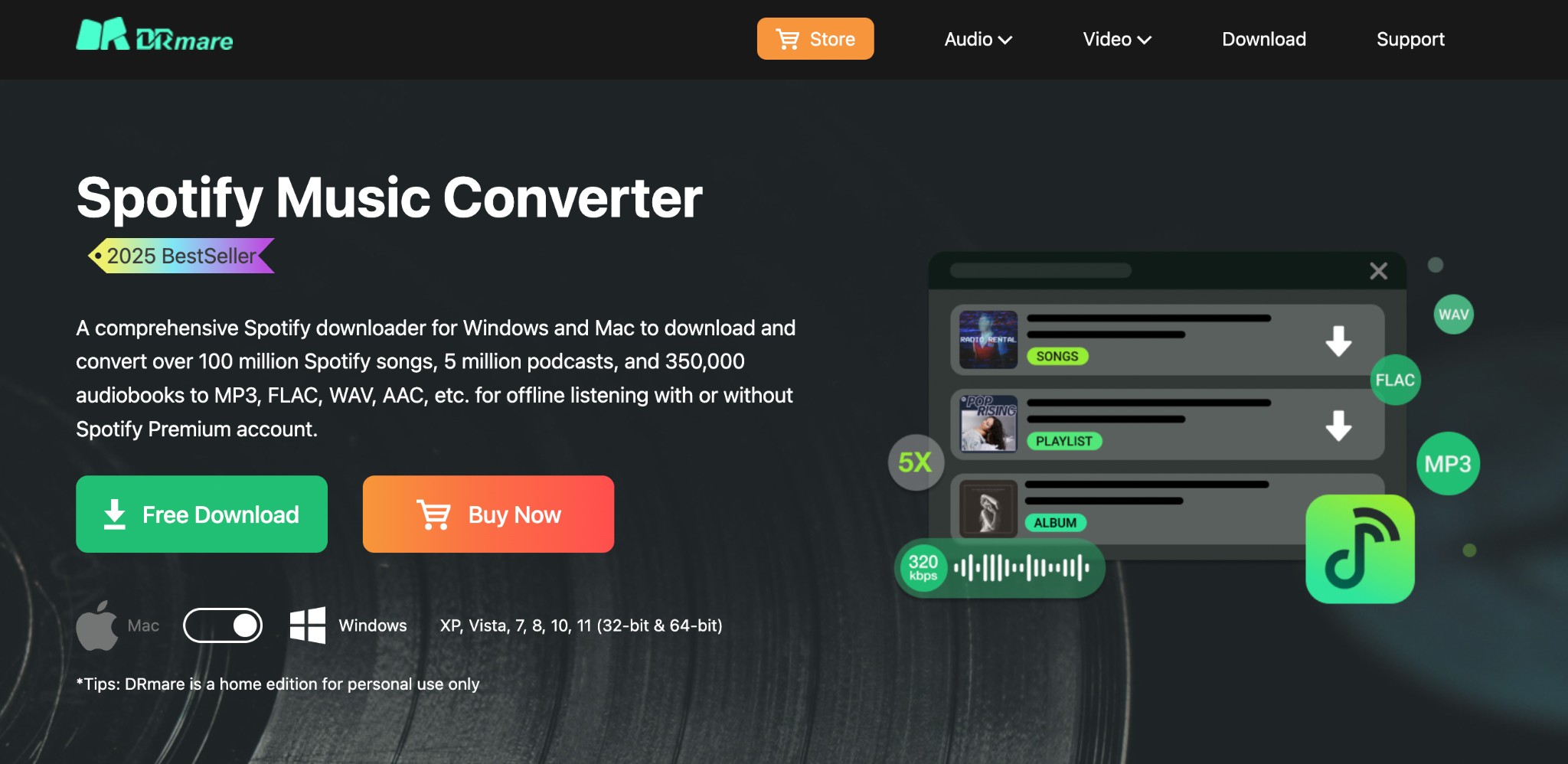
It can download over 100 million songs in different formats for seamless offline listening.
Let's look at its top features and offerings.
- Download Spotify music, including the entire Spotify library, such as songs, albums, complete playlists, podcasts, and audiobooks
- Converts Spotify audio tracks to AAC, M4B, MP3, WAV, M4A, and FLAC
- Preserves the original audio quality up to 320 kb/s during conversion
- 15x batch conversion speed for faster
- Downloads ad-free audio tracks for Spotify Free and Premium users
- Preserves essential ID3 tags during conversion, such as genre, title, album, artist, etc.
- Free updates and technical support (within 24 hours)
Safety of DRmare Spotify Music Converter
Most users often ask, "Is DRmare safe?" Let us tell you it's absolutely safe software that promises 100% security. It does not distribute your personal information to third-party websites. Plus, it has no malware, viruses, or adware. Many users prefer it for its speedy conversion and high-quality audio download.
However, it may violate Spotify’s Terms and Conditions. It may cause account bans and legal risks. So, you must use it at your own risk and responsibility only.
Review of DRmare Spotify Music Converter
DRmare has received mixed reviews from users across popular rating sites. While most users have vouched for its excellent customer service with no shady practices, others had an awful experience and found it frustrating with a lack of transparency and communication from their end.
One of the users on Trustpilot says, "Awesome, timely customer service! A great product." Others call it, "program works perfectly and is easy to use," "Their software is also high quality with polished user interfaces!," "Customer Service was excellent!"
|
Rating Sites |
Ratings and Reviews |
|---|---|
|
Trustpilot |
4.8/5 (233 reviews) |
|
Capterra |
4.2/5 (5 reviews) |
|
Sitejabber |
3.6/5 (13 reviews) |
|
CNET |
4.0/5 (1 review) |
Talking about my experience, I found its UI decent, as I am well-versed in technical knowledge. I had some issues with the license key and registration process; undoubtedly, their customer support team responded quickly. A big thumbs up to that!
However, the audio quality, unlike their claim, wasn't satisfactory. I was expecting something close to original quality, but it was not up to the mark. Also, the conversion speed was pretty slow and took longer than expected to convert a handful of songs.
Pricing of DRmare Spotify Music Converter
It is not entirely free. While it does offer a free trial to help you test its features, the trial has its own limitations. The free trial allows you to convert only the first minute of each file.
Once the free trial ends, you must purchase the license key to access the full functions. Whether you need an individual or a family plan, DRmare has versatile options to cater to each user's distinct needs. Have a look.
|
Price Plans/Tenure |
Individuals |
Family |
|---|---|---|
|
Monthly License |
US$14.95 (1 PC/Mac for 1 month) 5-day money-back guarantee |
US$19.95 (3 PCs/Macs for 1 month) 5-day money-back guarantee |
|
Yearly License |
US$44.95 (1 PC/Mac for 12 months) 30-day money-back guarantee |
US$59.95 (3 PCs/Macs for 12 months) 30-day money-back guarantee |
|
Lifetime License |
US$89.95 (1 PC/Mac for a lifetime) 30-day money-back guarantee |
- |
How to Use DRmare Spotify Music Converter
Here's how I used DRMare to download Spotify music tracks. Let's see the detailed process for setting up and using the software for seamless music conversion.
How to Set Up DRmare Spotify Music Converter
Step 1: Download it. Tap the setup file twice to install the software. While it works on both Windows and Mac, I installed it on my Windows 11 computer.
Step 2: Select a subscription plan to unlock the full functionality. You will automatically receive the license key via email.
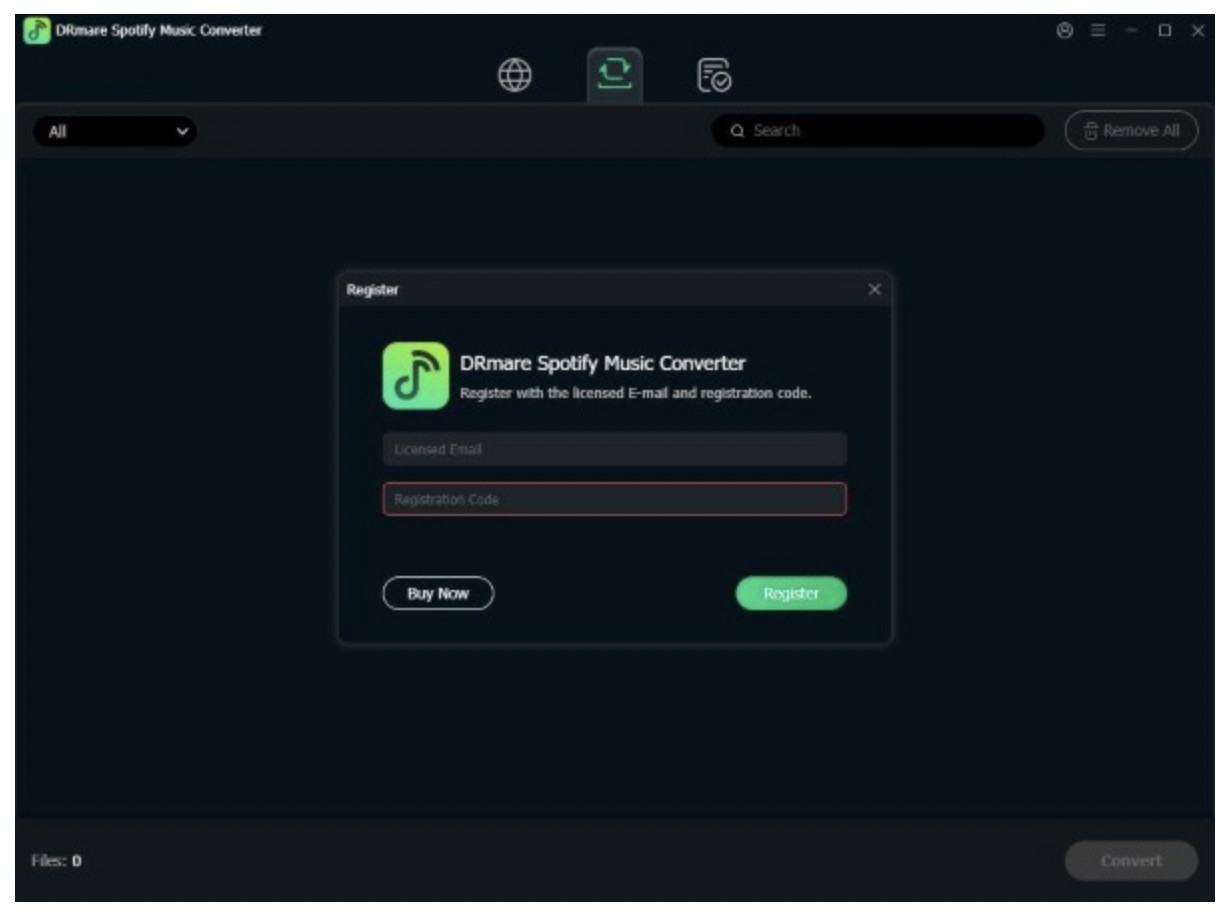
Step 3: Hit the Menu icon at the upper-right corner and choose Register.
Step 4: Browse to the Licensed Email field and enter the purchased email. Similarly, hover the cursor over Registration Code and enter your license code.
How to Use DRmare Spotify Music Converter
Step 1: Open DRmare Spotify Music Converter. The Spotify app will be displayed on the main screen.
Note: I had already installed the Spotify app on my PC.
Step 2: Tap the three lines icon and choose Preferences. A new window will automatically open.
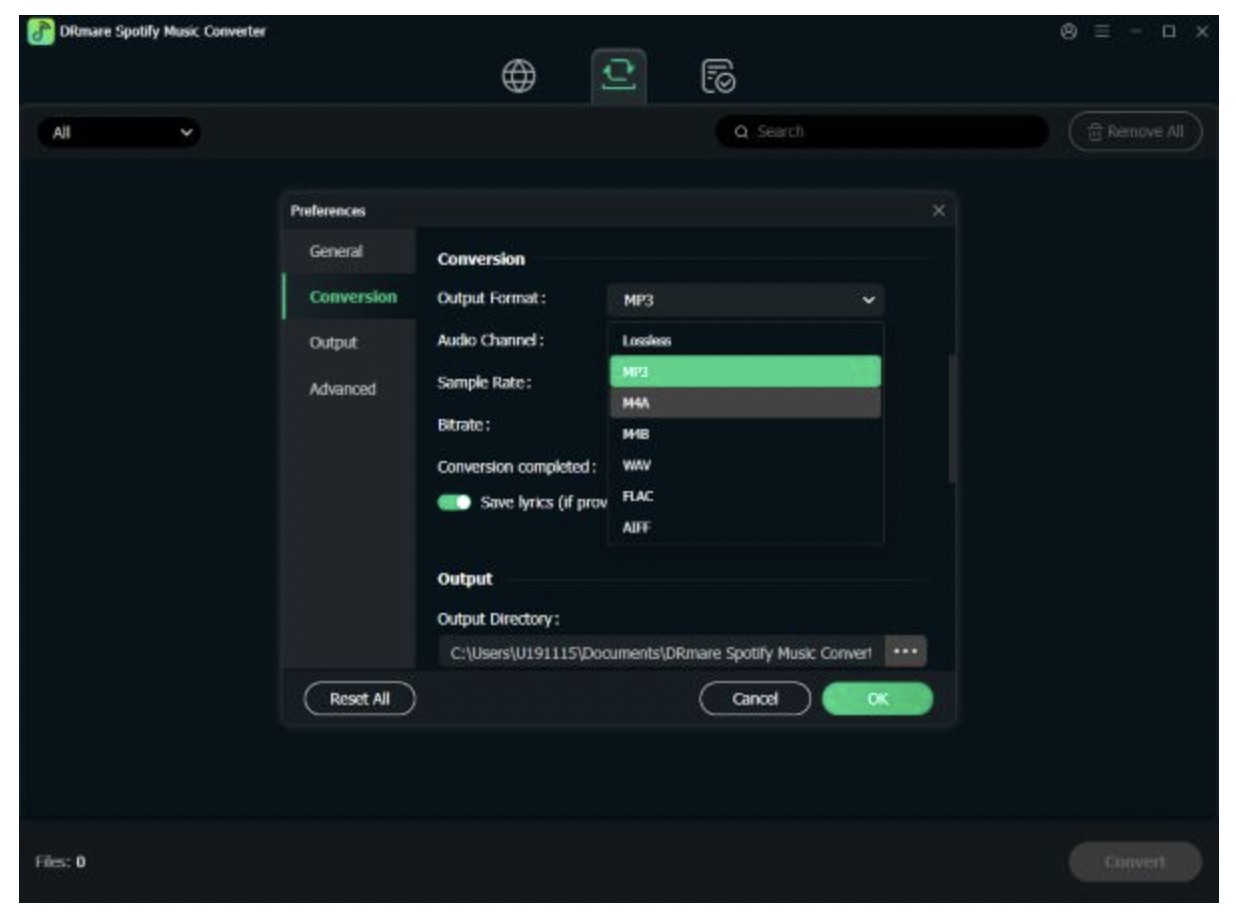
Click Conversion in the left panel of the new window. For greater convenience, set the Output format, audio channel, sample rate, bitrate, and other parameters. Once set, click OK.
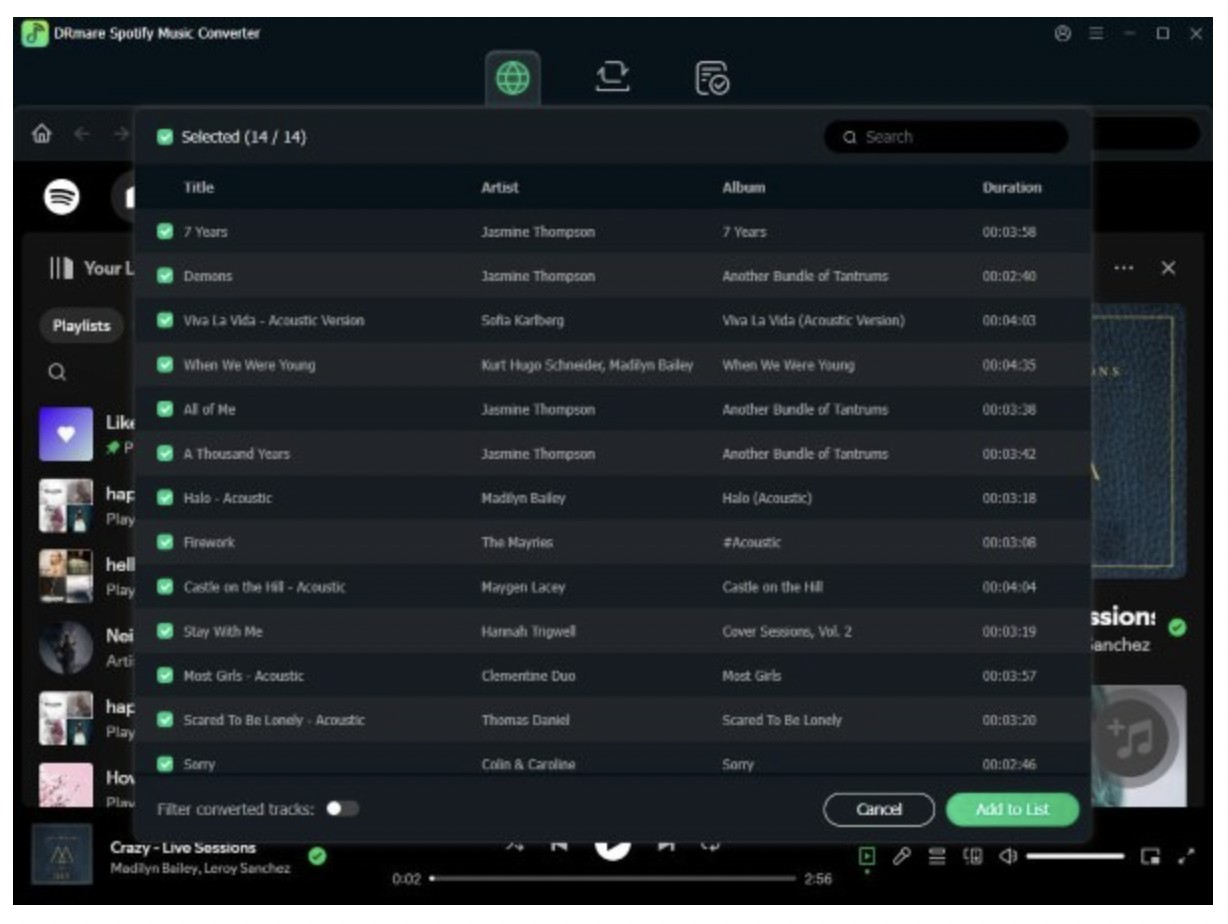
Step 3: Open the Spotify app and locate the desired song to convert and download. Eventually, drag your music file and drop it into the interface.
Alternatively, you can get the Spotify URL or the URL of your chosen song. Insert or paste it into the blank text box. Then, click the + icon.
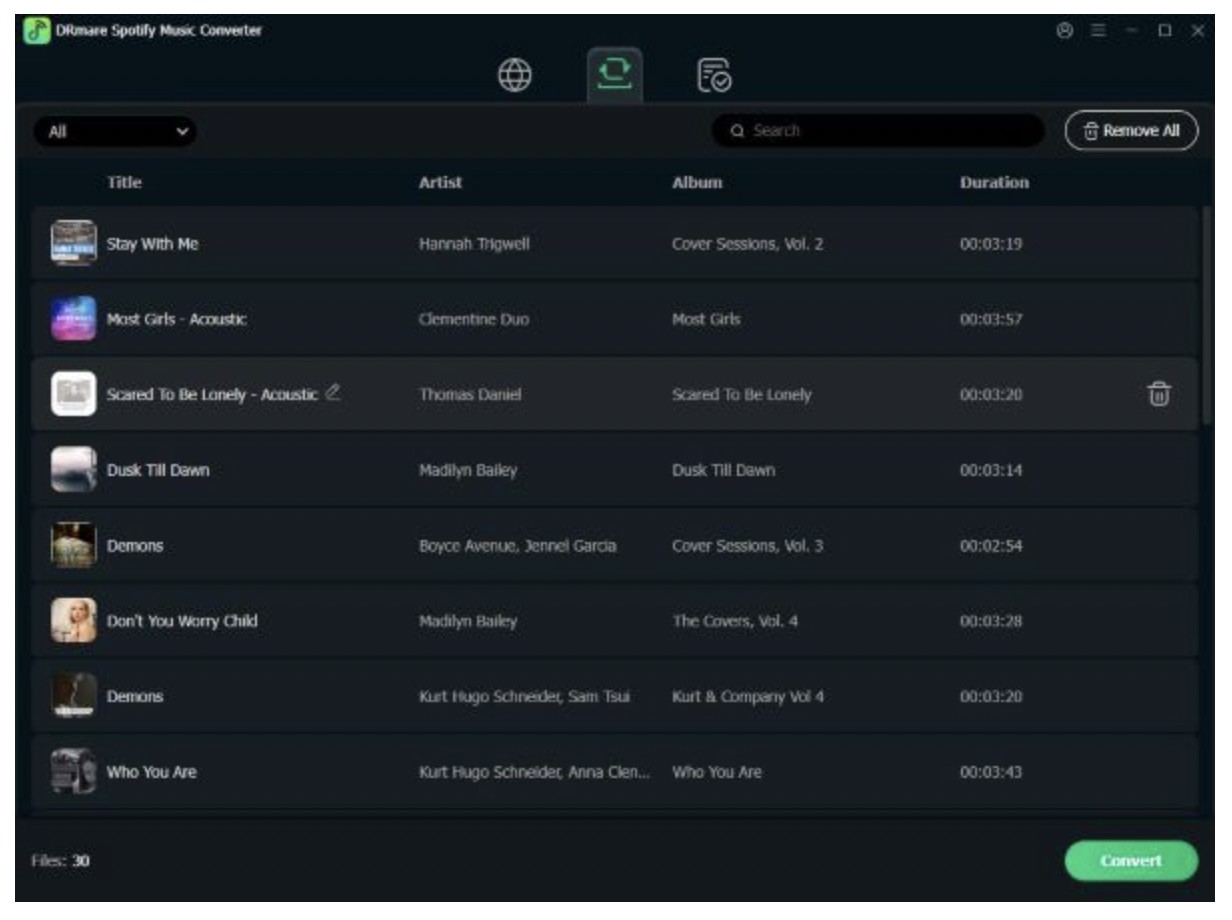
Step 4: Lastly, tap Convert in the lower right corner. DRmare will automatically analyze the song and download it to the computer. Find your downloaded Spotify song in History section and the computer.
DRmare Spotify Music Converter Errors
When I was downloading a Spotify playlist, an error prompt appeared on my screen, stating, "Spotify is not installed." To my surprise, the Spotify app was already installed on my Windows 11 computer. Then, I had to uninstall the Spotify app and reinstall it from Spotify's official website to make it work.
Mac users also faced the 'unidentified developer' error with DRmare. They had to tweak the computer settings to allow the application to be downloaded to their Mac computers.
While these errors are uncommon, they can indeed interrupt your smooth download process and ruin your entire mood. In such a case, we suggest you hook up to your favorite music track with a DRmare Spotify Music Converter alternative.
Alternative to DRmare Spotify Music Converter - MusicFab Spotify Music Converter
MusicFab Spotify Music Converter is a top-grade, reputable solution for anyone keen on downloading audio tracks from Spotify. It makes downloading music from Spotify a breeze. It does not matter if you have a Spotify Premium membership, as MusicFab helps you download and save ad-free music without hassle. Also, it saves your music files in local storage, so unlike Spotify, you need not fear the uncalled deletion of your cherished music tracks. Use MusicFab to save your Spotify music in one click at high speed.
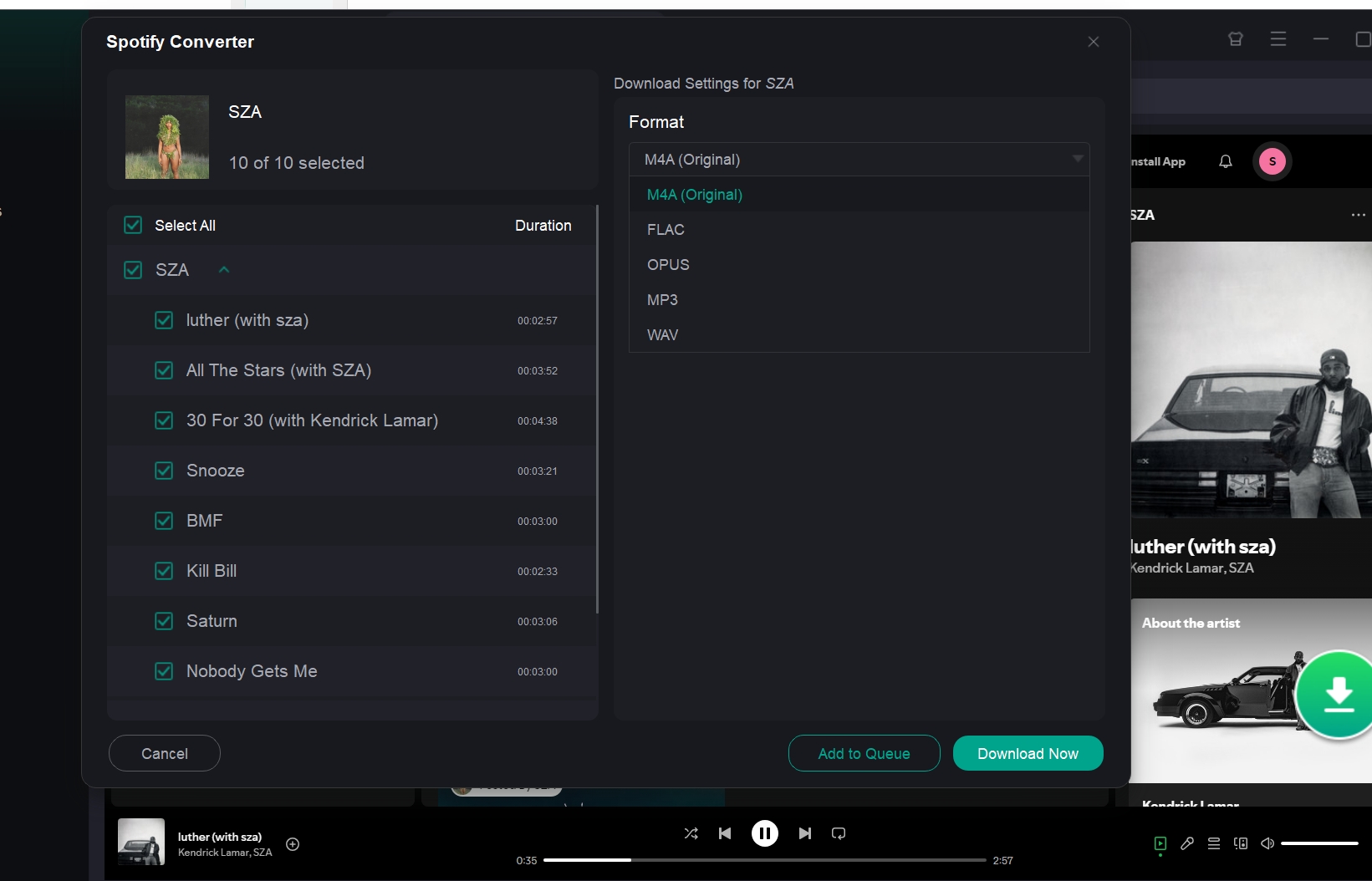
Note: MusicFab also provides an all-inclusive tool (MusicFab All-in-One) for downloading music from various music streaming platforms and services (over 10+). It can save high-quality lossless music from Amazon Music, YouTube, Apple Music, LINE MUSIC, and many more music services. Enjoy MVs and immerse yourself in music with ultimate rich content.
Key Features of MusicFab Spotify Music Converter
- Seamlessly convert and enjoy any Spotify music, such as playlists, songs, albums, and podcasts, in one click
- Download Spotify music tracks into original M4A, WAV, OPUS, MP3, and FLAC formats
- Removes ads for Spotify free users
- Saves Spotify songs permanently to your local drive
- Quickly converts Spotify music at 20x faster speed
- Get high-quality audio output up to 320 kb/s and 44.1 kHz sampling rate
- Keeps song lyrics as external .Irc file
- Retains ID3 tags, such as artist, title, album, track number, artwork, etc., for every song
Operational Guide: How to Use MusicFab Spotify Music Converter
Free Trial: MusicFab Spotify Music Converter offers a free trial to help first-time users get a glimpse of the program's complete functioning. The trial includes downloading three full Spotify audio songs for convenience.
You may also be interested in ViWizard Spotify Music Converter Complete Review,Guide,Alternative
Comparison Between DRmare Spotify Music Converter Vs MusicFab Spotify Music Converter
Let's quickly compare them to conclude which one performs better on standard parameters. The table below can guide you in making a well-informed decision.
| Features | MusicFab | DRmare |
|---|---|---|
| Ease of Use |
|
|
| Compatible OS | Win/Mac | Win/Mac |
| Output Formats | MP3, M4A, WAV, FLAC, or OPUS format | MP3, FLAC, WAV, AAC, M4B, and M4A |
| Conversion Speed | 20x faster speed |
15x faster speed on Windows (practically 5x) and 1x speed on macOS |
| Total Tracks Convertible at once | 300 songs in a day | Up to 100 songs at a time |
| Built-in Web Player | Yes | No |
| Free Trial | Converts three full Spotify songs | only the first minute of each audio file |
FAQs
Q.1. Is DRmare legal?
DRmare is a legal consumer software provider. It specializes in developing media encoding tools, especially for popular music streaming platforms. This includes Spotify Music, Audible, Apple Music, iTunes movies, TV shows, and much more. While all its software are legal, it largely depends on how you intend to use them. While you won't be penalised for copying digital media for personal use, distributing or using them for commercial purposes can definitely land you in legal trouble.
Q.2. Can I use DRmare crack to download from Spotify?
We do not recommend that anyone use a cracked version of DRmare or any software, as it may pose several significant risks and potential consequences. Cracked software often contains malware and viruses that can compromise your security. Additionally, it does not receive official updates or customer support, reducing its functionality. You may end up getting degraded audio quality with frequent crashes or errors. And don't forget that cracked software violates IP laws. The software developer can take legal action against you.
Q.3. Is DRmare free?
No. DRmare is not entirely free software. It does offer a free trial, but it has limited functionality. You must purchase a paid license to unlock and access the full features.
Final Wrap Up
DRmare is a worthy software for converting and downloading media files from various streaming platforms and services. This DRmare converter review has covered all the essential points to help you make a well-informed decision about upgrading to its premium subscription. However, if you are seeking a competent DRmare alternative, try MusicFab Spotify Music Converter for speedy, high-quality audio tracks.

![10 Best YouTube to WAV Converters 2025 [Safe & Fast]](https://c.musicfab.org/uploads/images/2024-07/17206996344468865-25133daf28c92d3ac9abe86a67fddcf8.)
