

How to download music using Y2Mate? Is it safe to use Y2Mate? This article provides information about what Y2Mate is and its security issues.
Some people like to enjoy videos or music offline. And the website Y2Mate is very well-known on the internet because it lets people download YouTube videos and music offline for free.
Even though YouTube Downloader Y2Mate is free, there are still some security concerns. In this article, we will talk about Y2Mate and is it safe to use or not.
Section 1: What is Y2Mate?
Y2Mate is a browser-based downloader commonly used to convert YouTube videos into downloadable files (usually MP3 for audio or MP4 for video). One thing to note in 2026 is that “Y2Mate” often appears under multiple look-alike domains and mirrors, so the exact interface, available formats, and quality options can vary from site to site. In general, these tools let you pick a format and quality level, but the real output quality still depends on the original YouTube source (a “320 kbps” option doesn’t magically improve a low-quality upload). Because the service is web-based, it works on most devices without installation—but that convenience comes with security and reliability trade-offs.
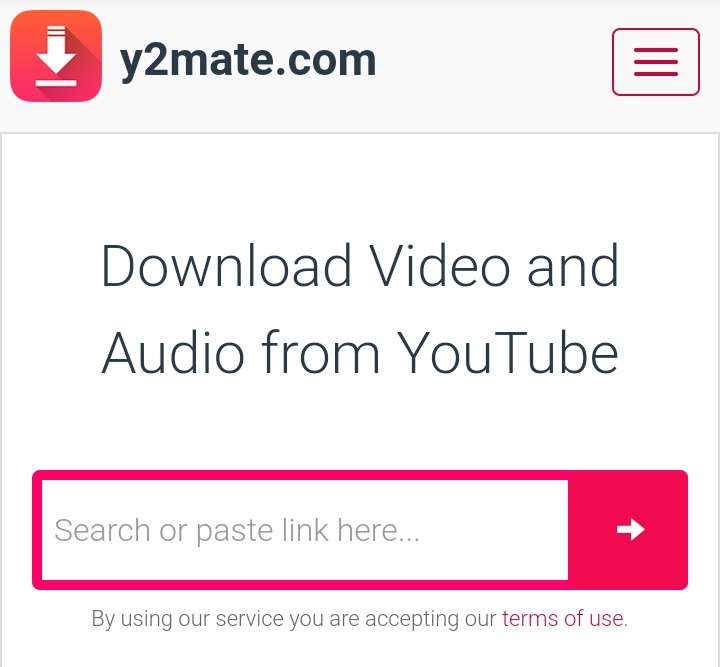
Even though Y2Mate receives a lot of traffic every day, its server is reliable and offers users a fast enough download speed most of the time. Furthermore, it is available in 21 different languages
1.1 Y2Mate Features
Here are the common features you’ll usually see across Y2Mate-style web downloaders:
- No installation required: Paste a link, choose a format, and download in your browser.
- Audio & video output options: Typically MP3 for audio and MP4/WebM for video (availability depends on the specific site and current backend).
- Multiple quality levels: Some sites offer several bitrate/resolution options, but results vary by video and by domain.
- Works across devices: Compatible with modern browsers on Windows, macOS, Android, and iOS.
- Fast for single downloads: Convenient for grabbing one clip quickly (playlists and long videos can fail more often on web tools).
1.2 Can You Download Music With Y2Mate?
The short answer is yes. However, you can only download music from sites like YouTube, Facebook, Dailymotion, and other supported websites. Y2Mate does not support websites like Spotify and Amazon Music because It is intended for use on video streaming sites.
1.3 Is Y2Mate Safe?
While Y2Mate itself may look simple, many Y2Mate-branded or “Y2Mate mirror” sites rely heavily on ads, redirects, and look-alike download buttons. That’s where the risk usually comes from: a single wrong click can lead to deceptive pages, unwanted extensions, push-notification spam, or potentially unwanted programs. Security researchers and safety guides repeatedly flag issues such as intrusive pop-ups, malicious redirects, and notification abuse around Y2Mate-related sites. To reduce risk, never allow notification prompts, avoid “recommended installers,” and consider using a reputable ad blocker and antivirus—especially if you’re downloading frequently.
1.4 How to Use Y2Mate to Download Music
Follow these easy steps to download YouTube music with Y2Mate.
- Find the music video you wish to download on YouTube. Then, copy the URL from your browser's address bar.
- Go to Y2Mate on your browser and enter the copied URL into the text field.
- Select the quality and format that you want for the downloaded video.
- The download process will begin when you click the "Download" button.
If you want to use Y2Mate securely, avoid clicking on strange pop-ups and notifications that persistently appear on the screen. Additionally, avoid clicking on misleading pop-ups that offer to install virus protection.
This is because of the fact that the majority of the advertisements link to dangerous websites that hackers might use to obtain user data. Hackers can then use the personal data to commit identity theft fraud.
Section 2: Safe Way to Download Music
As mentioned before, Y2Mate can be used for downloading music. However, it doesn't support sites like Spotify and Amazon Music because it is intended only for video streaming sites, and its ads pose a security concern.
If you like to download music from Spotify, Amazon Music, and other music platforms securely, you can use a third-party app like MusicFab All-In-One.
MusicFab All-In-One is a product from MusicFab that lets you download music from many music streaming platforms like Spotify, Amazon Music, YouTube Music, Apple Music, and more.
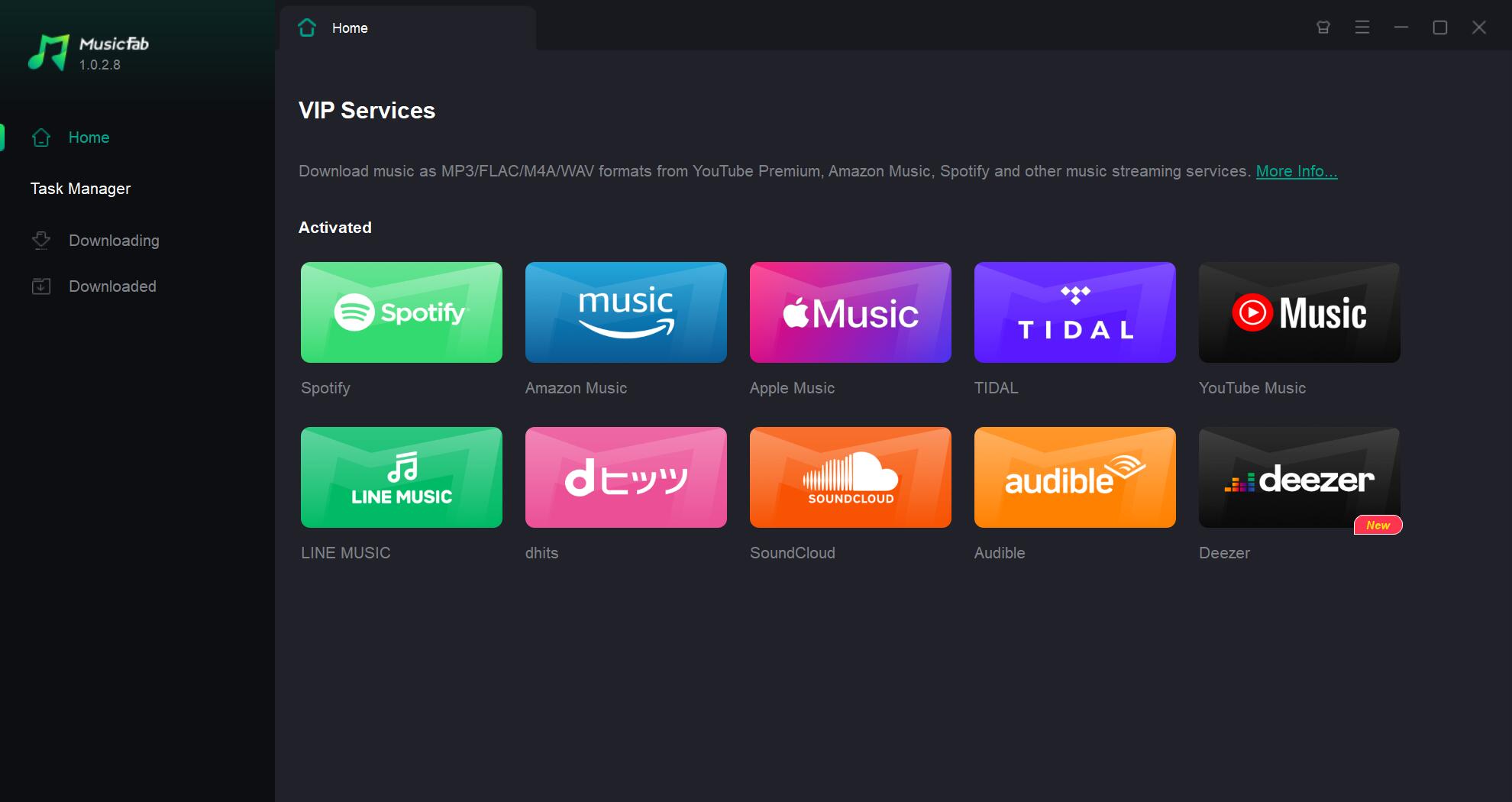
2.1 MusicFab All-In-One Features
If you want a more stable and security-focused way to save music offline—especially from Spotify, Amazon Music, Apple Music, and YouTube Music, a desktop tool like MusicFab All-In-One is usually a safer choice than ad-heavy online converters. MusicFab supports downloading from 10+ music services, converting to common formats like MP3, M4A, WAV, FLAC, and OPUS, and batch-downloading playlists/albums with fast processing. It also helps keep your library organized by preserving ID3 tags and exporting lyrics (.lrc) when available.
2.2 How to Use MusicFab All-In-One
- Download MusicFab All-In-One.
- After that, open the downloaded file and follow the on-screen instructions until the installation finishes.
- Next, choose one of the music streaming platforms from the card list and log in with your account if prompted.
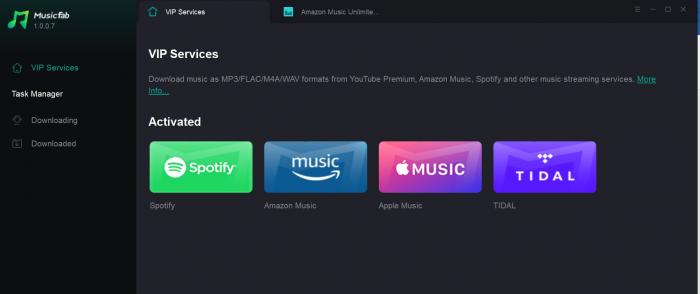
- Search for the music you want to download, then play it. A pop-up with a "Analyzing playlist information" message should appear.
- Then, after the analyzing process completes, a pop-up window will appear, letting you download the music in your preferred format.
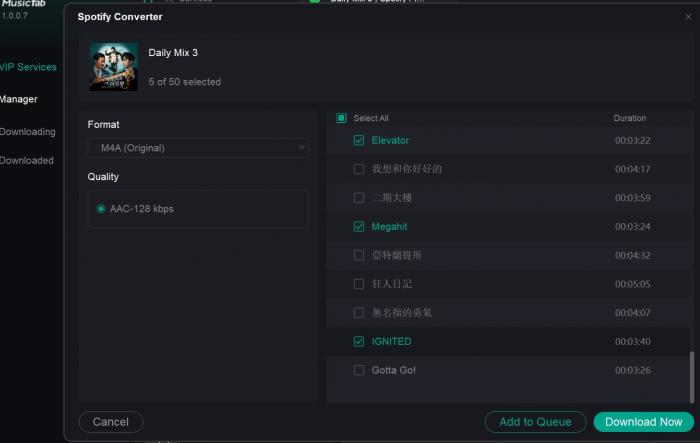
- After choosing, you can click the "Download Now" button to start your download process. When the download is finished, it will be located in the "Downloaded" tab.
FAQs
Is y2mate safe to use in 2026?
Y2Mate-style websites often come with heavy ads, redirects, and look-alike download buttons. The biggest risk is usually not the “converter” itself, but the surrounding ad network and deceptive pages that can push unwanted extensions, notification spam, or potentially unwanted programs. If you use it, avoid enabling browser notifications, don’t install “recommended” add-ons, and only click the actual download link after verifying the file type.
Does y2mate support 320 kbps MP3?
Not always. Even when a site shows “320 kbps,” the real audio quality still depends on the original source quality on YouTube. A low-quality upload can’t become true high-fidelity audio just by converting. If consistent high-quality output matters, use a dedicated downloader/converter that supports higher-quality sources and predictable settings.
Conclusion
If you like to enjoy music offline, there are ways to do that. You can use a website-based downloader called Y2Mate. Y2Mate allows you to convert video to MP3 format. However, you cannot download from music streaming sites like Spotify because it only supports video streaming sites.
Besides that, the website hosts ads and pop-ups that could direct users to unsafe websites and risk you installing potentially unwanted apps. If you would like a secure way to download music offline, there are also desktop-based apps, like MusicFab All-In-One.
MusicFab All-In-One allows you to download from music streaming platforms like Spotify, Amazon Music, YouTube Music, and more. It also features lossless conversion if you like downloading your music in a high-quality format like FLAC. You can download MusicFab All-In-One on your Mac or Windows PC.

![10 Best YouTube to WAV Converters 2025 [Safe & Fast]](https://c.musicfab.org/uploads/images/2024-07/17206996344468865-25133daf28c92d3ac9abe86a67fddcf8.)
