

You can convert the format of the downloaded music to MP3, WAV, or others. Which one to choose? This article will provide you more info about it.
Converting the songs you have downloaded to what format depends on what device you want to use to listen to them. The converted file will make it easier for you to listen to the song, and you will feel more comfortable listening to it.
There are many formats that you can choose from, such as MP3, M4A, WAV, OPUS, or others. The most common are MP3 and WAV. The two are similar but actually there are differences, one of them is the file sizes. You can read this article to get to know more about them.
Section 1: All You Need to Know about WAV and MP3
Today, there are many audio formats you can choose from—MP3, M4A/AAC, WAV, FLAC, OPUS, and more. The most common choices for everyday users are still MP3 (small and widely compatible) and WAV (uncompressed and editing-friendly). In 2026, however, lossless compressed formats like FLAC/ALAC are also mainstream on many platforms, because they keep full quality with much smaller files than WAV.
1.1 What are WAV and MP3 Files?
Waveform Audio File Format (WAVE, or WAV due to its filename extension) is an audio file format that is used to store an audio bitstream on personal computers. Because they are uncompressed digital files, they are larger in size, requiring more storage space and taking longer to download or upload.
However, due to their uncompressed state, they typically provide excellent quality. One of the most significant features of WAV is its lossless nature. This implies that the audio data in a WAV file is an exact reproduction of the original recording, resulting in the highest level of quality.
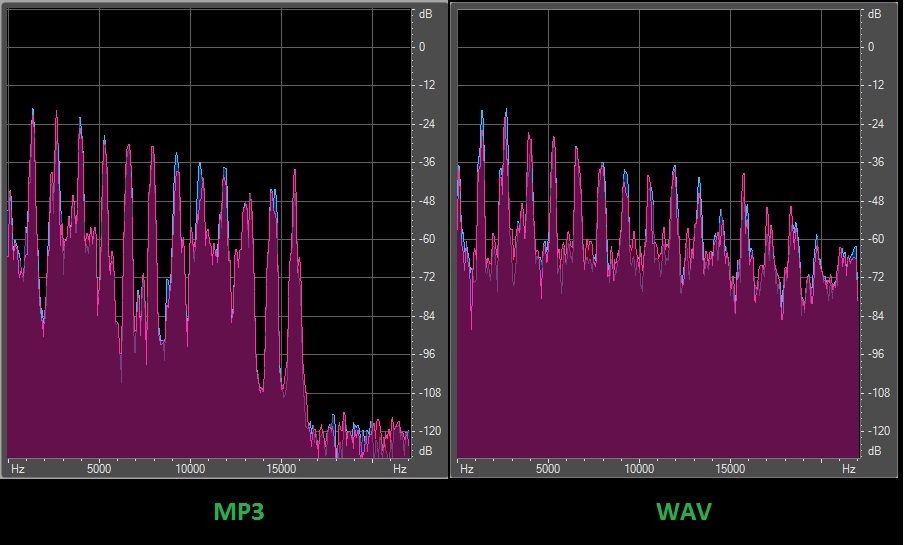
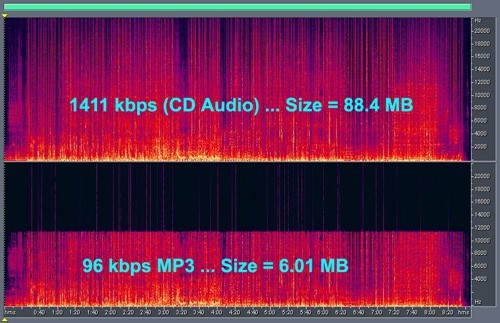
An MP3 file is an audio file that utilises a compression method to minimise its size. MP3 is a lossy format, and it's digitally compressed. As a result, when audio is encoded to the MP3 format, the quality is lost, but the file size will eventually be reduced. This means less storage space required, but at a cost in terms of quality.
Both WAV and MP3 are basically audio file extensions, or formats that allow your device to recognize the file as audio or media. These file types have completely changed how we listen to and save music, enabling us to enjoy our favorite songs across a variety of platforms. To understand more about the distinctions between WAV and MP3, we will discuss their definitions and features in the next part.
1.2 What Are the Differences Between WAV and MP3?
Although both are audio file formats, there are some differences between WAV and MP3 file formats. These differences show clearly the WAV vs MP3 quality.
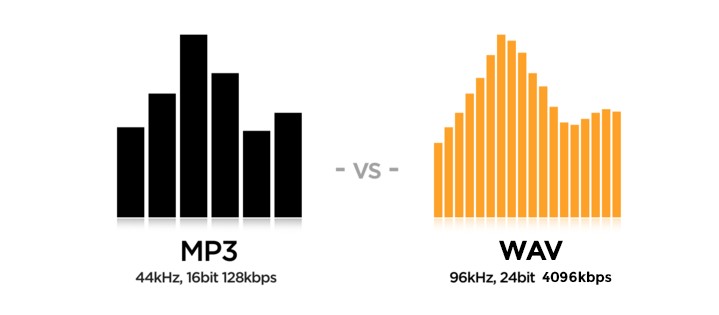
- WAV was developed by Microsoft and IBM while MP3 was developed by Moving Picture Experts Group.
- WAV/WAVE is Waveform Audio File Format; MP3 stands for Mpeg-1 or Mpeg-2 (Audio Layer-3)
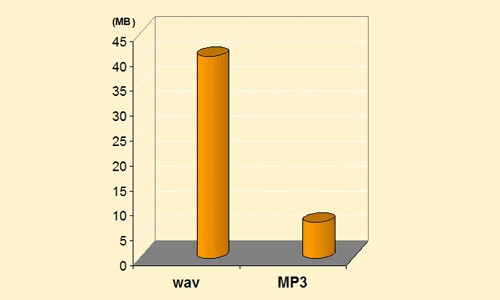
- WAV files are uncompressed which make them larger than MP3 files. On the other hand, MP3 files are compressed digitally.
- WAV retains the audio file's quality by making minimal changes to the original file. In contrast, MP3 can eliminate identical material to create the shortest possible size version of the same file in WAV format. This results in the size of the WAV file which is generally higher than that of the MP3 file.
- WAV files are higher in quality. On the other hand, because of the compression, the quality of MP3 files is compromised. The key differences between the audio encoding formats of WAV and MP3 are the level of compression and quality.
- WAV format is preferable by professional recordings while MP3 is useful for portable device storage. It’s because the MP3 format degrades the audio quality while the WAV file remains in good quality.
1.3 The Drawbacks of WAV vs MP3
- WAV
Even though WAV file format has good quality, it also has some downsides. Files in the uncompressed format are bigger, so they take up more storage space. This can be a problem, especially if you only have a small amount of space to store things or are sharing them online. Also, not all audio players and gadgets may be able to open WAV files, which can make them less useful.
- MP3
Because MP3 files are compressed, the sound clarity does get worse. The loss of quality might not be obvious to the average listener, but audio professionals and fans may like the better sound quality of uncompressed formats like WAV. If someone wants to choose between MP3 and WAV, it all comes down to their needs and goals.
Section 2: When to Use WAV and MP3?
In real life, choosing WAV or MP3 depends on what you plan to do with the audio.
Use WAV when you need maximum editing accuracy WAV is ideal for recording, mixing, mastering, and any workflow that involves heavy editing (EQ, noise reduction, time-stretching, etc.). Because WAV is uncompressed, it avoids generation loss during repeated exports. It’s also the safest choice for archiving and for sending files to studios or collaborators who may use different tools.
Use MP3 when file size and compatibility matter most MP3 is great for casual listening, sharing, and storing large libraries on phones, cars, and older devices. A high-bitrate MP3 (e.g., 256–320 kbps) can sound excellent for most listeners while taking a fraction of the space of WAV.
A 2026 tip: consider lossless compression if you want “WAV quality” without WAV size If you want to keep full fidelity but save storage, formats like FLAC (and ALAC in Apple’s ecosystem are often a better long-term choice than WAV—especially now that lossless streaming and high-quality playback are more common than ever.
Section 3: How to Get Downloaded Music in WAV or MP3 Format Easily?
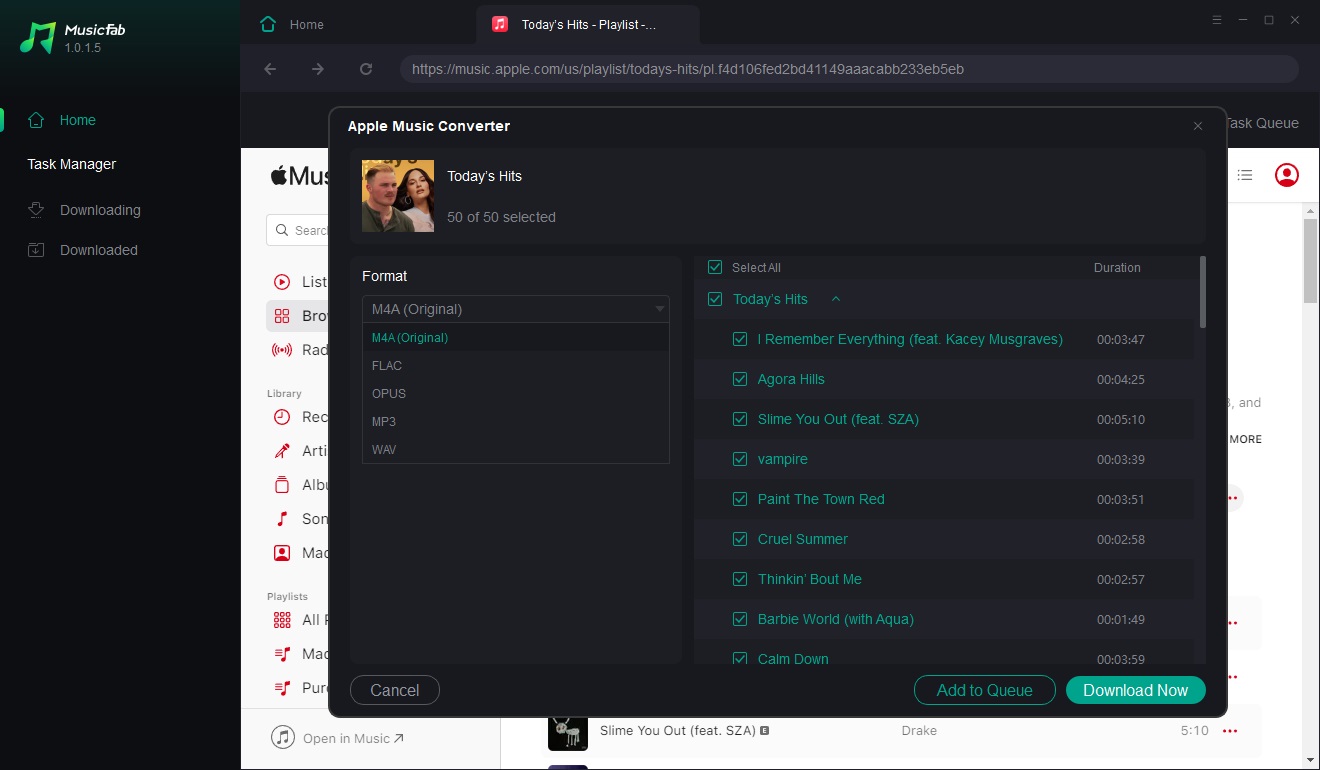
To get music in WAV or MP3 quickly, MusicFab All-In-One lets you download and convert in one step. For the best experience, use a current Windows or macOS version, and always install the latest build (MusicFab’s All-In-One page shows it was last updated on Feb 4, 2026, so you’ll have the newest service support and stability improvements.
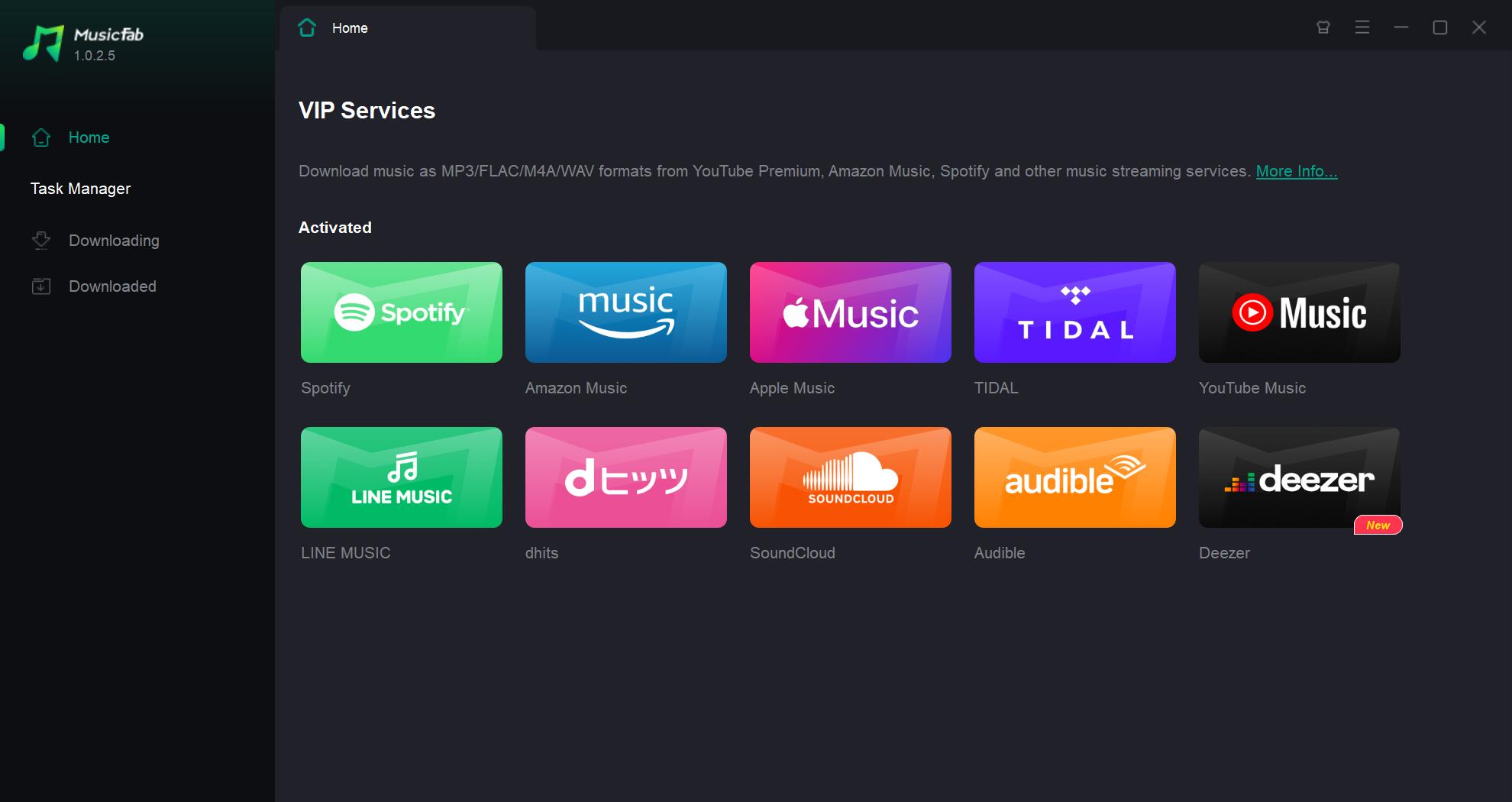
With its user-friendly interface and easy steps to follow, anybody can use it without any problems. Here are the steps on how to use it:
FAQs
Is WAV always better than MP3?
WAV preserves the full, uncompressed audio signal, so it’s best for recording, editing, and archiving. But for everyday listening, a high-bitrate MP3 can sound very close while using far less storage—so “better” depends on your use case.
Summary
Converting the downloaded music to WAV or MP3 really depends on your needs. When you simply want to listen to a lot of songs, you can convert your music to MP3.
But when you really care about the quality, or you need it for studio recording, then WAV is the option. Whatever the choice is, you can always use MusicFab All-In-One to download and convert all of your songs without any hassle.
But again, whether you want to change the format of your downloaded music files to WAV or MP3 is really up to you and your needs.

![10 Best YouTube to WAV Converters 2025 [Safe & Fast]](https://c.musicfab.org/uploads/images/2024-07/17206996344468865-25133daf28c92d3ac9abe86a67fddcf8.)
