

TunePat offers a smooth interface and powerful features for music lovers, but how about its download speed, free trial, and user feedback? Read this review to get your answer.
TunePat offers a range of converters supporting various major music streaming platforms, including the TunePat Spotify Converter, TunePat Amazon Music Converter, TunePat Apple Music Converter, and TunePat YouTube Music Converter. These converters allow you to record and save music from these services to listen to music offline.
Since the features between them are generally similar, this review will focus on the TunePat Spotify Converter. Stay tuned for more info.
What is the TunePat Spotify Converter?

The TunePat Spotify Converter simplifies the process of downloading and saving music. This software allows you to download and save music, albums, and playlists from Spotify at up to 10 times the normal speed, without the need to install the Spotify application. The downloaded music can be converted to high-quality audio file formats such as MP3, AAC, WAV, FLAC, AIFF, and ALAC. Moreover, the song's metadata, including artist, album, and track number, is preserved even after the conversion.
- 【Operating System】Windows, Mac
- 【Official Website】https://www.tunepat.jp/spotify-music-converter.html
- 【Output Formats】MP3, AAC, WAV, FLAC, AIFF, ALAC, and more
How to Use the TunePat Spotify Converter
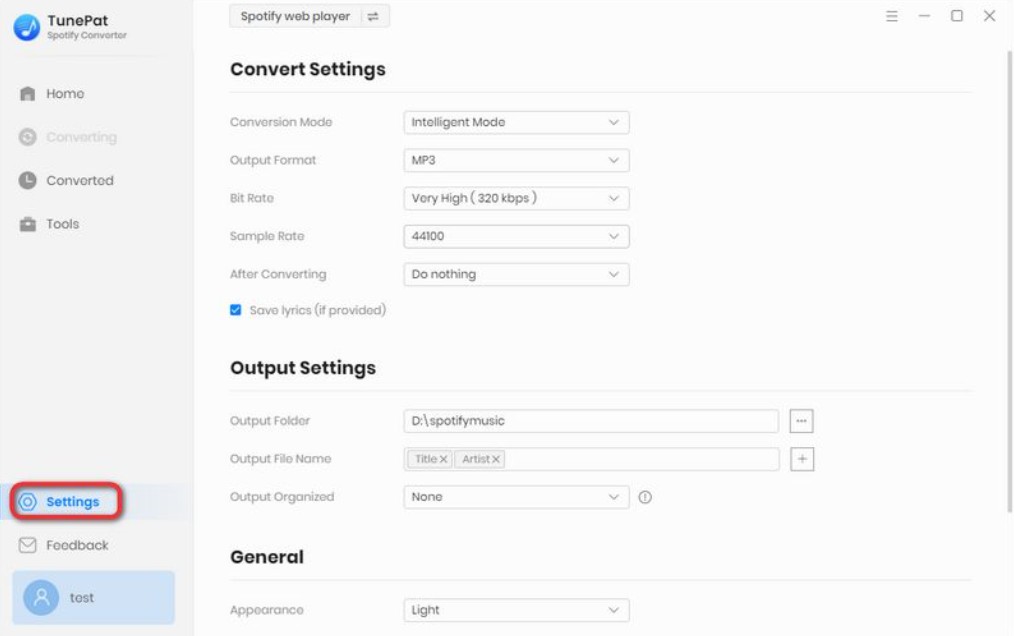
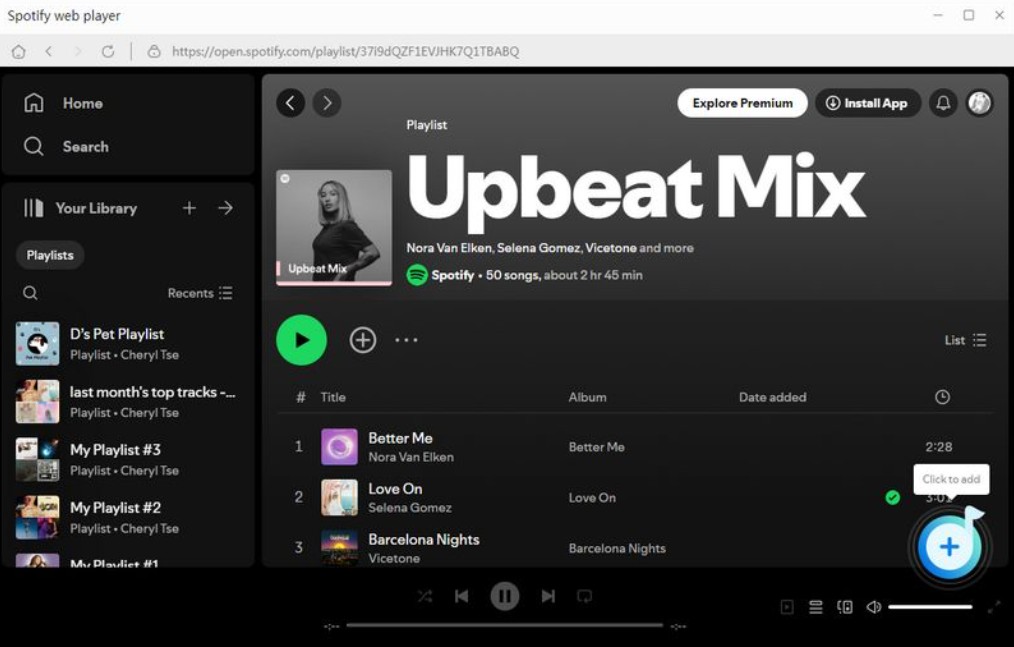
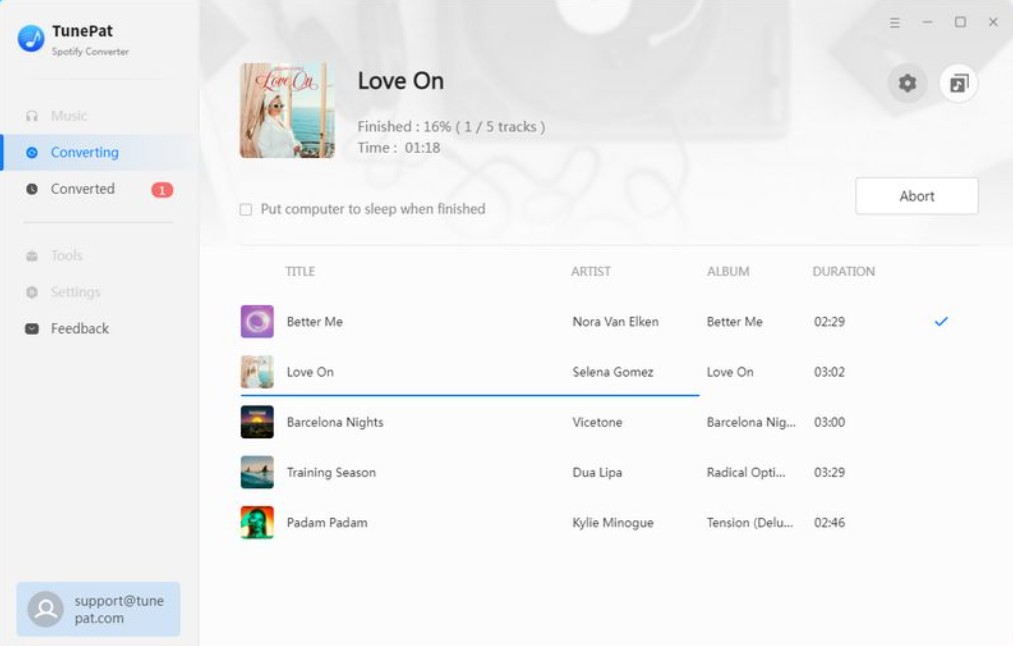
Can you use Tunepat for free?
Yes, TunePat Spotify Converter offers a free trial version, but it comes with various limitations. First, the number of songs you can download and convert is restricted to a maximum of 3 per session. Additionally, the conversion time for each song is limited to 1 minute.
Is TunePat safe?
You can use antivirus software to prevent potential issues. All downloaded songs are sourced directly from the official Spotify website, thereby avoiding downloads from unverified third-party platforms.
User Ratings of TunePat
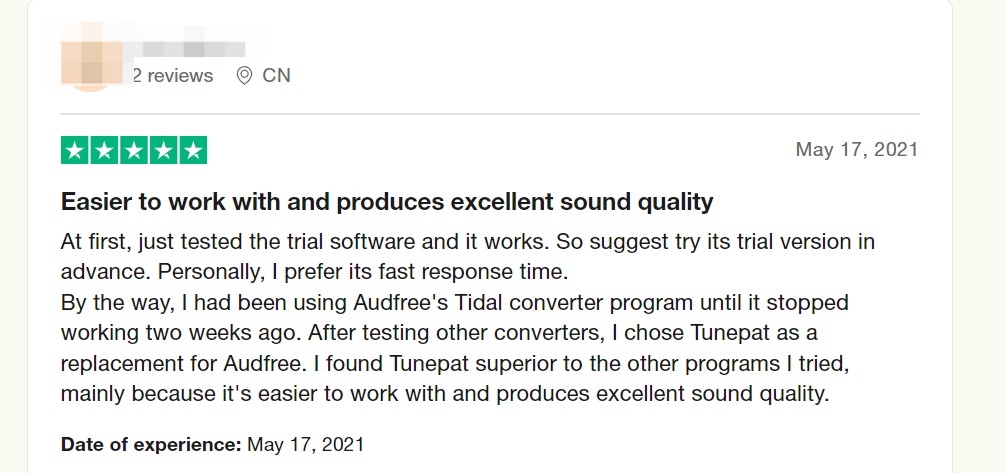
Tunepat got 4.4 on Trustpilot review.
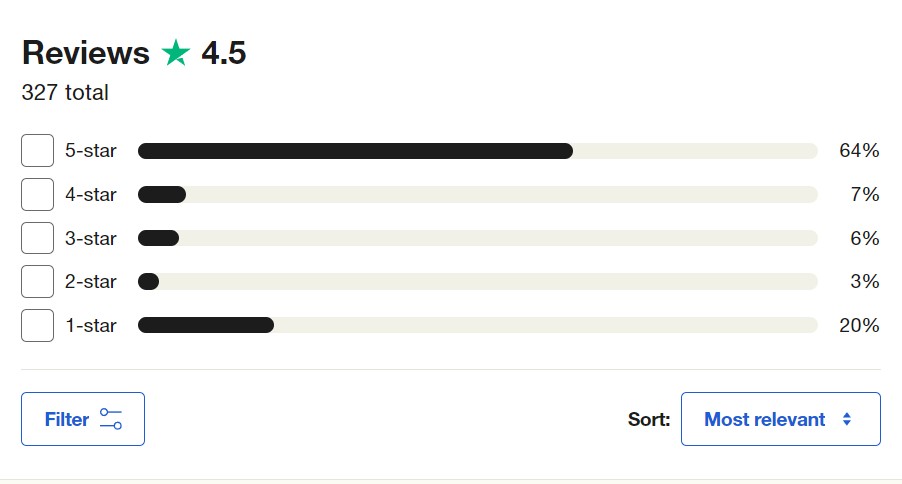
What users like:
① Customer Support: Purchasing the premium version of TunePat grants access to free updates and comprehensive support services.
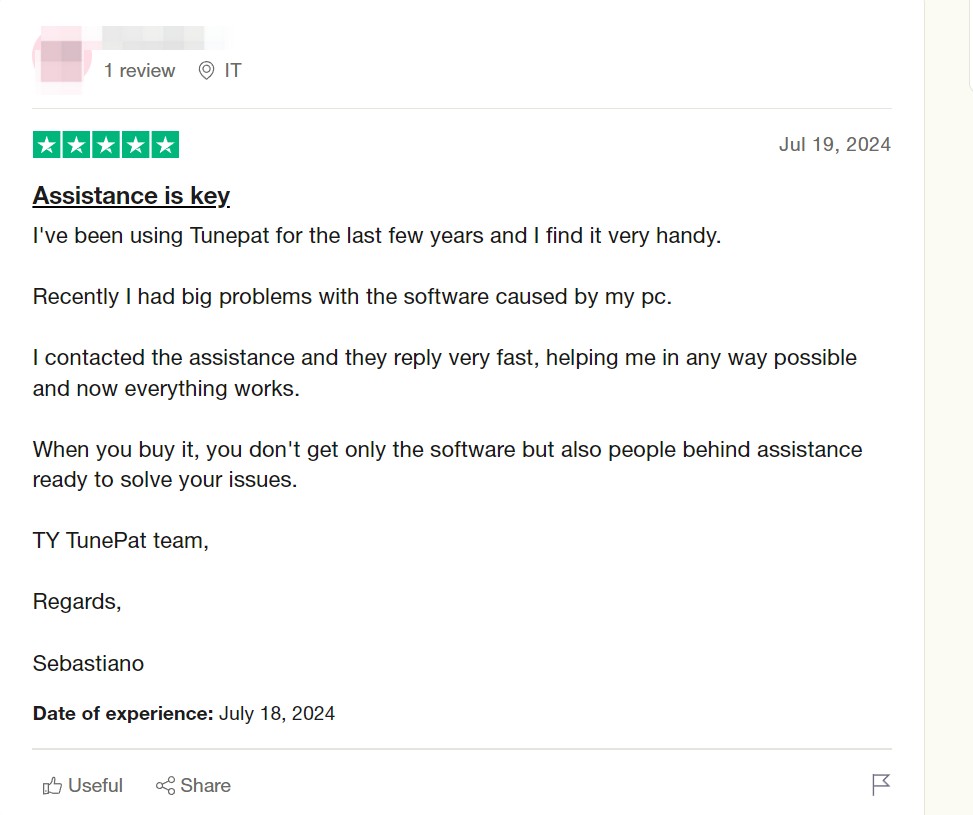
② Intuitive interface: The TunePat interface closely resembles that of the official Spotify platform, offering a streamlined and uncluttered user experience. Furthermore, the absence of any advertisements or malicious clickbait enables a smooth and efficient operation.
What users don't like:
1. Download Speed: Users say downloading is very slow—like 2 and a half hours for just 30 songs. Not great if you’re in a hurry.
2. Limited Free Version & Prompted Actions: Some feel the free version is quite limited unless you do things like write a review. It feels like you have to jump through hoops to unlock more features or keep using the app.
Best Alternative to TunePat: MusicFab
If you’ve been frustrated with TunePat’s slow downloads, limited trial, and tricky restrictions, MusicFab offers a refreshing alternative you’ll appreciate.
Why does MusicFab stand out?
Unlike most competitors that rely on recording, which can be slow and cumbersome, MusicFab uses direct downloads through a built-in browser, making the process 20X faster and more convenient.
Plus, MusicFab’s free trial is way friendlier—you can download three full songs without any limits on length or format, while others only let you try one-minute clips.
On top of that, MusicFab is more stable, boasting a success rate over 99%. Even though MusicFab is relatively new to the scene, it’s already earning higher praise from users overall, with a user review of 4.5 on Trustpilot. So if you want a smoother, faster, and safer way to build your music library, MusicFab stands out as the smart choice.
As a sister brand of DVDFab and SteamFab, MusicFab specializes in downloading streaming music from popular music services, like Spotify, Amazon Music, Apple Music, and more.

- Save Spotify music as MP3, FLAC, WAV, M4A, or OPUS format.
- Download Spotify songs/playlists/albums/podcasts in batch
- Keep ID3 tags and lyrics for music library management.
- Save Subtitles as External SRT Files.
Here is a quick video tutorial on how to download songs using MusicFab:

![10 Best YouTube to WAV Converters 2025 [Safe & Fast]](https://c.musicfab.org/uploads/images/2024-07/17206996344468865-25133daf28c92d3ac9abe86a67fddcf8.)
