

Discover the top 7 TIDAL to MP3 converters for 2025, featuring tools that let you download and convert TIDAL music into MP3, FLAC, WAV, and more, for offline listening on any device.
If you enjoy music, you might be familiar with TIDAL, a well-known music streaming service featuring high-definition audio and unique content. Nonetheless, to listen to your preferred tracks offline or on different devices, you'll need a TIDAL music converter. In this article, we'll introduce you to the top 7 TIDAL to MP3 converter tools for Windows and Mac users.

7 Best TIDAL to MP3 Converters 2026
① MusicFab TIDAL Converter: Best Solution for TIDAL to MP3 Conversion
Are you a Tidal user who is tired of being limited to streaming music only on this platform? Do you want to listen to your favorite songs offline on any device to break the limitations? If yes, then MusicFab Tidal Music Converter is the ultimate solution for you!
Features of MusicFab TIDAL Converter
- Supports MP3, AAC, WAV, FLAC, and more while maintaining original quality and ID3 tags.
- Allows you to download Tidal tracks, albums, playlists, and audiobooks at once.
- Adjust bit rate and output format to suit your preferences for audio quality or file size.
- Simple and intuitive design, making it easy for both beginners and experienced users.
- Quickly convert and download your favorite Tidal music for offline listening.
In essence, any TIDAL user who desires to enjoy their music offline and on any device should consider the MusicFab Tidal Music Converter a necessary tool. With its powerful features and ease of use, this software provides the ultimate solution for Tidal music conversion.
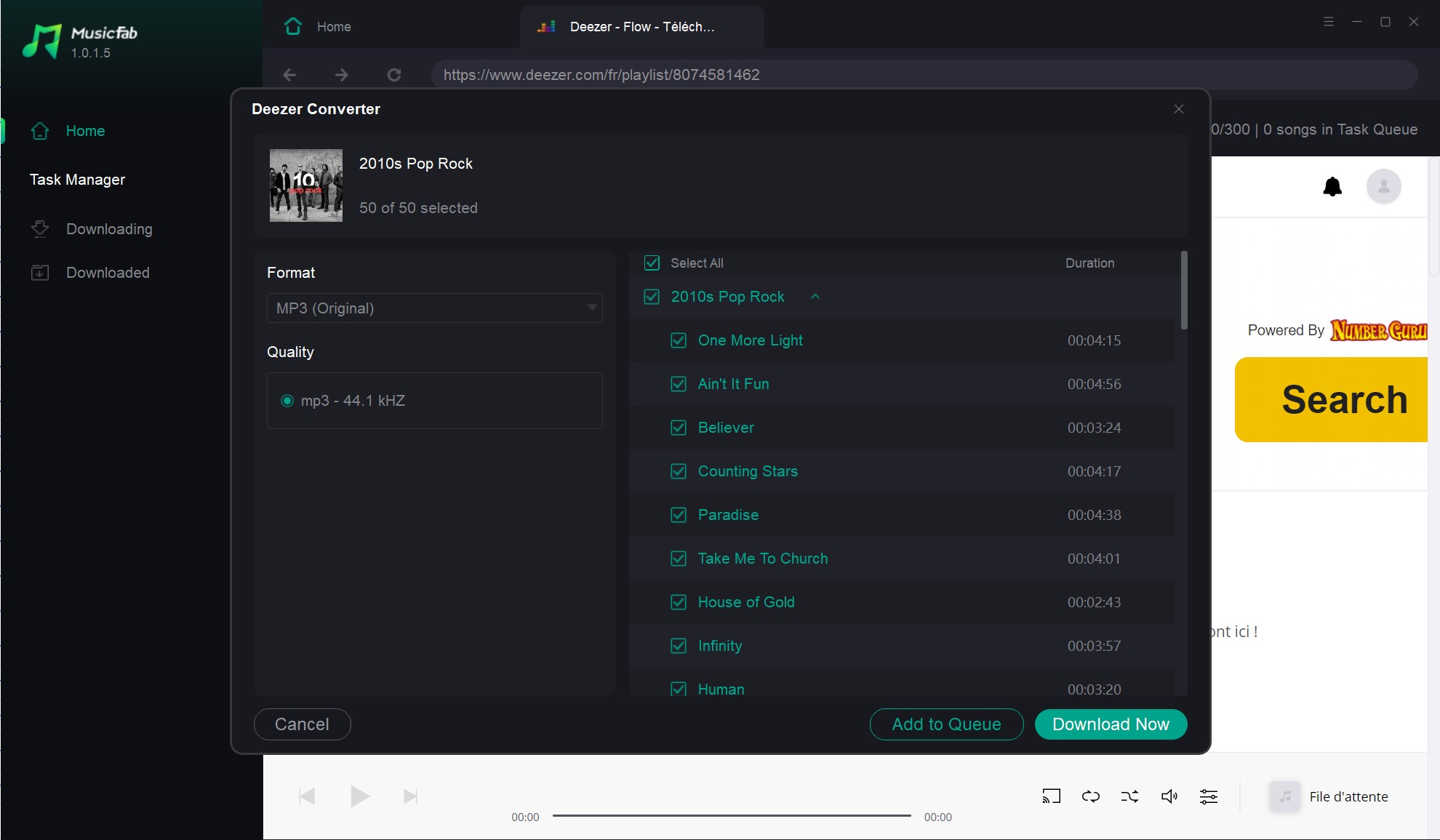
Step-by-step guide on converting TIDAL to MP3 with MusicFab:
② UkeySoft Tidal Music Converter
UkeySoft Tidal Music Converter is a powerful tool that allows you to download Tidal songs, albums, and playlists with lossless quality and ID3 tags. It supports batch conversion and can save the output files in various formats such as MP3, AAC, FLAC, WAV, and AIFF. In addition, its straightforward and easy-to-use interface ensures a quick and effortless conversion process. 
③ AudFree Tidal Music Converter
If you're a Tidal music lover, but you're not always connected to the internet, then you might want to consider using AudFree Tidal Music Converter for Windows or Mac. This versatile and user-friendly software allows you to convert your favorite Tidal tracks to various formats such as MP3, FLAC, WAV, AAC, M4A, and M4B. With its batch conversion feature, you can convert multiple Tidal songs simultaneously, saving you valuable time.

AudFree Tidal Music Converter also offers customization options for users who want more control. For example, you can adjust the output parameters, including bitrate, sample rate, and channel, to customize the output audio quality according to your needs. Additionally, you can edit the ID3 tags, such as title, artist, album name, track number, and genre, to keep your music organized.
④ TunesKit Tidal Music Converter
TunesKit Tidal Music Converter is an excellent choice for those who want to enjoy Tidal music offline on any device. It's easy to use, fast, and produces high-quality output. Plus, with frequent updates and excellent customer support, TunesKit is a reliable option for all your music conversion needs.
With TunesKit Tidal Music Converter, you can easily convert Tidal tracks, playlists, and albums to common audio formats such as MP3, AAC, WAV, FLAC, M4A, and M4B. The converted files will keep all the original ID3 tags, including title, album, artist, genre, and artwork. Besides, TunesKit Tidal Music Converter can also preserve the lossless quality of HiFi tracks.
⑤ Ondesoft Audio Recorder: Record and Convert Tidal Music with Ease
If you are looking for a powerful audio recorder that can also convert Tidal music, then Ondesoft Audio Recorder is an excellent choice. This software allows you to record any audio playing on your computer with high-quality output, including Tidal tracks.

Ondesoft Audio Recorder supports a broad range of audio input sources, such as streaming music services, video-sharing websites, and online radio stations. With its intuitive interface, you can easily configure the recording settings, including the audio format, quality, and volume control.
⑥ DRmare Tidal Music Converter
The software also comes with a built-in ID tag editor that allows you to edit song information such as title, artist, album, and genre. You can also tailor the output settings to your liking, such as bit rate, sample rate, and more.

One more remarkable feature of the DRmare Tidal Music Converter is its rapid conversion speed, depending on your computer's hardware configuration.
Additionally, DRmare Tidal Music Converter has a user-friendly interface that makes it easy for anyone to use, even if you have no prior experience with music converters. The software's simple and intuitive design ensures that you can quickly convert your Tidal music without any hassle.
⑦ NoteBurner Tidal Music Converter
NoteBurner Tidal Music Converter is its flexibility. You have several output formats to select from, such as MP3, AAC, FLAC, WAV, and AIFF. This makes it easy to convert your Tidal songs into the format that best suits your needs, whether you're listening on a mobile device or a high-end stereo system.

NoteBurner Tidal Music Converter also offers batch conversion, which allows you to convert multiple tracks at once. This feature is particularly useful if you have a large collection of Tidal songs that you want to download and convert in one go.
Overall, NoteBurner Tidal Music Converter is a reliable and versatile tool that delivers excellent results. With its user-friendly interface, advanced features, and solid performance, it's definitely worth considering if you're in the market for a Tidal music converter.
Conclusion
This article wraps up the top 7 best TIDAL music to mp3 converters, but among all these TIDAL converter tools, MusicFab is the top recommended one. Not only because MusicFab TIDAL to MP3 Converter offers the easiest way to convert TIDAL to MP3, but also because it is designed with full features.
FAQs
Does converting TIDAL to MP3 reduce quality?
MP3 is lossy. If your goal is maximum fidelity from lossless/HiRes sources, use FLAC/WAV where possible.

![10 Best YouTube to WAV Converters 2025 [Safe & Fast]](https://c.musicfab.org/uploads/images/2024-07/17206996344468865-25133daf28c92d3ac9abe86a67fddcf8.)
