
MusicFab All-In-One

1. Download any music from Spotify, Amazon Music, Apple Music, and TIDAL
2. Convert music to popular audio formats like FLAC, MP3, WAV during downloading
3. Batch and fast downloads of playlists, albums, podcasts, and more
4. Save lyrics and keep ID3 tags, including title, name, cover, etc

Free Download

100% Safe & Clean

SpotifyMate Review: Features, Pros, Cons, and Alternatives

This review article will explore everything about SpotifyMate, including its features, limitations, pros and cons, using methonds and best alternatives.

Question: I can use SpotifyMate to free download songs from Spotify to MP3 format. But what should I do if I want to convert Spotify to other formats, like WAV?
Answer: Though SpotifyMate is free, it has many limitations. One of these limitation is it only support MP3 format. So, if you want to save Spotify to WAV, you'd better find an alternative.

Features, Pros, Cons, and Alternatives

1. SpotifyMate overview and features

Spotify Premium no longer satisfies users' needs. It restricts how Spotify music may be used and played on different players or devices. You can only listen to your Spotify music library within the Spotify app.

As a result, an increasing number of Spotify users are downloading Spotify music to MP3 files using third-party services like SpotifyMate (official web:https://spotifymate.com/en).

1.1 What is SpotifyMate?

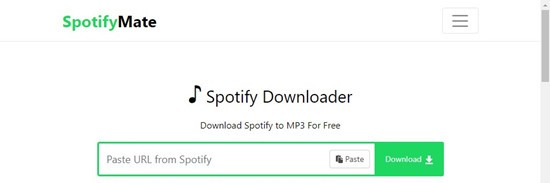
SpotifyMate is a third-party website where users can download Spotify content, including music, playlists, and albums. SpotifyMate allows users to access their offline music library and playlists anytime, anywhere, on any device.
What is SpotifyMate?

1.2 Key features of SpotifyMate

Here below are the main features of SpotifyMate:

 
  • Offline access: You can access downloaded content without having to constantly connect to the internet.
  • User-friendly: The simple layout simplifies downloading for users of any skill level.
  • High-quality audio: SpotifyMate maintains the original audio quality for an enhanced listening experience.
  • Fast downloads: SpotifyMate provides quick download rates to ensure efficient downloading. Downloading songs is a piece of cake. It takes approximately five to ten seconds to download a song.

1.3 SpotifyMate advantages and limitations

Let's take a look at the pros and cons of this platform:

WHAT WE LIKE
  • Completely free
  • Compatible with PCs & mobiles
  • No need for Spotify Premium
WHAT WE DON'T LIKE
  • Only support MP3 format
  • Cannot remove ads
  • Cannot download podcasts and audiobooks

2.  How to download songs with SpotifyMate [Windows, Mac, and Mobiles]?

SpotifyMate is effortless to use. Whether you are using a computer running Windows or Mac, or a smartphone running iOS or Android, you can access SpotifyMate by visiting its website and downloading music from Spotify without the need to install any apps or browser extensions.

Follow the steps below to download Spotify songs using SpotifyMate:
Step 1:
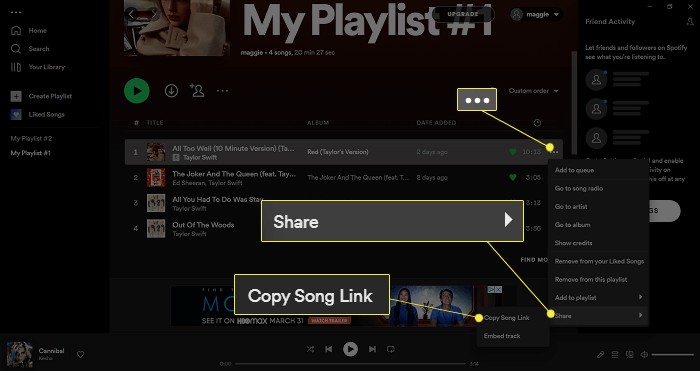
Launch the Spotify application or website and locate the track you wish to download. To copy the song's link, go to the "Share" button (the three dots on the right side of the screen).

Spotify web player
Step 2:
Go to the SpotifyMate website on the browser.

SpotifyMate
Step 3:
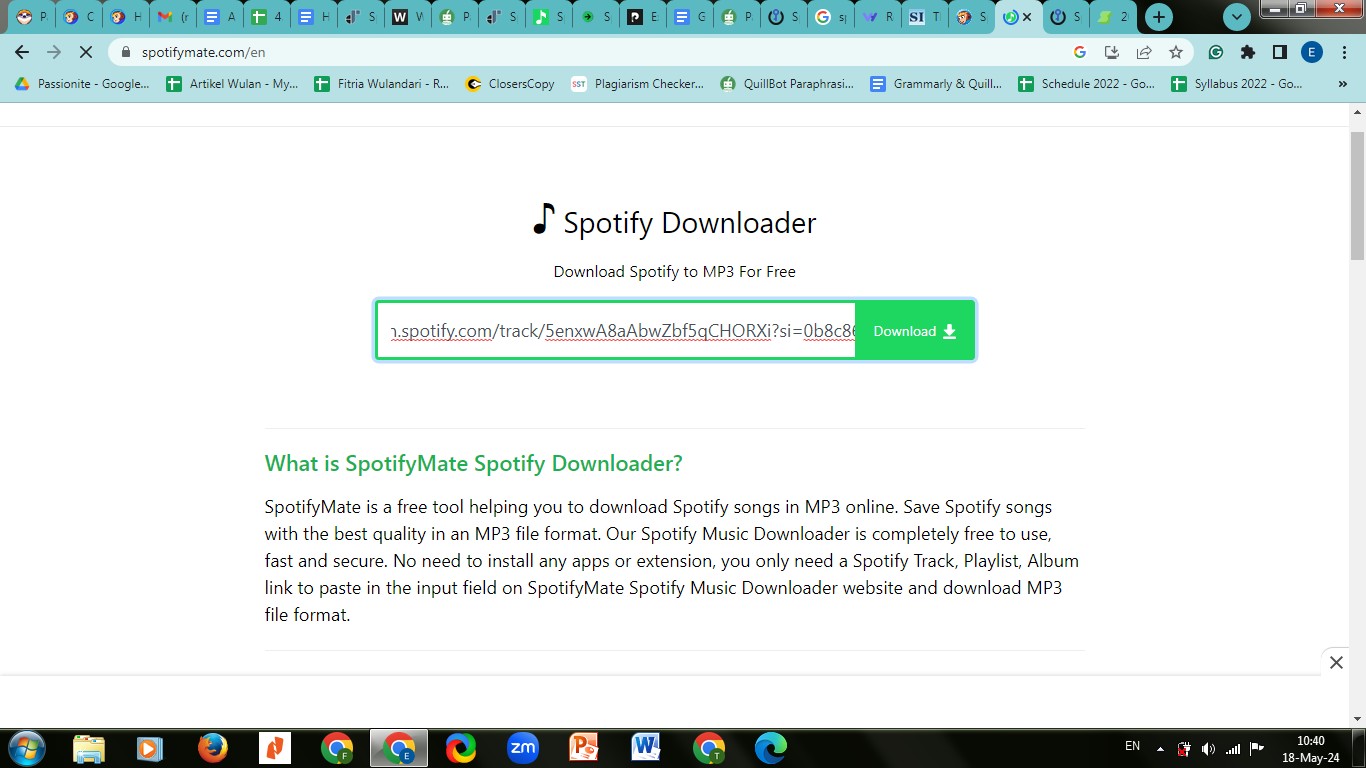
Paste the URL to SpotifyMate's Search box, and click the "Download" button.

SpotifyMate's Search box
Step 4:
Then click "Download MP3" and simply wait for the download to finish.

Download Mp3 button

Later on, you can find the downloaded song in the "Download" section in your device storage. If you want to continue to download another song, simply click on "Download Another Song" and do the steps like before.

Once in a while, you might experience trouble in using this website. If you need assistance, you can visit their website and reach out to the tool's support team.

3. Best SpotifyMate alternatives to opt for

It's possible for certain devices to have problems such as the occurrence of glitches or difficulties with compatibility while using SpotifyMate.

3.1 MusicFab - Best SpotifyMate alternative on Windows and Mac

If you're having trouble with SpotifyMate on a regular basis, you may want to consider other options, such as MusicFab Spotify Converter or other Spotify downloaders.

You can consider MusicFab Spotify Converter (https://musicfab.org/spotify-converter.htm) an alternative solution for downloading Spotify songs and playlists easily. It has similar features and dependable performance.

Below are more features of MusicFab Spotify Converter:

  • This music converter provides a number of lossless formats, for example, convert Spotify to WAV, FLAC, and OPUS, for those who are serious about audio quality, whether they are professionals or audiophiles. But if you'd rather have smaller files so you can fit more music on your device, lossy formats like MP3 and M4A might be the way to go.
  • Users are able to batch download several high-quality music tracks simultaneously with this music converter. With this function, storing multiple audio files at once is not a big problem.
  • As MusicFab uses cutting-edge technology to provide quick, direct music downloads, eliminating the need for time-consuming recordings, MusicFab has lightning-fast download speeds in under 10 seconds.
  • One feature that MusicFab has over other music converters is its ability to keep ID3 tags. These tags might contain information about the artist, artwork, title, year, and more.
  • You may also use this program to create .lrc files of song lyrics so you can sing along while listening to the downloaded songs.

Here are the steps to get MusicFab Spotify Downloader.
Step 1:
You can get MusicFab from its product page at https://musicfab.org or the "Download Center" at /download.htm and choose to download either the online installer program or the offline installer. Then, follow the on-screen instructions to finish the installation process.

MusicFab
Step 2:
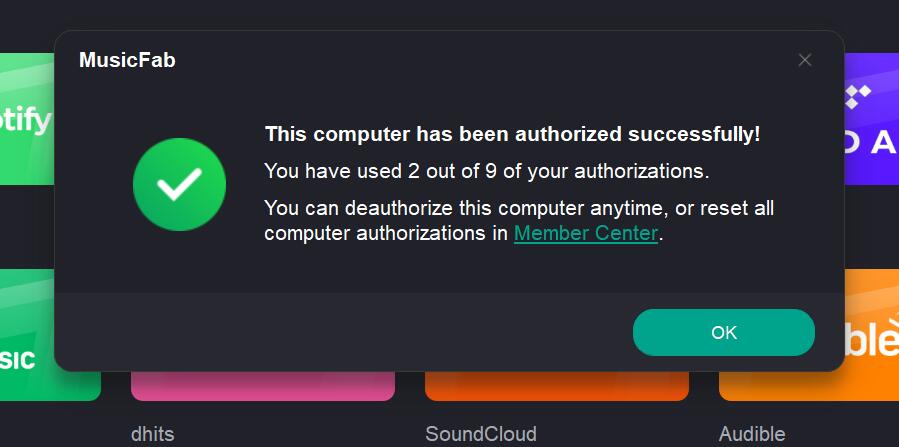
MusicFab employs online verification for authorization. To remind you, enabling MusicFab requires a live internet connection, so double-check your firewall or anti-virus software settings to ensure they do not prevent MusicFab from accessing the internet. Furthermore, before proceeding with authorization, ensure that you are already a member of MusicFab Member Center; otherwise, go to Create an Account first. 

              MusicFab authorization
Step 3:
When you run MusicFab, you will be sent to the Main Interface or, more specifically, the homepage of the built-in browser section.
Step 4:
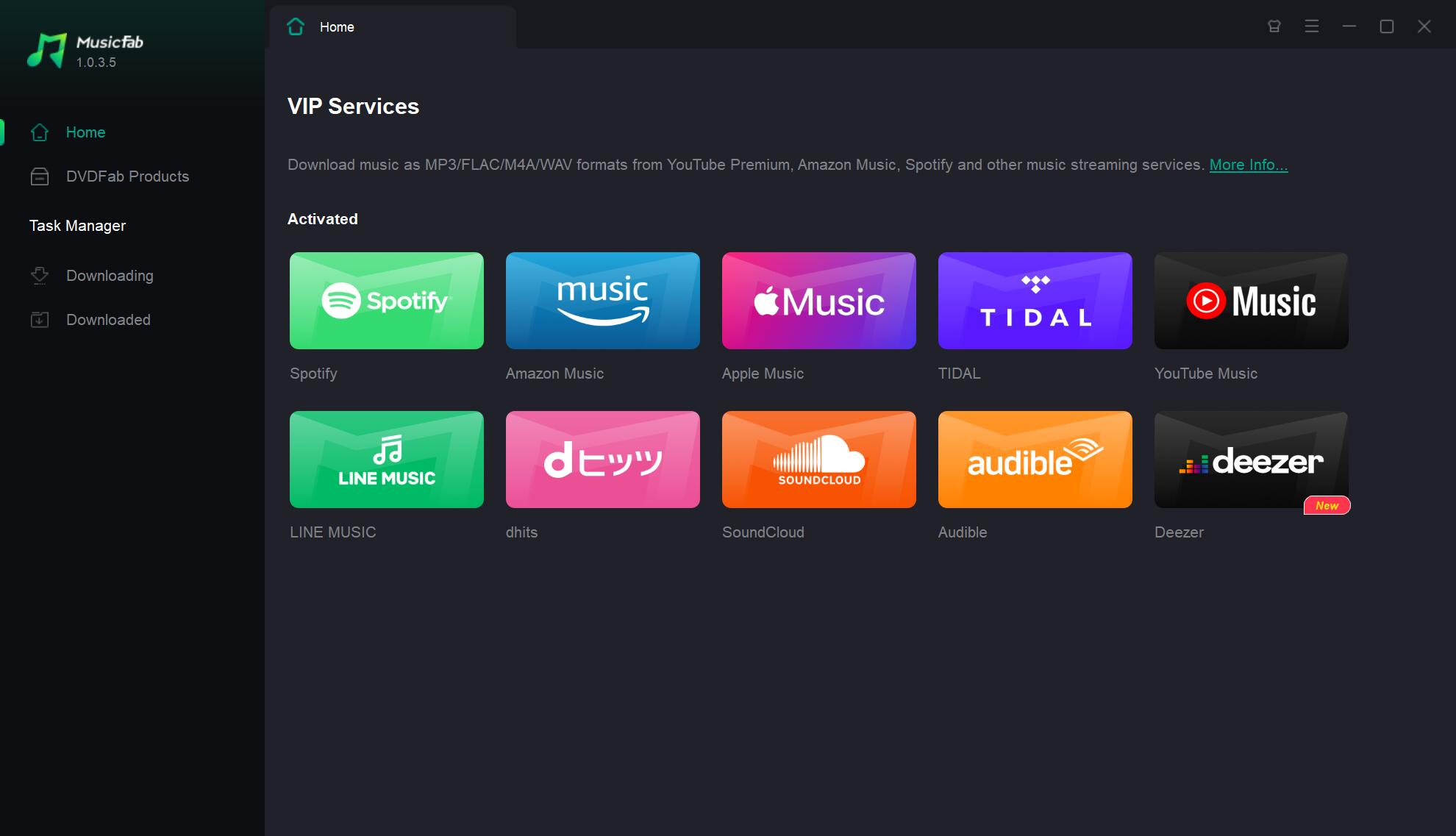
Click on the logo of the music platform that you want to download from. You can use the built-in browser on the homepage to navigate to the webpage in a separate tab by selecting the music platform from the list of websites that are supported.

MusicFab VIP Services
Step 5:
After that, log in to your Spotify account and search for the desired song title of your favorite song, as you usually would.
Step 6:
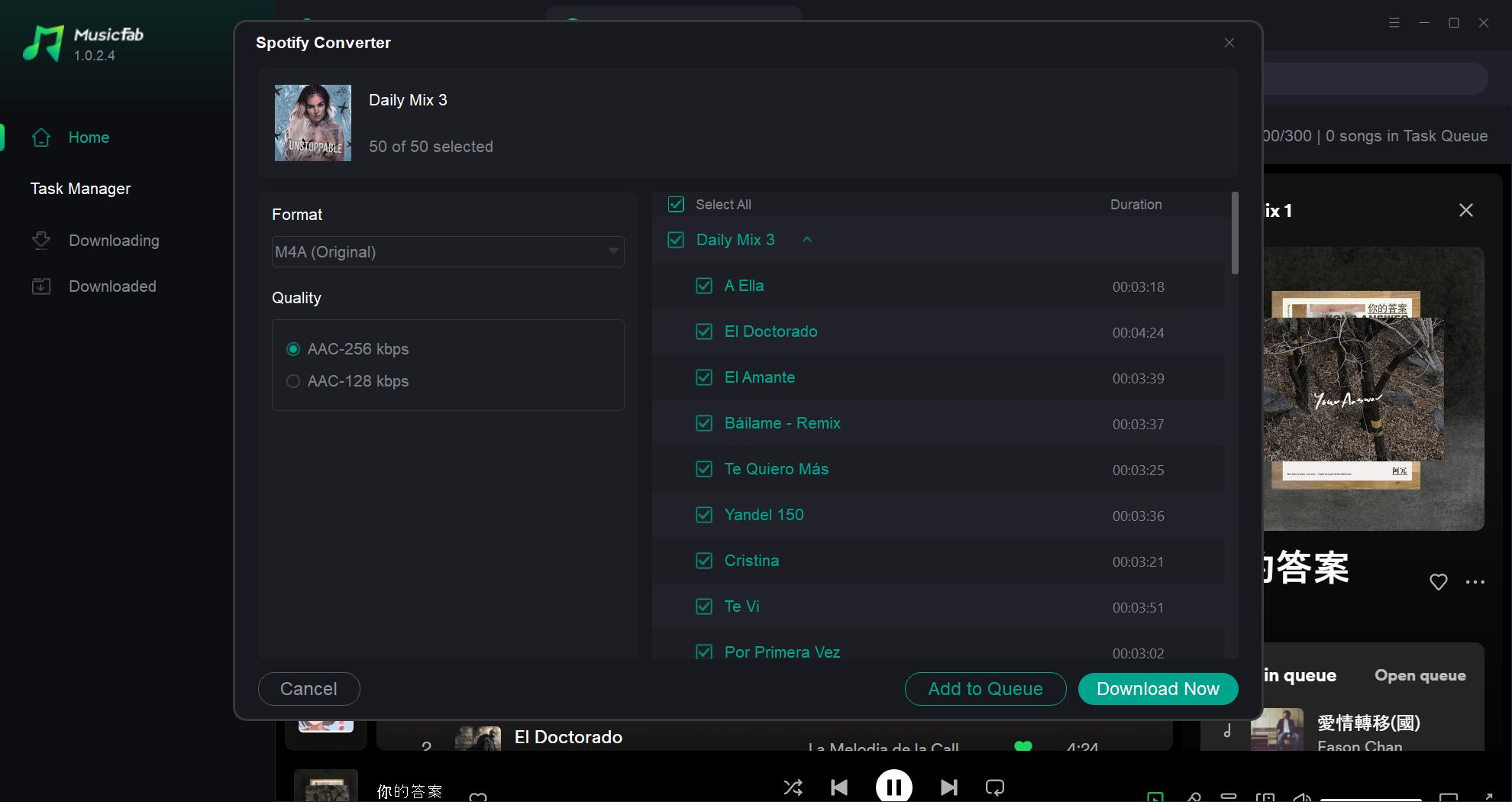
Next, play the song as usual. When the playback begins, a popup window will appear, asking you to choose the output format or if you want to "Download Now" or "Add to Queue" and start downloading it later.

download spotify songs with MusicFab
Step 7:
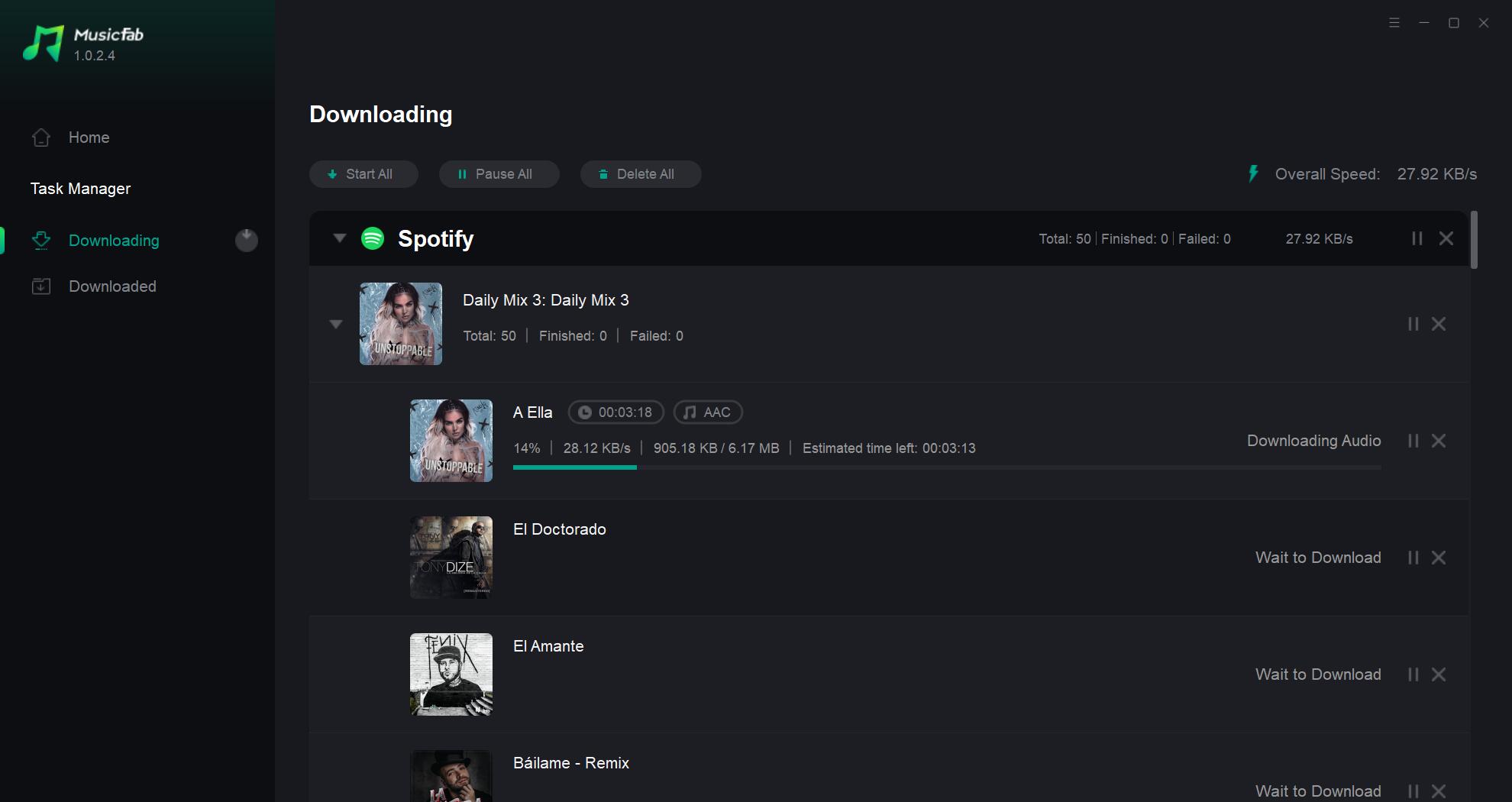
If you click the "Download Now" option, the music will begin downloading immediately in the Task Queue. Moreover, when you navigate to the "Downloading" tab, you can track the download progress or even cancel the download.

download spotify songs with MusicFab

If you intend to download a playlist with numerous songs, you can use the "Batch-Download" option to download the entire album at once.

See? You can save your favorite song or even playlists in one batch without any difficulties. Also, you can sing along because MusicFab also provide lyric feature.

3.2 SpotiFlyer - Best SpotifyMate alternative on Android devices

SpotiFlyer is a versatile music downloader app that allows users to download high-quality songs from various online sources, including Spotify, YouTube, Gaana, SoundCloud, and more.

Originally developed by Shabinder and available on GitHub, SpotiFlyer has grown into a popular tool for music enthusiasts who want to save their favorite tracks for offline listening.
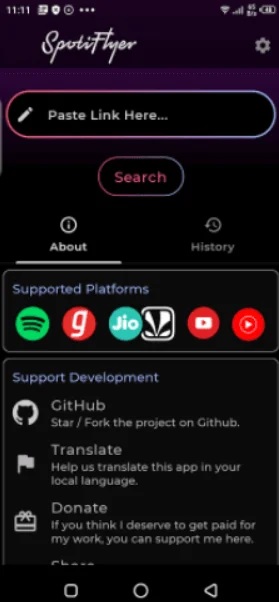
SpotiFlyer - Best SpotifyMate alternative on Android devices

Key Features:
  • Cross-Platform Support: Available for Android, Windows, and Mac.
  • Multiple Sources: Supports downloading from Spotify, YouTube, Gaana, SoundCloud, and JioSaavn.
  • High-Quality Downloads: Ensures that the downloaded music maintains high audio quality.
  • User-Friendly Interface: Easy to use with a straightforward interface.

Here are the steps to download Spotify music using the SpotiFlyer app on Android devices:

Step 1:
Download the SpotiFlyer app from a trusted source like F-Droid or GitHub, and then install it on your Android device.
Step 2:
Open the Spotify app and find the song, album, or playlist you want to download.
Step 3:
Tap the three dots next to the item and select “Share” to copy the link.
Step 4:
Open the SpotiFlyer app, and paste the copied Spotify link into the search bar of SpotiFlyer and hit the “Search” button.
Step 5:
Once the music appears on the screen, tap the “Download” button to save it locally on your Android device.

3.3 Spotify Plus Plus - Best SpotifyMate alternative on iPhones

Spotify++ is a modified version of the official Spotify app, created by third-party developers. It offers many of the premium features of Spotify for free.
Spotify Plus Plus - Best SpotifyMate alternative on iPhones

Key Features:
  • Ad-Free Listening: Removes ads from the app.
    Unlimited Skips: Allows you to skip as many songs as you want.
    Offline Downloads: Enables downloading music for offline playback without a premium subscription.
    Higher Sound Quality: Provides access to higher quality audio streams.

Here are the steps to download Spotify music using Spotify++ on iOS devices:

Step 1:
Open Safari on your iOS device and visit a third-party app store like AppValley, TweakBox, or TopStore.
Step 2:
Download and install the app installer on your device, and open the third-party app installer you just installed.
Step 3:
Search for “Spotify++” and follow the instructions to download and install it on your device.
Step 4:
Go to Settings > General > Device Management, find the profile associated with Spotify++ and tap Trust.
Step 5:
Open Spotify++ and log in with your Spotify account credentials.
Step 6:
Navigate to the playlist, album, or song you want to download within Spotify++.
Step 7:
Tap the download button (usually a downward-facing arrow) to save the music for offline listening.

4. A comparison table of these Spotify downloaders

Here’s a detailed comparison table of MusicFab, SpotifyMate, SpotiFlyer, and Spotify++ for downloading music from Spotify:

Aspect MusicFab SpotifyMate SpotiFlyer Spotify++
Functionality Dedicated Spotify downloader Online downloader for Spotify Multi-platform downloader Modified Spotify app
Ease of Use User-friendly interface Easy to use, no installation required Simple, paste URL and download Integrated, similar to official app
Speed Fast downloads Fast downloads Fast downloads Fast downloads
Formats MP3, FLAC, WAV, M4A, OPUS MP3 MP3 MP3
Cost Free trial; $49.99/year or $69.99 lifetime Free Free Free
Ads No ads in premium version No ads Minimal ads No ads
Security Secure, no viruses Secure, no viruses Secure, no viruses Secure, but unofficial
Installation Software installation required No installation required No installation required App installation required
Additional Features Batch downloads, ID3 tags, high-quality downloads High-quality downloads, simple interface High-quality downloads, supports multiple platforms Offline listening, premium features unlocked

FAQs

Q1. Is SpotifyMate safe?

A1. While SpotifyMate offers a convenient way to download music without installing additional software, there are some safety concerns to be aware of:

  • Ads and Pop-ups: SpotifyMate is free to use, but it contains ads and pop-ups, which can sometimes lead to unsafe websites or potential malware.
  • Trust Score: The website has a relatively low trust score of 52/100, indicating that it may not be as reliable as other options.
  • User Feedback: Some users have reported issues with the interface and download failures.


If you decide to use SpotifyMate, proceed with caution and ensure you have good antivirus protection. Alternatively, you might consider more stable and secure desktop tools like MusicFab Spotify Converter.

Q2. What output format does SpotifyMate support?

A2. SpotifyMate supports MP3 as its only output format. This makes it compatible with most devices and media players. However, if you want to output Spotify music as other files such as WAV, FLAC, M4A, etc, you may consider other options like MusicFab.

Q3. Why does SpotifyMate fail to download certain Spotify playlists?

A3. Spotify frequently updates its encryption and API. Online tools like SpotifyMate often struggle to keep up with these changes, leading to "conversion failed" errors or incomplete playlist parsing.

Wrap Up

In 2026, while SpotifyMate remains a popular free choice for quick downloads, the gap between online tools and professional software has widened. Although SpotifyMate claims to support high-quality MP3s, real-world testing shows that most files are capped at 128kbps, often sourced from YouTube rather than Spotify's original servers. Additionally, the site has seen an increase in intrusive 'push notification' ads and risky redirects that can compromise your digital privacy. If you're looking for a cleaner, safer, and truly high-fidelity experience (320kbps or Lossless FLAC), MusicFab Spotify Converter serves as the ultimate 2026 alternative. Unlike browser-based tools that often fail on large playlists, MusicFab offers batch downloading with 100% intact ID3 tags and no ad-driven security risks.

POPULAR LATEST
MusicFab Review 2026: A Detail Guide for Beginners
10 Best YouTube to WAV Converters 2025 [Safe & Fast]
5 Free&Paid Tools to Convert Amazon Music to MP3 2025
Top 8 Online SoundCloud to MP3 Converters 2025 [Free & Paid]
2025's Proven Top Spotify Downloaders for PC [Win & Mac]
2025 Top 15 Online&Desktop Spotify Downloaders [Win & Mac]
2025 Best 8 Free Spotify Playlist Downloaders Online,Desktop,Mobile
7 Tools to Convert Apple Music to MP3 Online & Desktop 2025
Can You Change Spotify Username? How to Do It?
Best Spotify MP3 Converters: Top Picks for Windows, Online, and Mobile
Can You Listen to Audible Offline in 2026? Here’s How it Works!
How to Listen to Pandora Offline (2026): Plus vs Premium, Downloads & Fixes
Can You Listen To Amazon Music Offline?
Sidify Music Converter Review: Is It the Right Choice for You?
Top 7 Tidal Music to MP3 Converters for Windows and Mac Users
Guide to Spotify Offline Mode Not Working & Plus a Permanent Fix!
Youtube Music vs Spotify Sound Quality: Who Wins?
How to Rip Audio from YouTube on Windows & Mac: Fast, Simple
Apowersoft Review (2026): ApowerREC, Online Recorder, Pricing & Best Alternatives
How to Pre-Save on Spotify (2026): Countdown Pages, Links & Tips
How to Download the Amazon Music Audio for Offline Listening
2026 ViWizard Spotify Music Converter Review & Alternative
TuneFab Review: Pros, Cons,User FeedBack & Alternative 2026
How to Download SpotifyPodcast to MP3 via 6 Ways 2026
How to Download Amazon Music to Your Phone
Learn More Show Less

TRENDING

See More

Try MusicFab for Free

  • Download music/podcasts/audiobooks.
  • Output MP3/M4A/FLAC/WAV/OPUS files.
  • Keep the downloads permanently.
Start My Free Trial

100% Safe & Clean