

Sidify is a popular music converter tool that downloads and saves songs from music streaming services like Amazon Music and Apple Music. If you are a music lover, Sidify converter is a good choice for offline music listening. In this comprehensive Sidify review, we’ll explore its features, pricing, performance, and compare it with alternatives like MusicFab.
1. What is Sidify Music Converter?
Sidify Music Converter is a popular software application designed for users of various streaming music services, including Spotify, Apple Music, Amazon Music, Tidal, Deezer, and others. It allows users to save songs, playlists, albums, and podcasts from these platforms and convert them into standard audio formats like MP3, AAC, WAV, FLAC, AIFF, or ALAC. It uses recording technology to save audio files for offline listening.
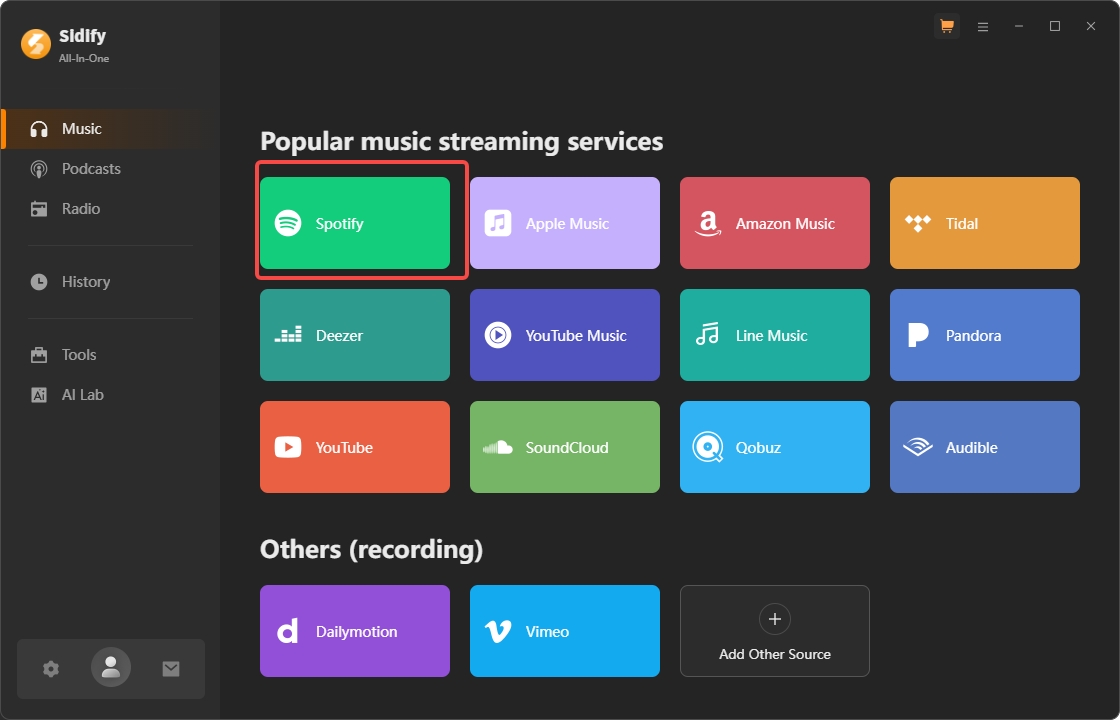
Supported Music Streaming Service
- Spotify
- Apple Music
- Amazon Music
- Tidal
- Deezer
- YouTube Music
- SoundCloud
Key Features of Sidify
- Retains high-quality audio up to 320 kbps in MP3, AAC, WAV, and FLAC.
- Converts up to 5x faster and supports batch processing.
- Works for both free and Premium Spotify users.
- User-friendly interface, perfect for beginners.
- Keeps metadata and ID3 tags intact.
- Allows burning playlists to CDs and is compatible with Windows and macOS.
Sidify Pricing Plans
Sidify offers a free trial. However, it is not user-friendly enough. It only converts the first minute of a track—the detailed pricing plans of each product.
| Products | Purchase Plan |
|---|---|
| All-In-One | Lifetime: $159.9 |
| Spotify Music Converter | Lifetime: $89.90 |
| Apple Music Converter | Lifetime:$89.90 |
| Amazon Music Converter | Lifetime:$89.90 |
| Tidal Music Converter | Lifetime:$89.90 |
| YouTube Music Converter | Lifetime:$89.90 |
| Deezer Music Converter | Lifetime:$89.90 |
| SoundCloud Music Converter | Lifetime:$89.90 |
2. How to Use Sidify Music Converter?
Here we take Spotify as an example to show you how to Convert Spotify to MP3 using Sidify:
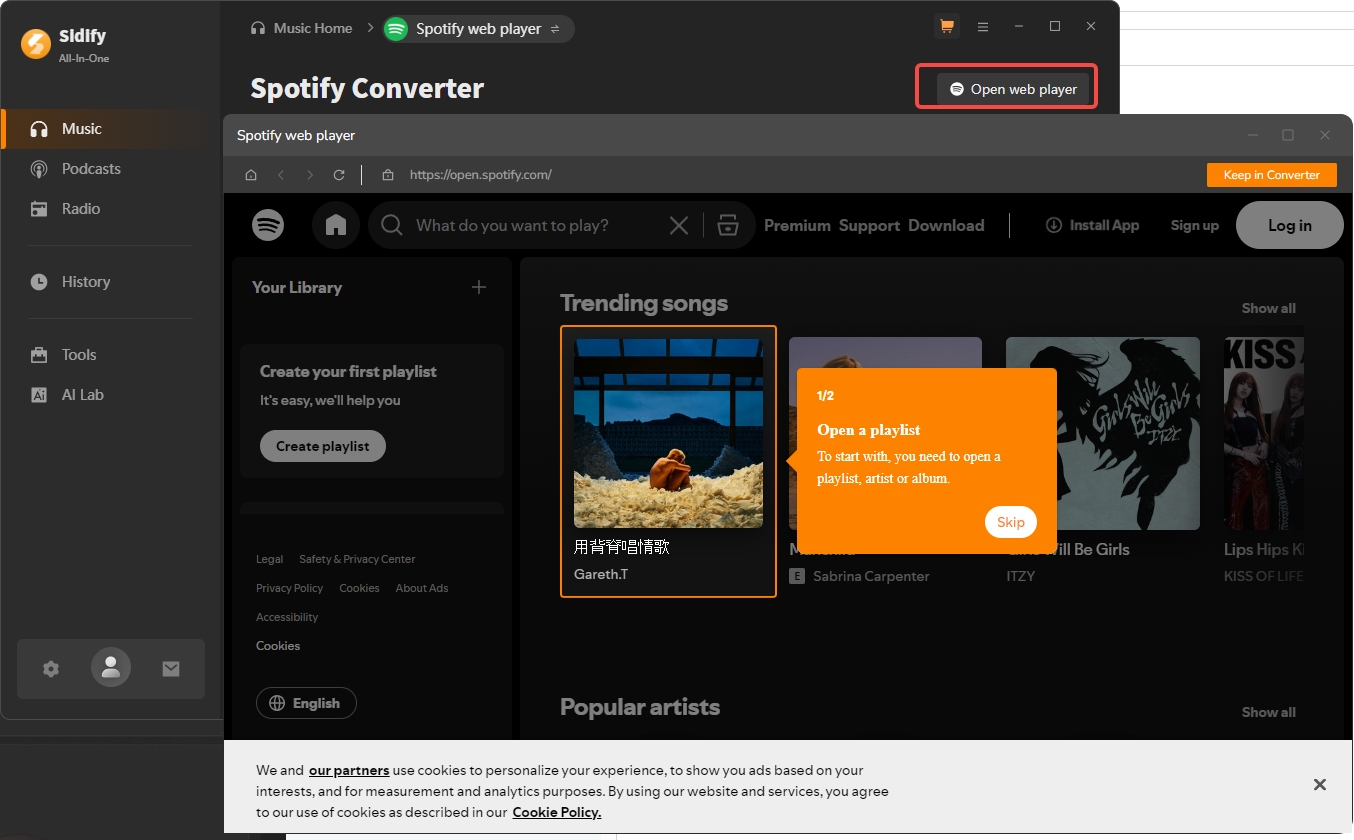
3. Sidify Reviews on Trustpilot
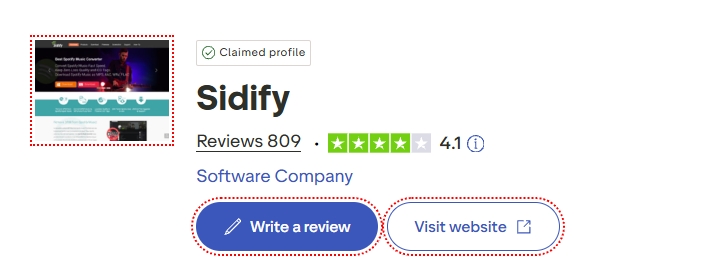
Sidify gets 4.1 on Trustpilot (https://www.trustpilot.com/review/www.sidify.com)
What users like:

- It has a user-friendly and intuitive interface
- Maintain the original, high-quality sound of the tracks
What users don't like:

- Some users have reported that using the software will result in being banned by Spotify
- Free version has limits
Pros and Cons of Sidify
Sidify excels in versatility and ease of use, making it ideal for music conversion. However, the pricing, limitations on the free trial, and the risk of being disabled by Spotify or other services may be drawbacks for some.
- Supports multiple formats (MP3, AAC, WAV, FLAC).
- Retains high-quality output (up to 320 kbps).
- User-friendly interface.
- Fast conversion (5x speed).
- Batch download for songs and playlists.
- Keeps metadata and ID3 tags.
- Compatible with both Windows and macOS.
- Risk of account suspension.
- Free trial only converts 1 minute per track.
- Occasional metadata errors.
4. Sidify vs. MusicFab: Which One Is the Best for You?
If you have tried Sidify but are not satisfied with its speed and are worried about your account being blocked, then MusicFab is the perfect choice.
It downloads rather than recording, thus speed is much faster than that of Sidify. A 4-minute song takes only 3-5 seconds for MusicFab to process, while Sidify might require more than 10 seconds.
Best Alternative to Sidify
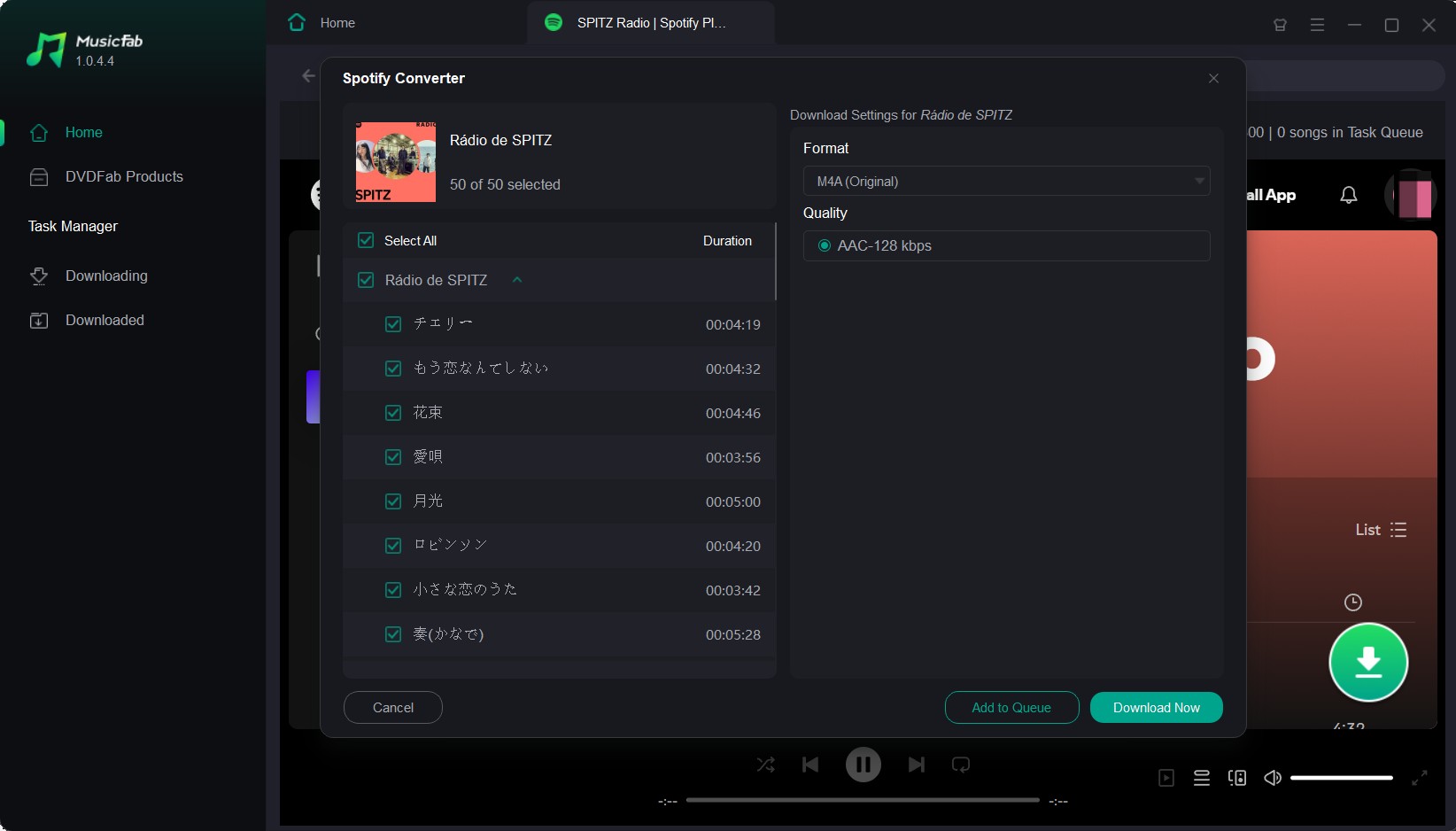
MusicFab is a newer entrant in the market but has quickly gained popularity for its broader platform support and additional features.

Your one-stop solution to downloading streaming music offline.
- Download music from Spotify, Amazon Music, YouTube Music, and 10 more.
- Download songs, albums, playlists, podcasts, audiobooks, or YouTube music videos.
- Convert music to lossy MP3/M4A, or lossless WAV/OPUS files.
- An inbuilt web browser to browse, play, and download in one place.
Comparison Table of Sidify and MusicFab
| Downloader | MusicFab |
Sidify |
|---|---|---|
| Free Version | 3 full songs | 1 minute per track |
| Surport Platform | Over 10+ (Spotify, Amazon Music, Apple Music, Audible,etc.) | 6 (Spotify, Amazon Music, YouTube Music, etc.) |
| Download Method | Direct source download | Audio recording |
| Batch conversion | ||
| Speed | Super Fast | Slower |
| Retains ID3 tag info |
FAQs about Sidify Music Converter
Is Sidify safe to use?
Yes, Sidify is free from viruses or malware, ensuring a secure user experience.
ACan I use Sidify for free?
Sidify offers a free version, but it’s limited to converting only the first minute of a track. To access full features, you need to purchase a license.
AWill the Sound Quality Be Reduced After Conversion?
No, Sidify retains up to 320 kbps bitrate, ensuring high-quality output.
ADoes Spotify Need to Be Installed?
Yes, Spotify must be installed on your device for Sidify to function.
AConclusion
This Sidify review provides a detailed look at its features, pricing, and performance. While it excels in audio quality and ease of use, its higher cost and free version limitations may deter some users. Compared to MusicFab, Sidify is more focused on Spotify but lacks the broader platform support that MusicFab offers.
If you’re looking for an alternative with more features, consider trying MusicFab’s All-In-One solution. For more insights, check out our MusicFab Review.

![10 Best YouTube to WAV Converters 2025 [Safe & Fast]](https://c.musicfab.org/uploads/images/2024-07/17206996344468865-25133daf28c92d3ac9abe86a67fddcf8.)
