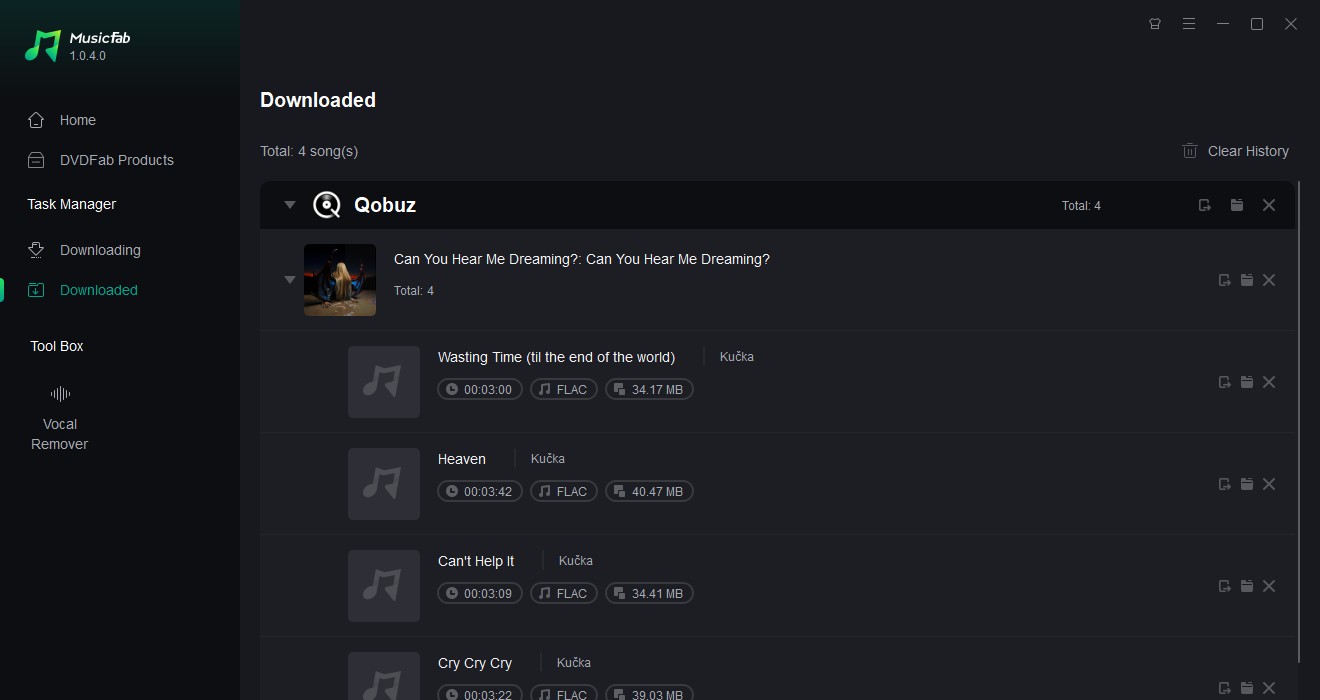

MusicFab Qobuz Converter

1. Download convert Qobuz music as offline FLAC, WAV, MP3, M4A, or OPUS files.
2. Save the downloaded files in lossless or lossy quality, depending on your need.
3. Download Qobuz playlists, albums, and podcasts in batch at blazing-fast speed.

Free Download

100% Safe & Clean

How to Download Music from Qobuz

Qobuz is a high-resolution music streaming and downloading service, offering up to 24-bit/192kHz audio quality. Founded in France in 2007, it is now available in 12 countries and has gained popularity among audiophiles for its exceptional sound quality. The platform offers two main subscription plans—Studio and Sublime—and a 30-day free trial. While Qobuz allows users to download music for offline playback via its app, the MusicFab Qobuz Converter enables downloads in various formats like MP3 and FLAC, providing greater flexibility for offline listening on any device.

Qobuz is a French commercial music streaming and downloading service, founded in 2007. Available in 12 countries across Europe, North America, and Australia, it is renowned for offering a unique listening experience with high-resolution (Hi-Res) music, reaching up to 24 bits and 192 kHz. Popular among audiophiles, Qobuz boasts an extensive collection of albums, offering exceptional sound quality that sets it apart from other streaming platforms.

In this article, we will explore the basics of Qobuz for those curious about the service's current offerings.
What is Qobuz?


Qobuz is a French high-quality music service!

When did it start?

Qobuz is a high-quality music streaming service from France. Launched in 2007, it allows users to enjoy "Hi-Res" quality music (up to 192kHz/24bit) via a subscription. Users can also purchase music in DRM-free formats, with options like WAV, AIFF, ALAC, and FLAC available for high-resolution audio purchases.

Yui
Incidentally, the name "Qobuz" is said to be derived from the traditional Kazakh instrument "Kobyz/qobyz (Qobuz)."

Qobuz Pricing and Payment Methods

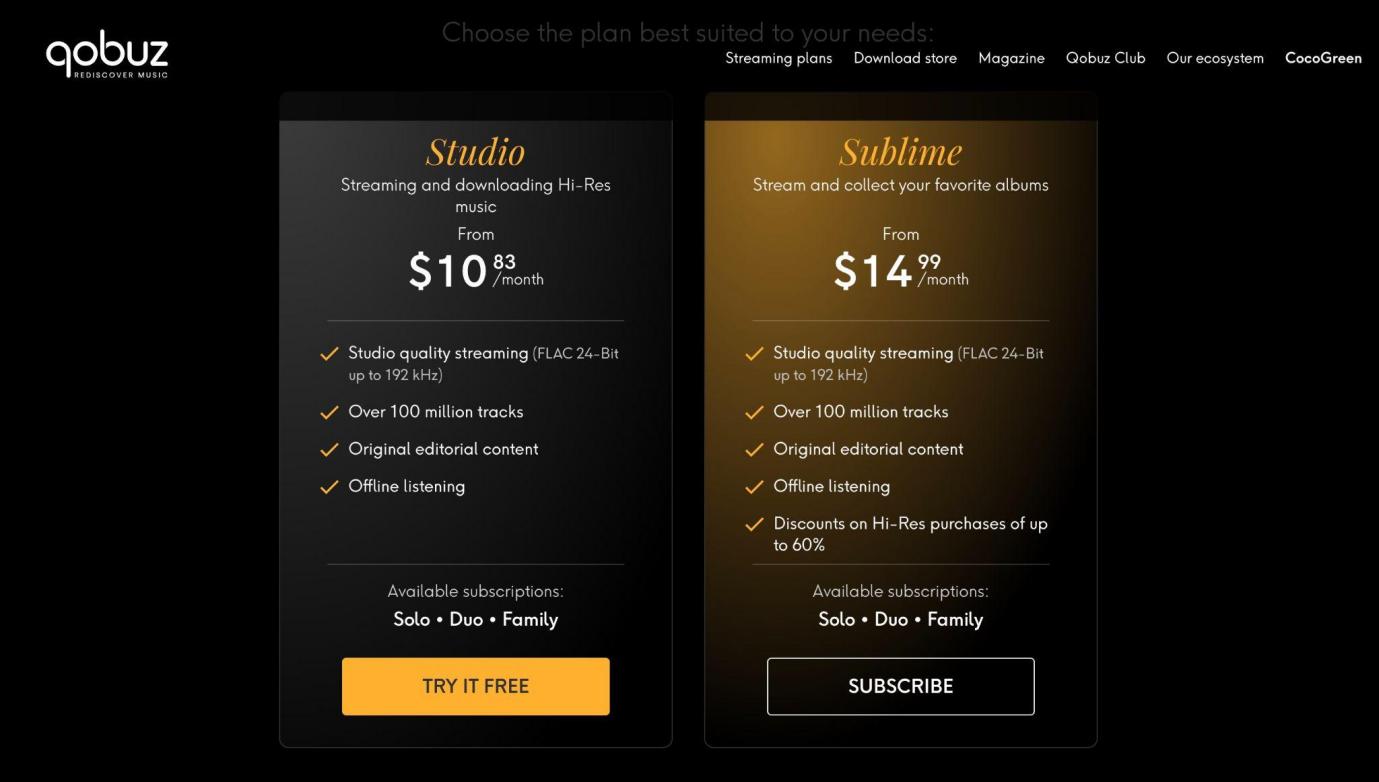
Qobuz offers the following two pricing plans:

Studio Sublime

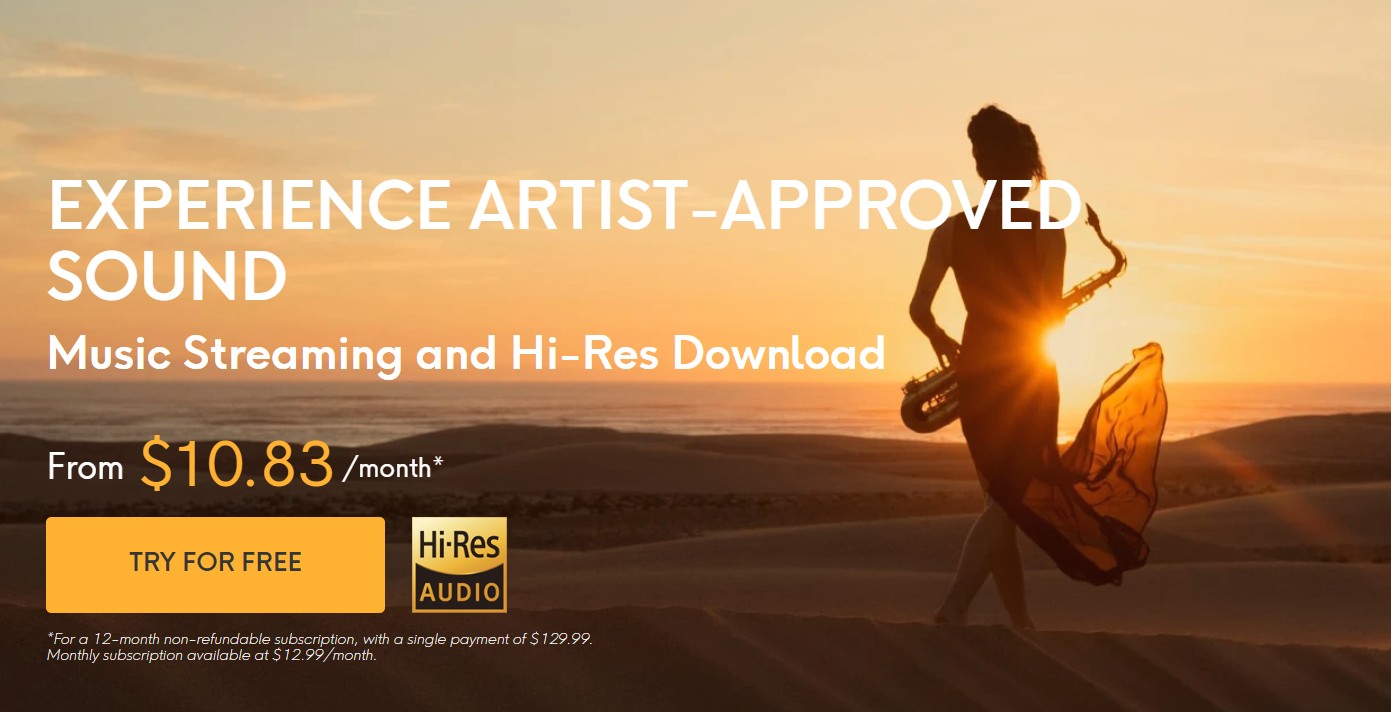
$10.83 per month (when subscribing to the annual plan)

$14.99 per month (when subscribing to the annual plan)

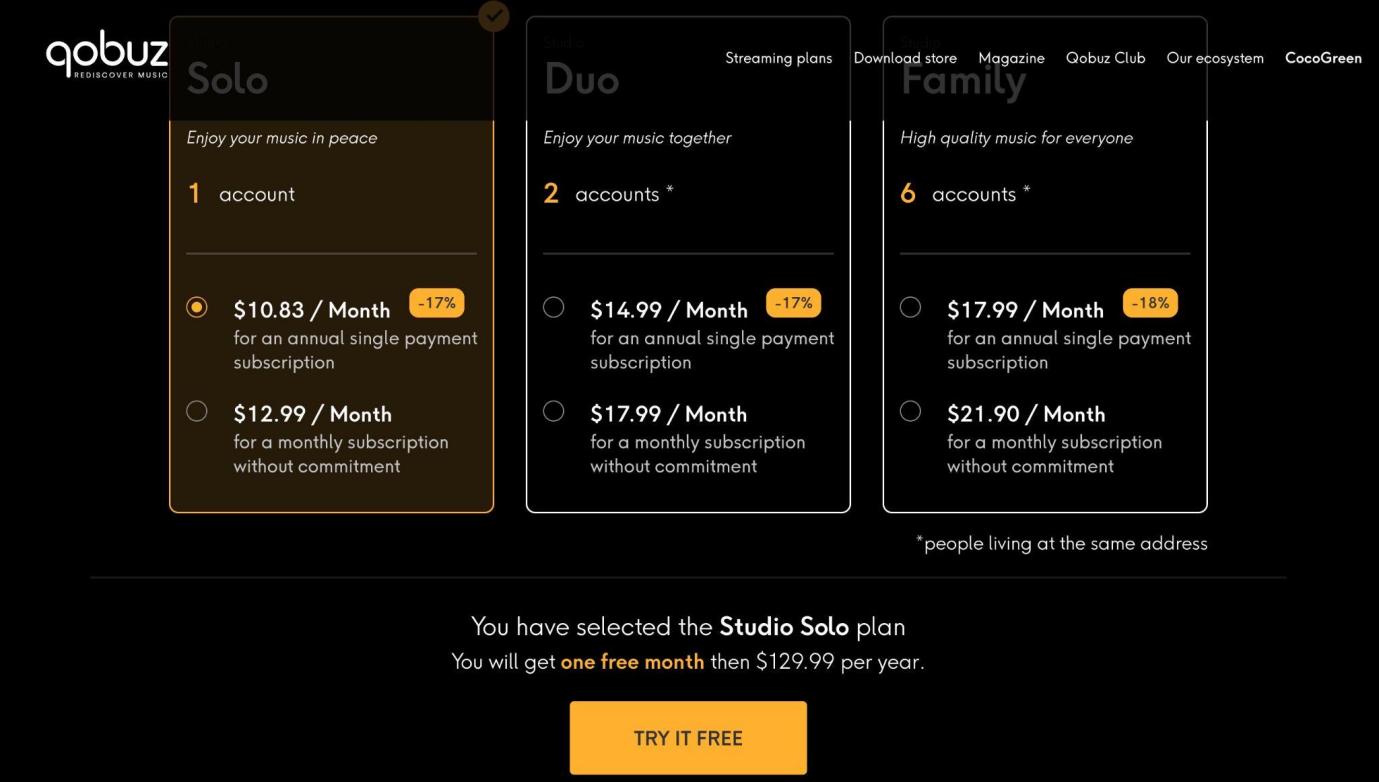
Additionally, users can choose between solo, duo, and family accounts based on the number of accounts.

How to Use Qobuz 

Step1
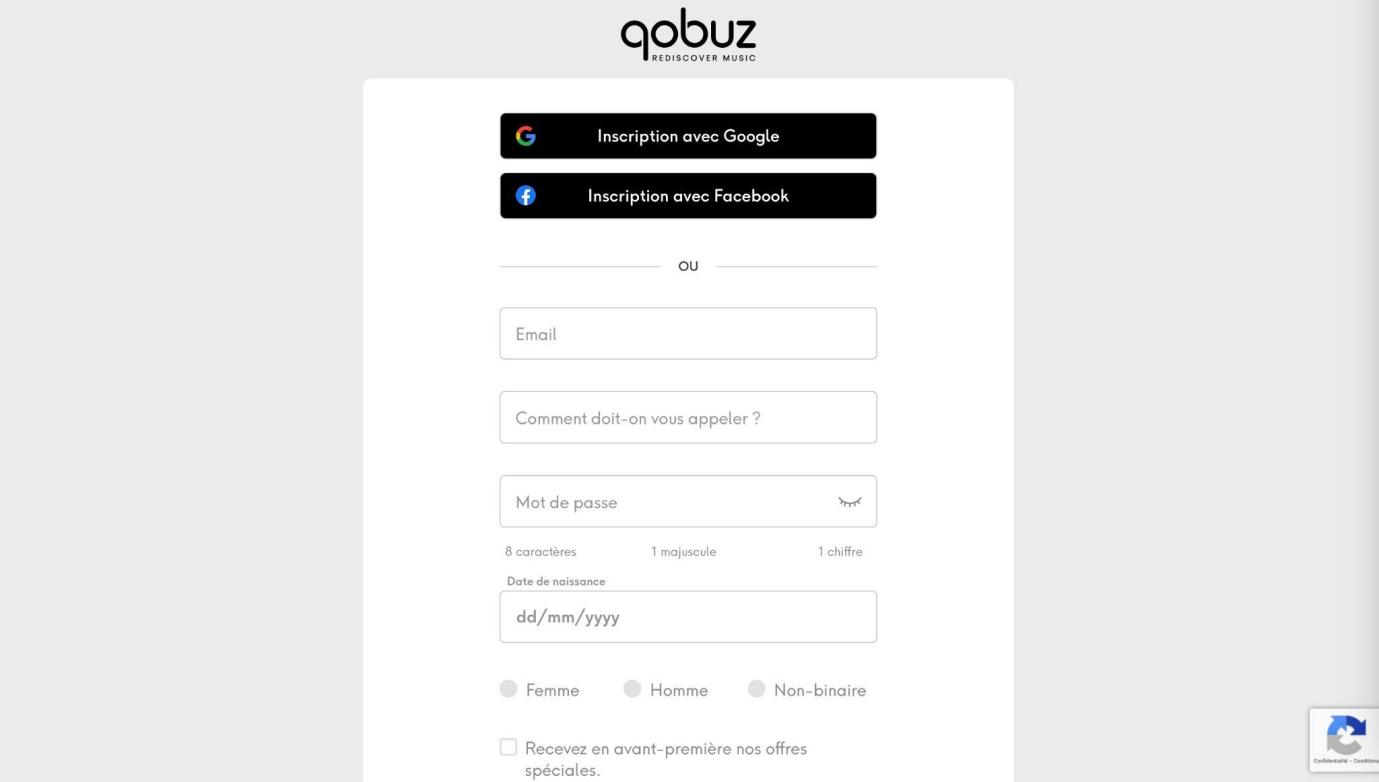
Open the Qobuz website. Click the orange "Try it free" button to start the registration process.

Step 2
Next, log in to Qobuz. You can either create an account or use your Google or Facebook account.

Step 3
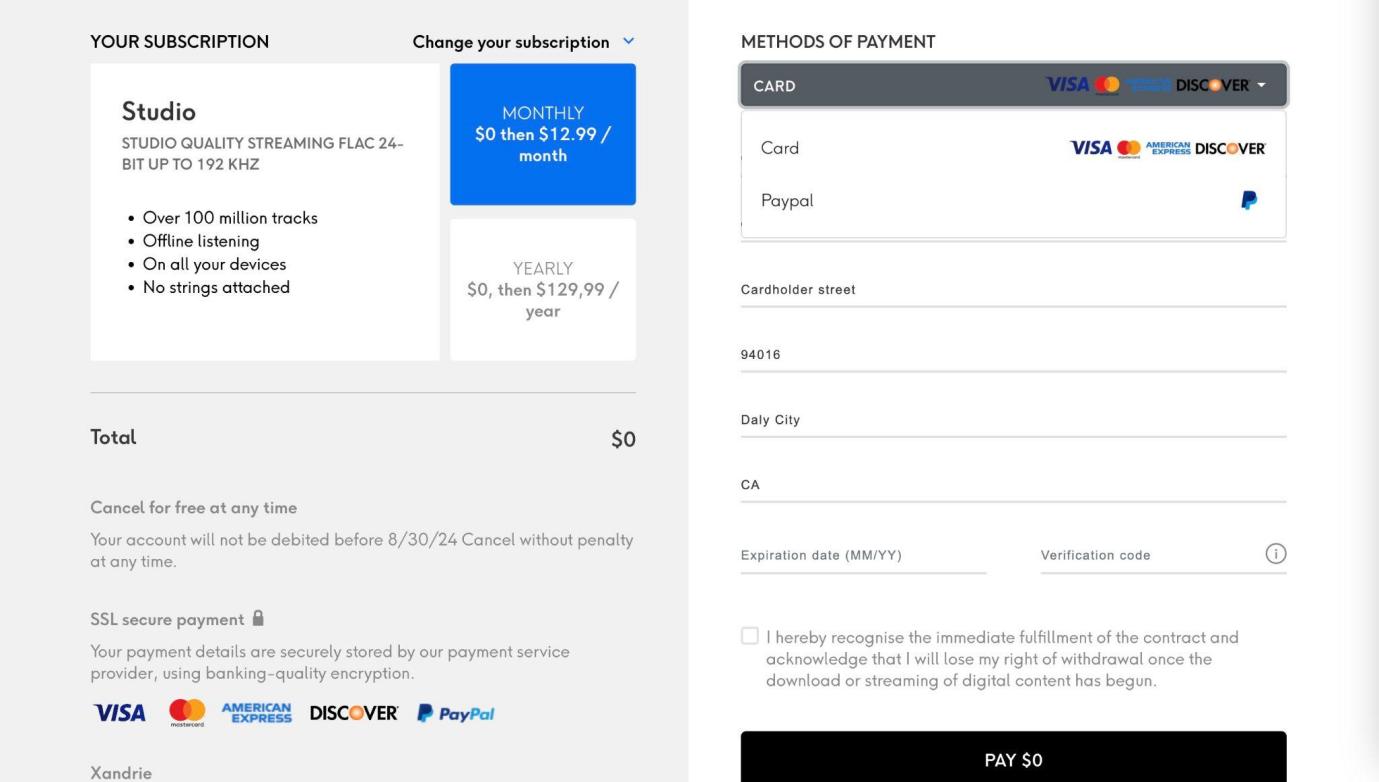
Select a plan. The free trial is only available for the Studio plan, so choose "TRY IT FREE."

Step4
Select the number of accounts. After the free trial ends, the chosen plan's subscription fee will be automatically charged, so please be cautious.

Step5
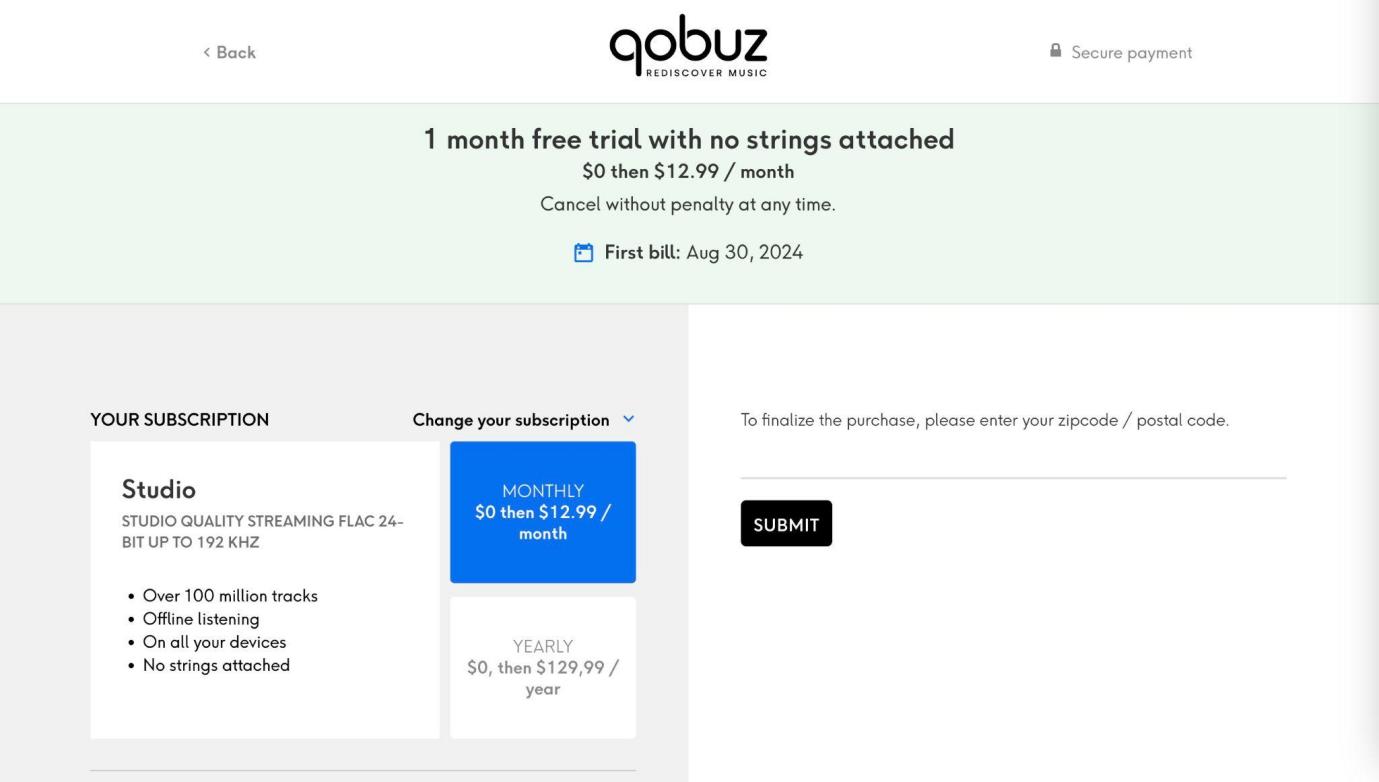
To authenticate the payment method, please enter your postal code. This time, we will enter the 5-digit U.S. ZIP code.

Step6
Finally, let's register the payment method and apply for the free trial. If you don't have a credit card, you can also pay with PayPal.


How to Download Music from Qobuz (Official Method)

Qobuz offers an offline playback feature, enabling users to download tracks within the app to enjoy them without an internet connection.

However, downloads are limited to the mobile app, meaning that offline playback is not available on the web player or desktop. If you log out of the app, the downloaded tracks will be deleted.

Official Steps to Download Music from Qobuz

Step1
Open the Qobuz App. Ensure you're signed in to your account and navigate to the desired track, album, or playlist.
Step2
Select the download icon beside the track or album. This will cache the music for offline playback within the Qobuz app.
Step3
Once downloaded, you can play the music offline. Remember, offline downloads will not be accessible on your desktop or through a browser.
   

These downloads are only available on the Qobuz app, and once logged out, all downloaded tracks will be deleted.

Yui
So, we have an exciting announcement from MusicFab! MusicFab has just released the "MusicFab Qobuz Converter".
This is a dedicated download software for Qobuz, which allows you to download Qobuz music in lossless format and convert it to more versatile audio files such as MP3 and WAV.
MusicFab Qobuz Converter
  • Download Qobuz music in FLAC, WAV, MP3, M4A, and OPUS formats
  • Batch download Qobuz playlists, albums, and podcasts
  • Enjoy Qobuz offline on any device without restrictions
  • Save song lyrics and ID3 tags

You can download entire albums and playlists, and the software also includes features to retrieve song lyrics and artwork. It's browser-based, so you just need to open Qobuz in your browser and click the download button!

The music downloaded using the official Qobuz app has copy protection, so it can only be played offline on the Qobuz app. However, the files downloaded with the MusicFab Qobuz Converter can be played offline on any device, and you can also transfer them to a USB drive or import them into video editing software.

How to Use the MusicFab Qobuz Converter
Step 1
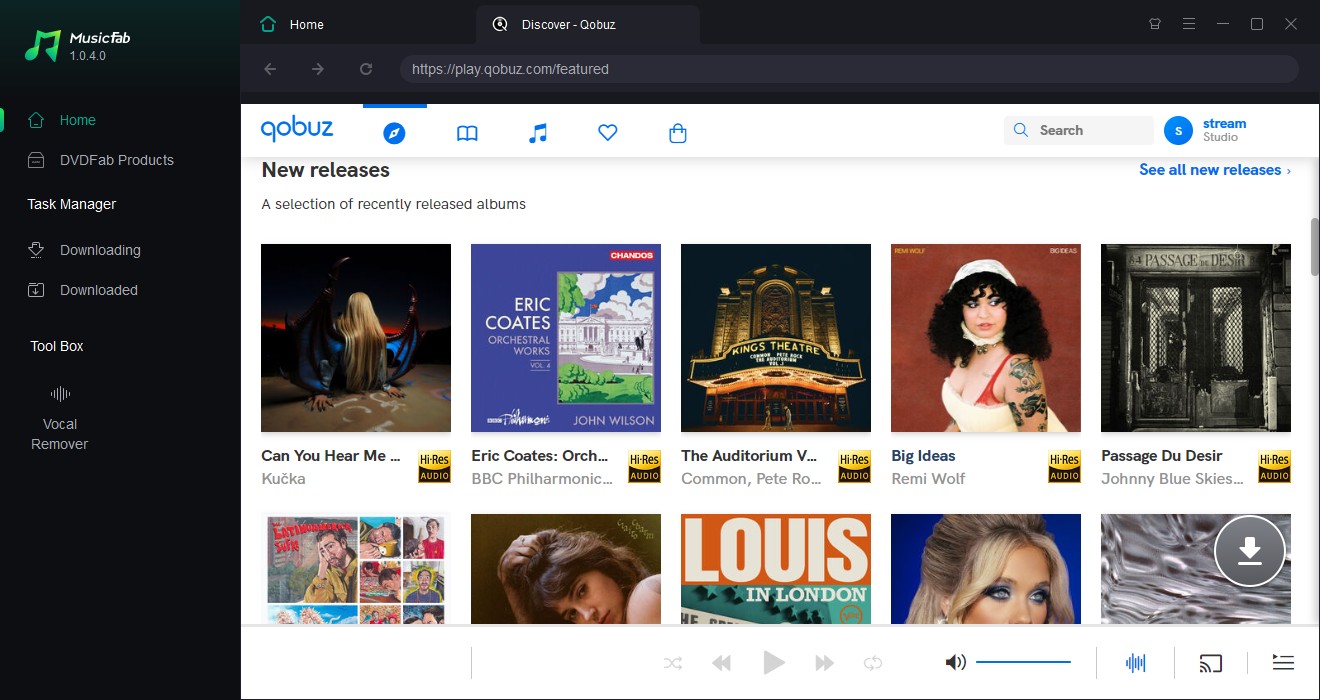
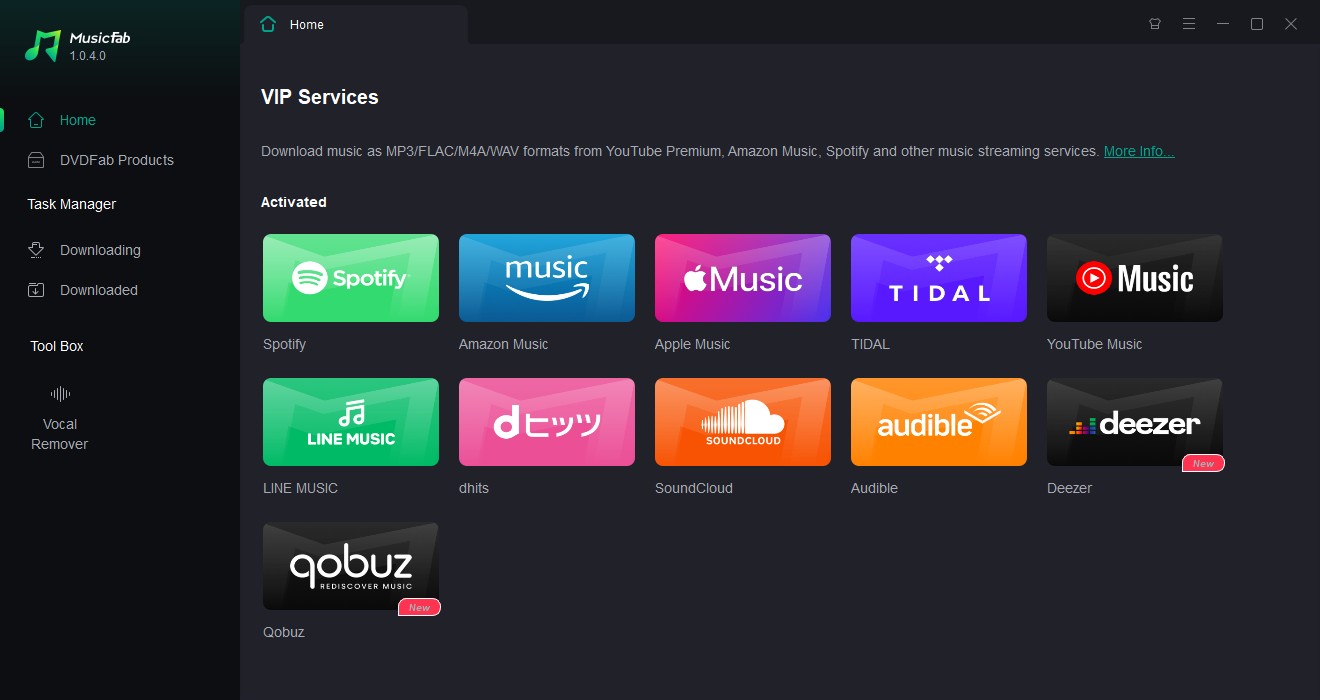
Tap the Qobuz icon after launching the software

Step 2
Log in to your Qobuz account when the browser opens the Qobuz site

Step3
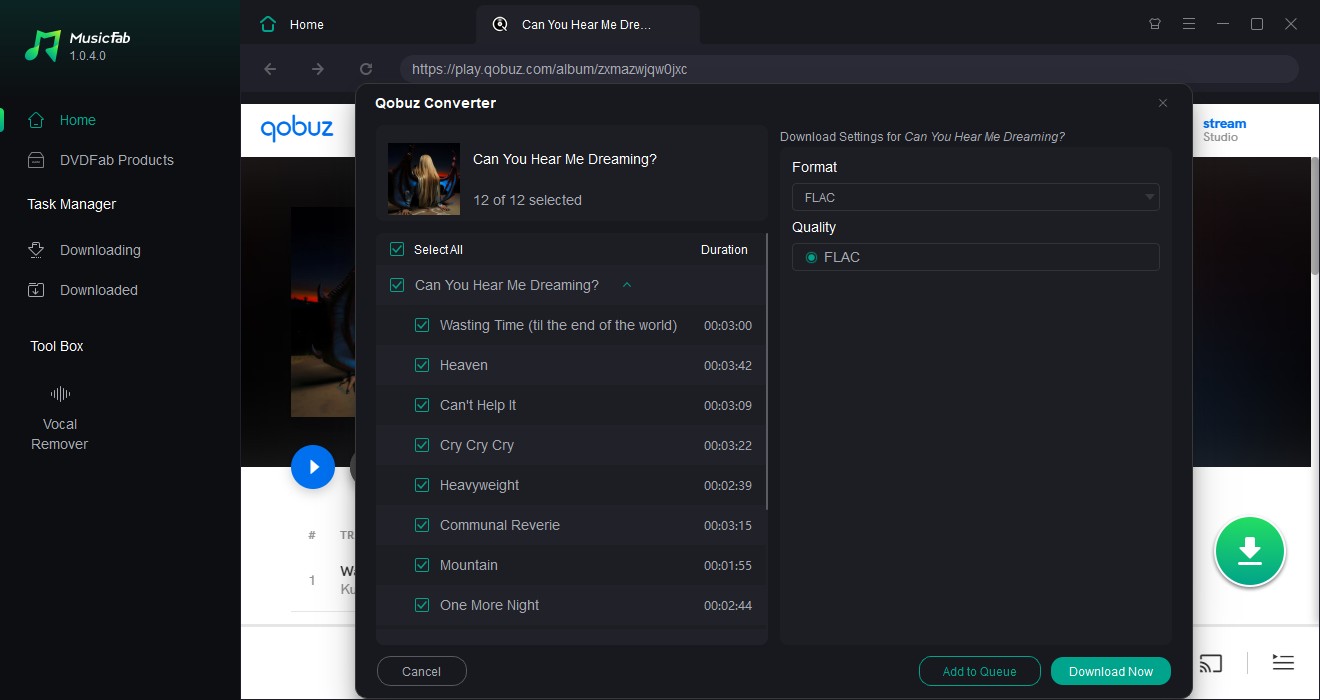
Play the playlist containing the songs you want to download, and click the green download button. The playlist will be analyzed, so set the preferences and select "Download Now"

Step 4
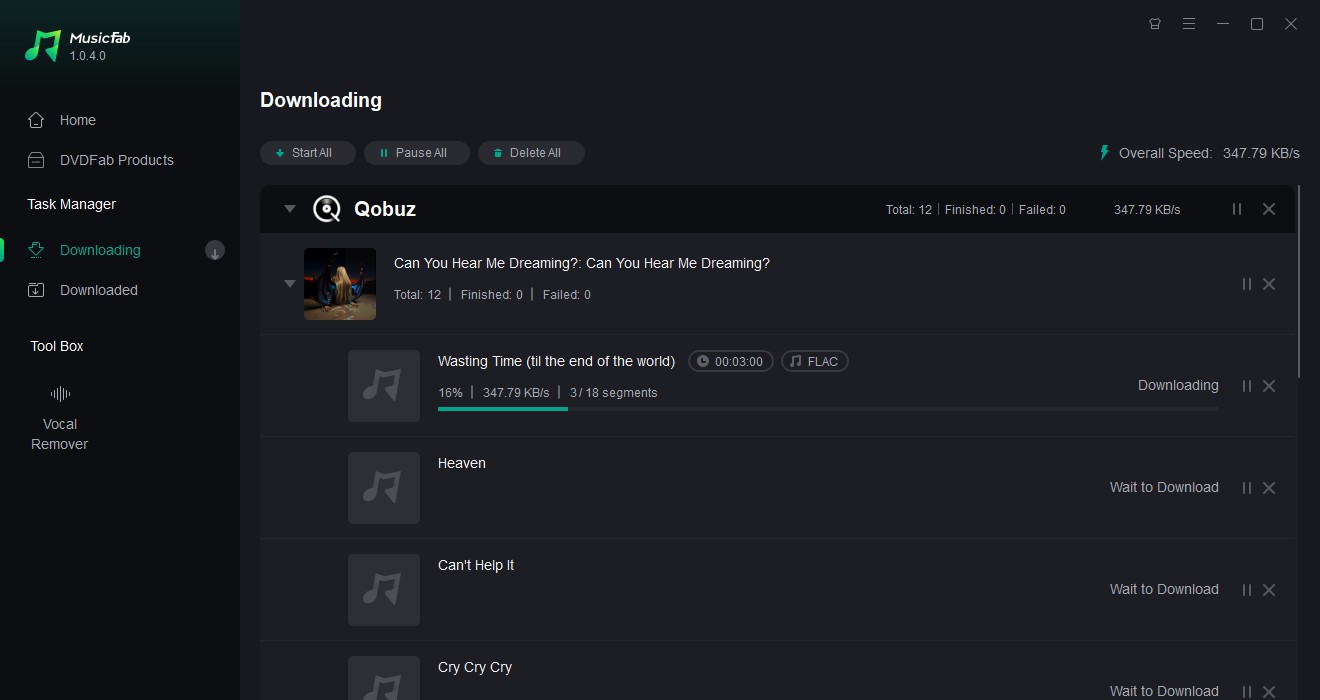
The download will start in the "Downloading" tab

Step 5
Once the download is complete, the files will be moved to the "Downloads" tab for you to check

Step 6
You can access the download location by clicking the folder icon.

Q&A about Qobuz

Q1. What is the difference in audio quality between Qobuz and TIDAL?

A1. Both Qobuz and TIDAL support 24-Bit/192kHz.

Qobuz offers 24-Bit/192kHz on both its Studio and Sublime plans, while TIDAL only provides 24-Bit/192kHz on its TIDAL HiFi Plus plan.

For the TIDAL HiFi plan, the maximum quality is limited to 16-Bit/44.1kHz.

Q2. What is the music catalog size of Qobuz?

A2. As of June 2023, Qobuz offers over 100 million tracks. This makes Qobuz one of the world's largest high-resolution music streaming services in terms of catalog size.

Q3. Does Qobuz offer a free trial?

A3. Yes, Qobuz offers a 30-day free trial. The trial is for the Studio plan, and you can choose between solo (1 account), duo (2 accounts), or family (6 accounts). When signing up for the free trial, you will need to provide payment information, and the subscription will automatically renew at the end of the trial period.

Conclusion

Qobuz is a standout platform for audiophiles, offering unparalleled sound quality and a vast music library. Whether you’re looking to stream high-resolution music or download tracks for offline listening, Qobuz provides a rich and immersive experience. For those seeking more flexibility with their downloaded music, MusicFab’s Qobuz Converter adds an extra layer of convenience by allowing you to store your favorite tracks in various formats and enjoy them on any device. Whether you're new to high-resolution music or a seasoned listener, Qobuz is a service worth exploring.

POPULAR LATEST
MusicFab Review 2026: A Detail Guide for Beginners
10 Best YouTube to WAV Converters 2025 [Safe & Fast]
5 Free&Paid Tools to Convert Amazon Music to MP3 2025
Top 8 Online SoundCloud to MP3 Converters 2025 [Free & Paid]
2025's Proven Top Spotify Downloaders for PC [Win & Mac]
2025 Top 15 Online&Desktop Spotify Downloaders [Win & Mac]
2025 Best 8 Free Spotify Playlist Downloaders Online,Desktop,Mobile
7 Tools to Convert Apple Music to MP3 Online & Desktop 2025
Can You Change Spotify Username? How to Do It?
Best Spotify MP3 Converters: Top Picks for Windows, Online, and Mobile
Can You Listen to Audible Offline in 2026? Here’s How it Works!
How to Listen to Pandora Offline (2026): Plus vs Premium, Downloads & Fixes
Can You Listen To Amazon Music Offline?
Sidify Music Converter Review: Is It the Right Choice for You?
Top 7 Tidal Music to MP3 Converters for Windows and Mac Users
Guide to Spotify Offline Mode Not Working & Plus a Permanent Fix!
Youtube Music vs Spotify Sound Quality: Who Wins?
How to Rip Audio from YouTube on Windows & Mac: Fast, Simple
Apowersoft Review (2026): ApowerREC, Online Recorder, Pricing & Best Alternatives
How to Pre-Save on Spotify (2026): Countdown Pages, Links & Tips
How to Download the Amazon Music Audio for Offline Listening
2026 ViWizard Spotify Music Converter Review & Alternative
TuneFab Review: Pros, Cons,User FeedBack & Alternative 2026
How to Download SpotifyPodcast to MP3 via 6 Ways 2026
How to Download Amazon Music to Your Phone
Learn More Show Less

Try MusicFab for Free

  • Download music/podcasts/audiobooks.
  • Output MP3/M4A/FLAC/WAV/OPUS files.
  • Keep the downloads permanently.
Start My Free Trial

100% Safe & Clean