

Do you enjoy discovering new tunes on YouTube Music but dislike the limitations of offline playback? YouTube Music Premium allows you to download music, playlists, and podcasts for offline use, but they remain within the app, and you must reconnect at least every 30 days to keep them active. If you want to create permanent, device-independent files (MP3/M4A/FLAC) that can be played anywhere, you'll need a reliable converter. In this guide, you'll discover both the official method (settings, quality up to 256 kbps) and third-party tools that maintains ID3 tags and lyrics, permit batch playlists, and save time.
Part 1: How to Download Music from YouTube Music Without Premium?
Disclaimer: This guide is for personal, lawful use only (e.g., content you own/are licensed to use)
Download YouTube Music with Paid Software
There are multiple third-party tools on the market that you can use to learn how to download music from YouTube Music to your computer. However, our top pick remains the MusicFab YouTube Music Converter!
If you need portable files for any player, MusicFab is your solution. What sets it apart from others is its easy-to-use interface and fast downloading speed. It downloads, not records, making it 20X faster than other converters. Moreover, the built-in browser and a friendly 3-song, no-limits, free download trial let you download and try with no hassle!
Key Features of MusicFab YouTube Music Converter
- Speedy Downloads & Enables Batch Download: Compared to competitors, MusicFab's new methods make downloads faster and allow you to download multiple files at once. This is all thanks to the developers, who continue integrating advanced technologies with updates.
- It also supports batch downloading of multiple music files at once. This way, you can save loads of time that gets wasted when manually downloading files.
- Supports Multiple Output Formats: It lets you download songs in original M4A or OPUS formats while preserving quality. It also offers flexibility in converting YouTube to MP3, FLAC, or WAV formats.
- Preserve Metadata During Conversions: MusicFab retains track titles, song lyrics, artist names, release years, and other metadata.
- Allows Playback on Any Device: It removes DRM protection on YouTube Music tracks, letting you enjoy music streaming on any device, DJ app, or media player.
How to Download MP3 from YouTube Music with MusicFab?
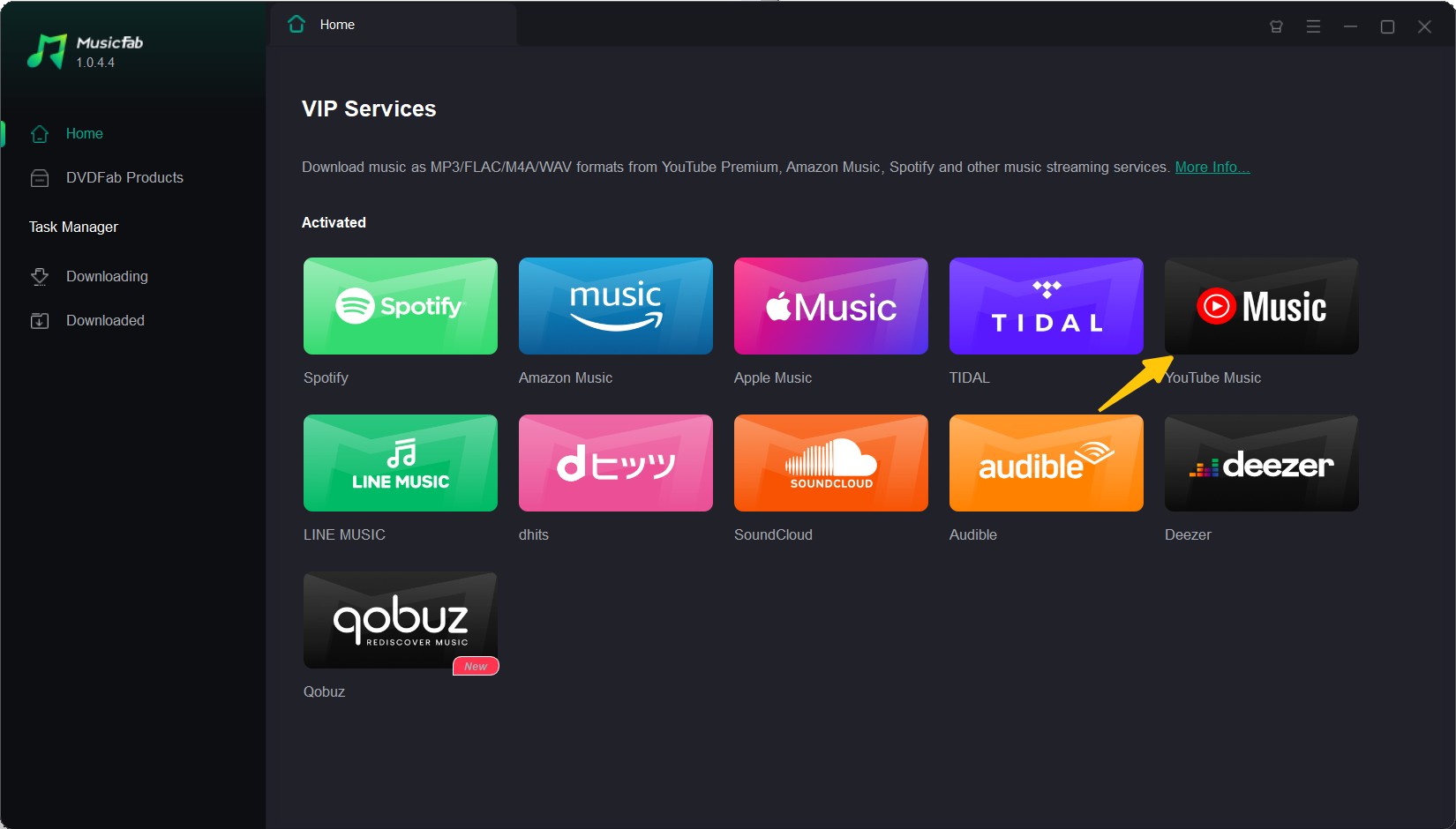
Launch MusicFab and Choose YouTube Music
Download and install MusicFab YouTube Music Converter from the official website and launch the platform. From the main interface, navigate to the VIP Services section and select YouTube Music.
Browse Your Desired Music and Tweak Output Settings
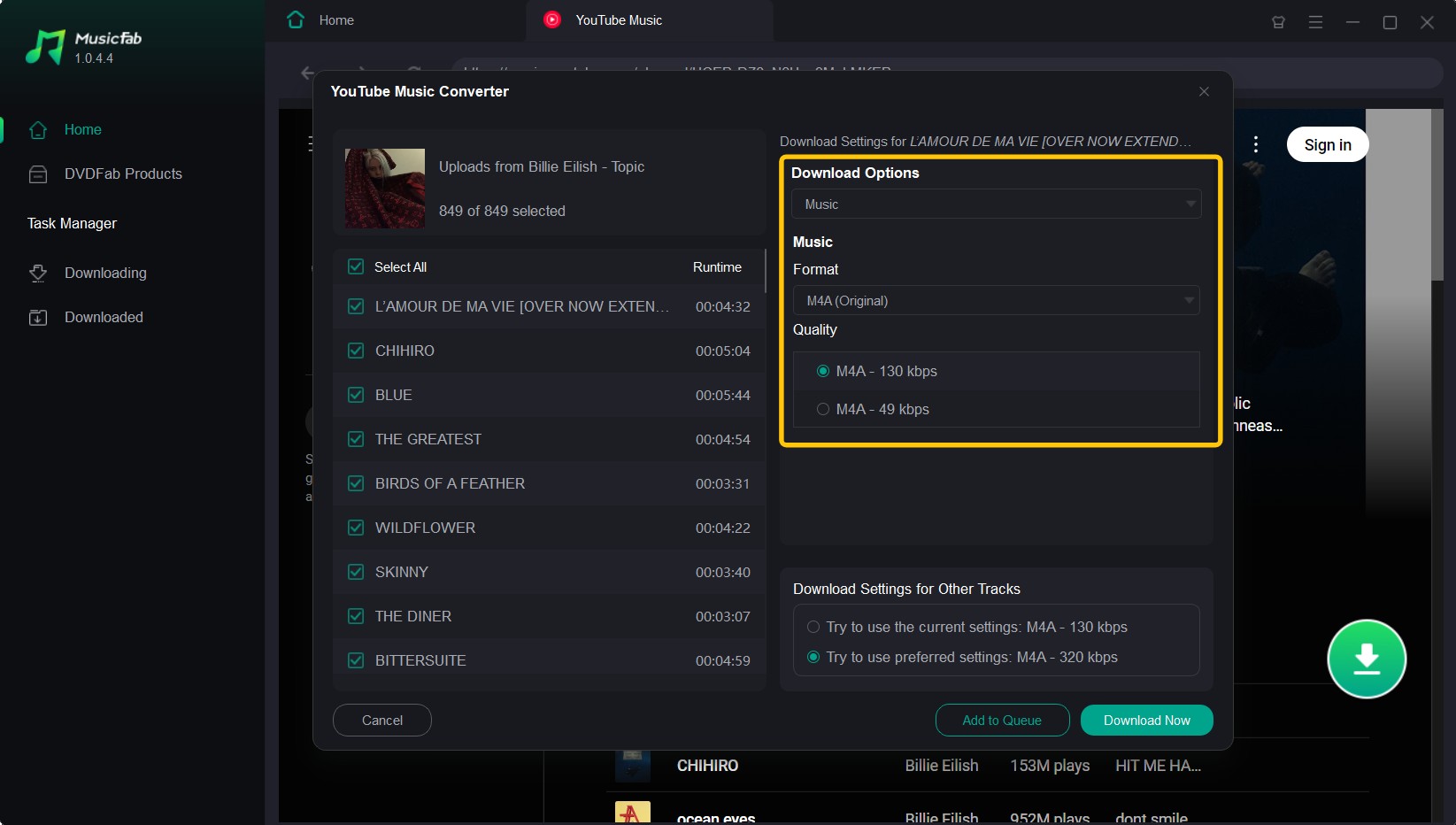
Now, use the built-in web player to browse for your favorite YT Music playlist, album, or songs and hit the Download button. In the pop-up window, tweak the output settings and choose the output format and quality.
- (Optional Tip: You can also copy and paste the URL of a YouTube Music page directly into the search bar at the top.)
Begin Downloading
Once you've done this, hit the Download Now button to begin downloading music at a lightning-fast speed. Alternatively, you can hit the Add to Queue option to download the selected content later.
Access Downloaded Content
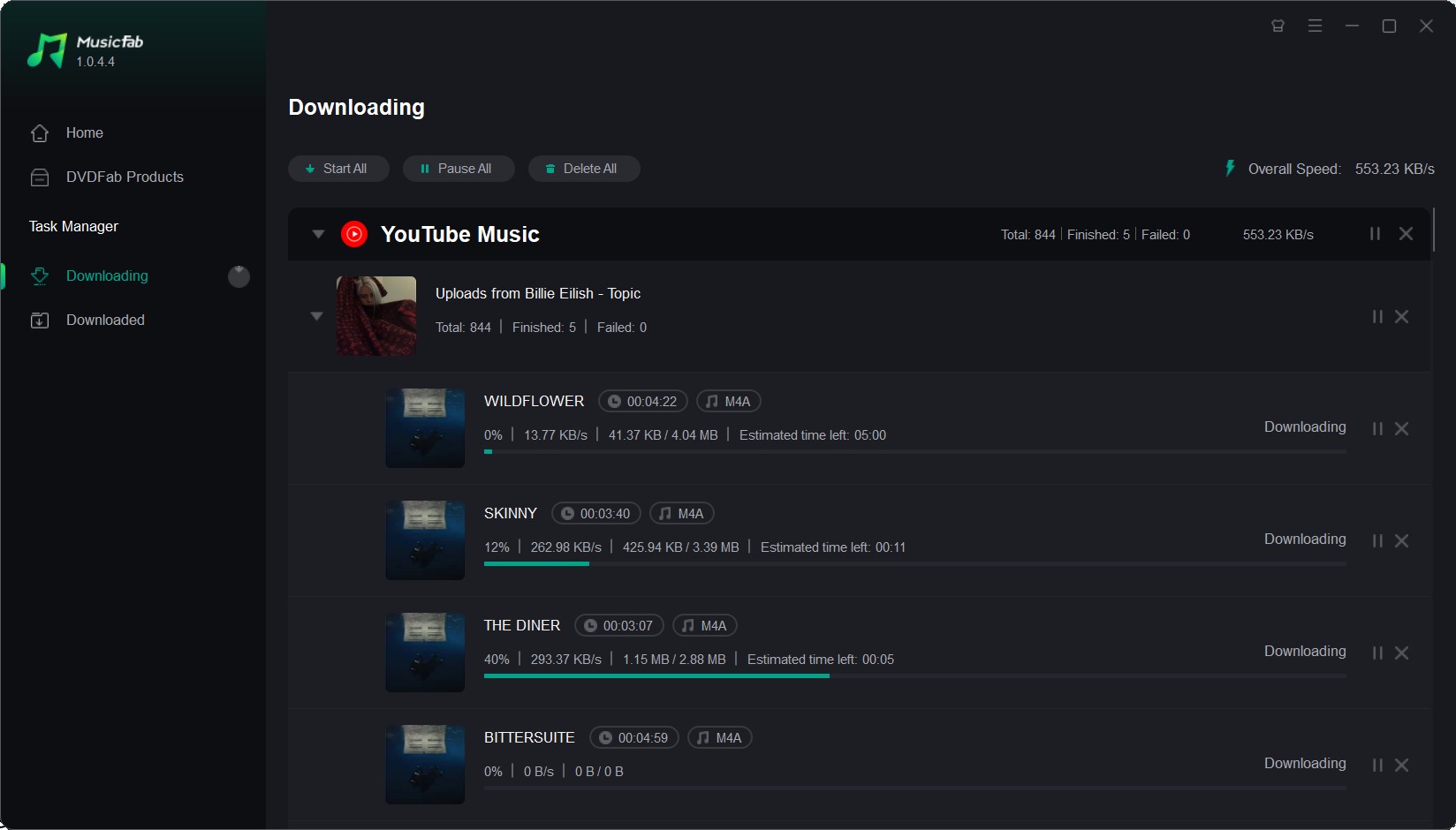
Switch to the Downloading section to access downloaded content or view, pause, or continue the downloads in progress.
Download YouTube Music with Free Online Website
YouTubemp3 is an online website that allows you to download music from YouTube, converting it to MP3 format. While some online YouTube converters claim to support various formats like M4A, our testing of similar tools often found that only MP3 downloads worked reliably. Online converters can be prone to errors and are generally less stable than dedicated PC software. However, they can be a convenient option for
quick downloads if audio quality and reliability are not your primary concerns.
How to download songs from YouTube using YouTubemp3?
1. Open the website in your browser
2. Copy and paste the URL of the song you want to download
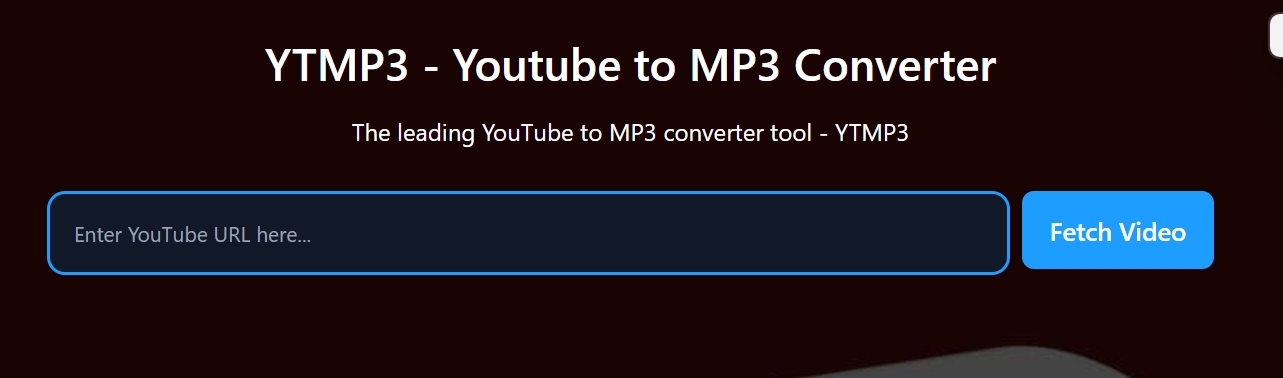
3. Click Start to download
Part 2: How to Download Music from YouTube Music with Premium?
YouTube Music with Premium also supports downloading content for offline streaming. Podcasts can be downloaded even without a membership. However, you must reconnect to the internet at least every 30 days to keep downloads active. Once your subscription expires, the songs will be removed.
It enables two ways to download content. Either you select a specific song, album, or playlist for download, or you can just turn the smart downloads feature ON. This feature enables auto-downloading of your favorite music based on your listening history.
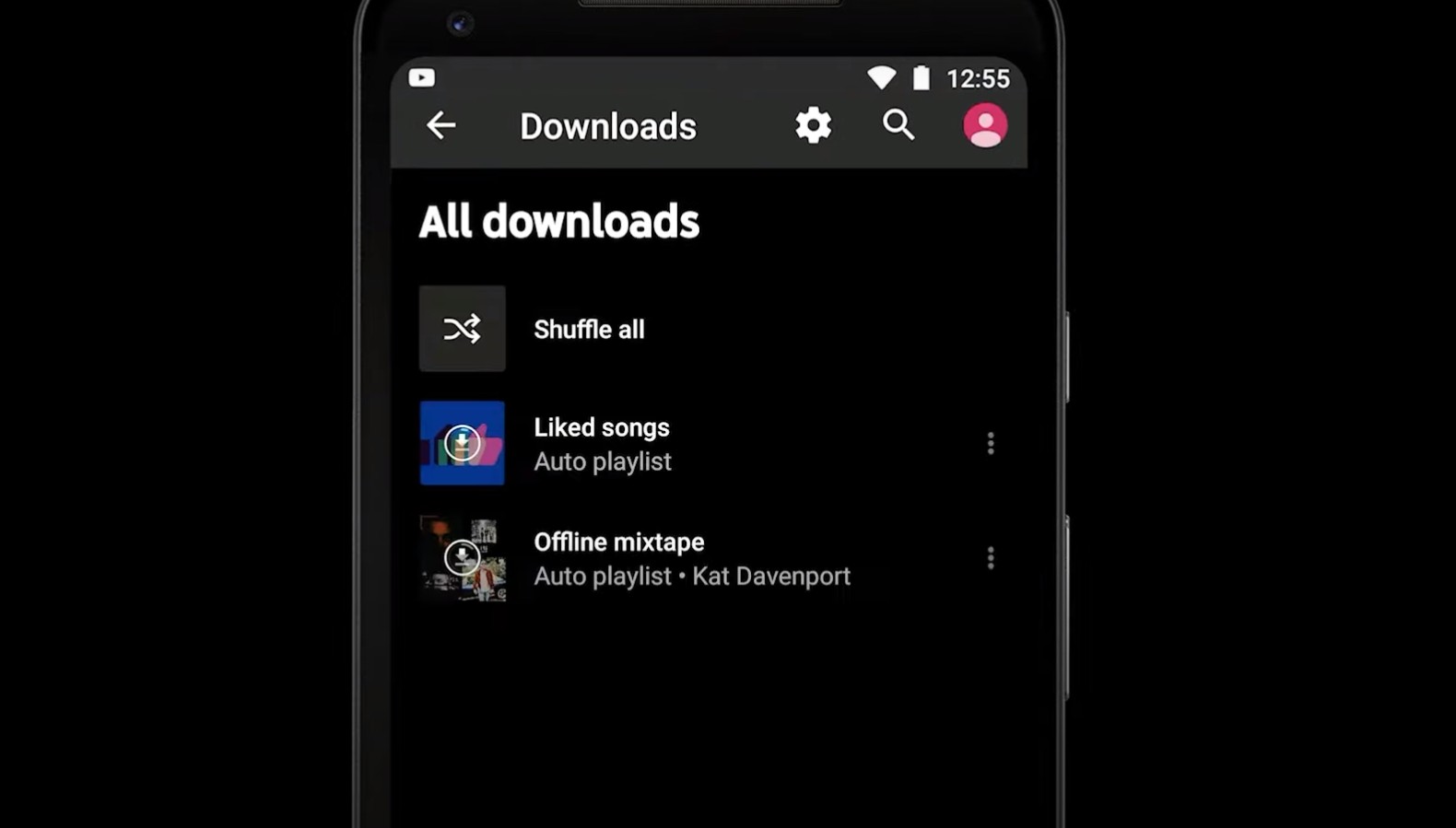
How to Download Music from YouTube Music to Computer and Android?
Here is how you can download YT Music to your computer or Android:
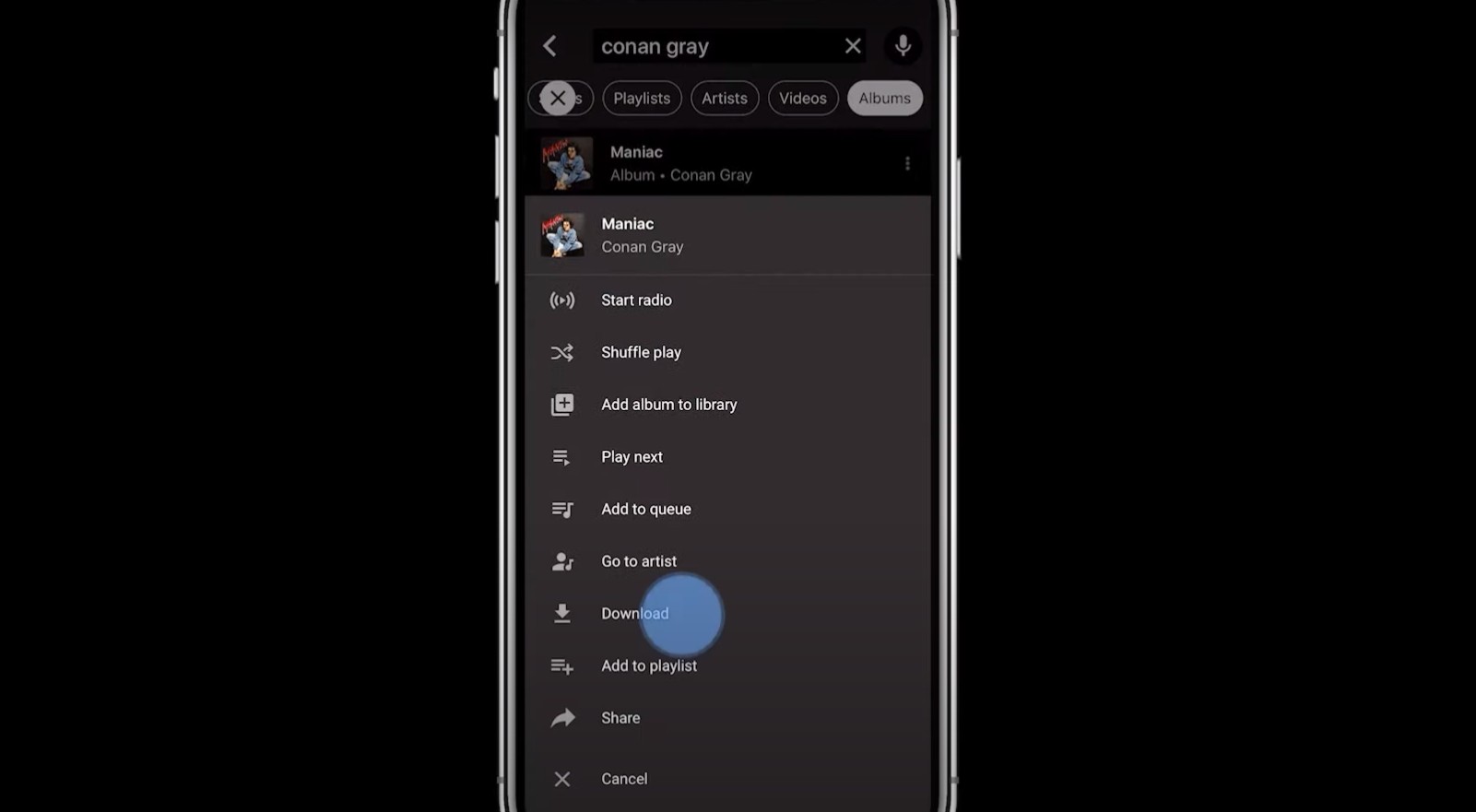
How to Download from YouTube Music to iPhone?
How to Choose the YouTube Music Download Quality?
YouTube divides it into four options for you to choose the audio quality. In practice, 256 kbps sounds clean for most listeners. 128 kbps is acceptable for casual listening. 48 kbps is voice-friendly but can sound thin for music.
| App setting | Codec/bitrate | Size per 4-min song | Good for |
|---|---|---|---|
| Low | Voice, data-saving | ||
| Compatible OS | AAC/OPUS~128 kbps | ~3.8-4.2 MB | Everday listening |
| High/Always High | AAC/OPUS~256 kbps | ~7.5-8.5 MB | Most music, best balance |
Note: Sizes vary slightly by song dynamics/matadata.
How to Play and Delete Downloaded YouTube Music Tracks?
1. Play a Downloaded Track
Open the YouTube Music app. Go to your library, then select Downloads. Find the song or video you want to play and tap its thumbnail. It will play offline.
2. Delete a Downloaded Track
To remove a downloaded item, tap the three dots (...) next to the song or video title. From the
menu that appears, select 'Remove from downloads' (or 'Delete from downloads')
Download YouTube Music Method Comparison: Official vs. Third-Party
| Downloader | Membership | Where files live | Expiration | Quality | Portability |
|---|---|---|---|---|---|
| Official |
Premium required | Must reconnect at least every 30 days | up to 256 kbps AAC/OPUS | App-only | |
| MusicFab | Free & Premium | local files | No | Same as the original | Any device or player |
Faqs
A: MusicFab is intended for downloading content you have theright to access, such as music you've
purchased or for personal offline use where permitted by copyright law. Please check the terms of service of
YouTube Music and the copyright laws in your region.
2. Are YouTube Music downloads 320 kbps?
No. The current documented upper bound is 256 kbps (AAC/OPUS). Low ~48 kbps and Normal ~128 kbps are also available.
3. Can I export official downloads to my PC or another app?
No. Official downloads are encrypted, app-only, and aren't typical MP3/M4A files you can move around.
4. What is Smart Downloads, and where do I enable it?
It auto-refreshes music based on your listening history, so you're rarelycaught offline without tunes. Manage
it under Settings > Downloads or Library Downloads gear.
Conclusion
If you only need music inside the app, already pay for Premium and prefer simple one-tap downloads, pick Official. If you need permanent files, pick MusicFab Converter.

![10 Best YouTube to WAV Converters 2025 [Safe & Fast]](https://c.musicfab.org/uploads/images/2024-07/17206996344468865-25133daf28c92d3ac9abe86a67fddcf8.)
