

When exploring Audible audiobooks, you’ll encounter the AAX file format. Developed by Audible, part of Amazon, this proprietary format offers enhanced features for listeners. However, AAX files are encoded with digital rights management (DRM) to prevent unauthorized sharing. This protection aligns with Audible’s licensing agreements but can be an obstacle for those who want to play audiobooks on various MP3 players.
One solution in such situations is to use third-party software to convert Audible files to MP3. By converting Audible to MP3, you can play Audible offline on devices other than the Audible app, such as PCs, and tablets. Additionally, you can import the files into audio editing software and edit parts of them.
How to Download Audible Books to MP3 using Software?
1. [Best Choice] MusicFab Audible Converter🔥
Unlike other converters that rely on uploading and converting existing AAX files, MusicFab Audible Converter stands out by downloading the original audio source directly from Audible. This eliminates the need to handle AAX files manually, making the process more seamless,efficient and fast.

- Batch Download Audible books to MP3/FLAC/M4A/WAV/OPUS format.
- Play converted audiobooks on any player.
- Maintain chapter names, track information, and more during music conversion.
- Download Audible books and transfer them to other media players to enjoy offline.
- Use built-in web browser for direct audiobook search and download, no Audible app needed.
MusicFab Audible Converter supports exporting audiobooks to common formats like MP3, FLAC, WAV, and more, while keeping useful details such as book title, cover art, and (where available) chapters/track info. For best results, choose an output setting that matches your listening devices and storage needs.
Keep in mind that converting doesn’t increase the original Audible audio quality, your best practice is to preserve the source quality and avoid unnecessary upscaling.
Step-by-Step Guide to Convert Audible to MP3

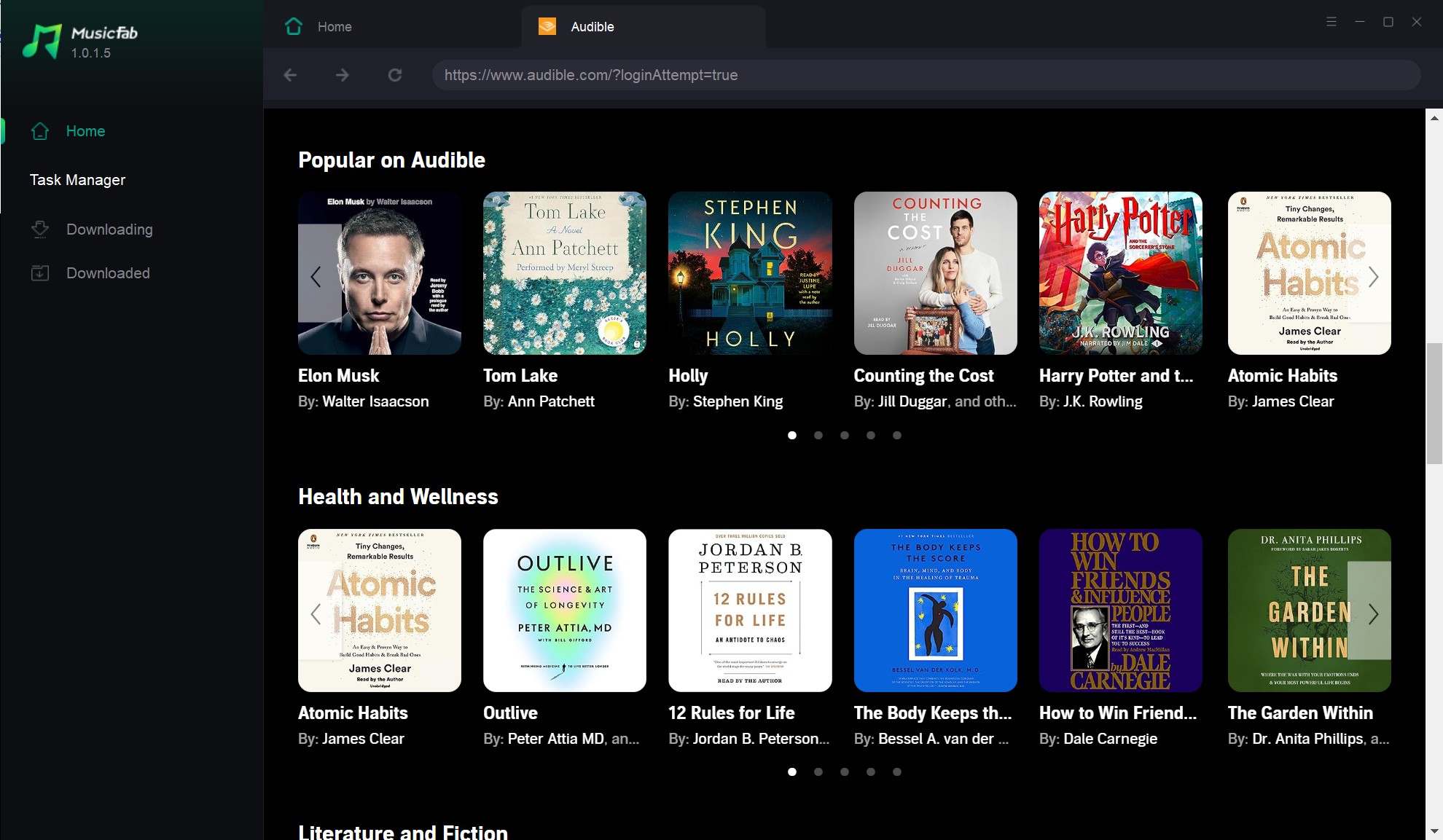
Open MusicFab Audible Converter and log in to your Audible account if needed. Use the built-in browser to locate and add your desired audiobooks to the conversion queue.
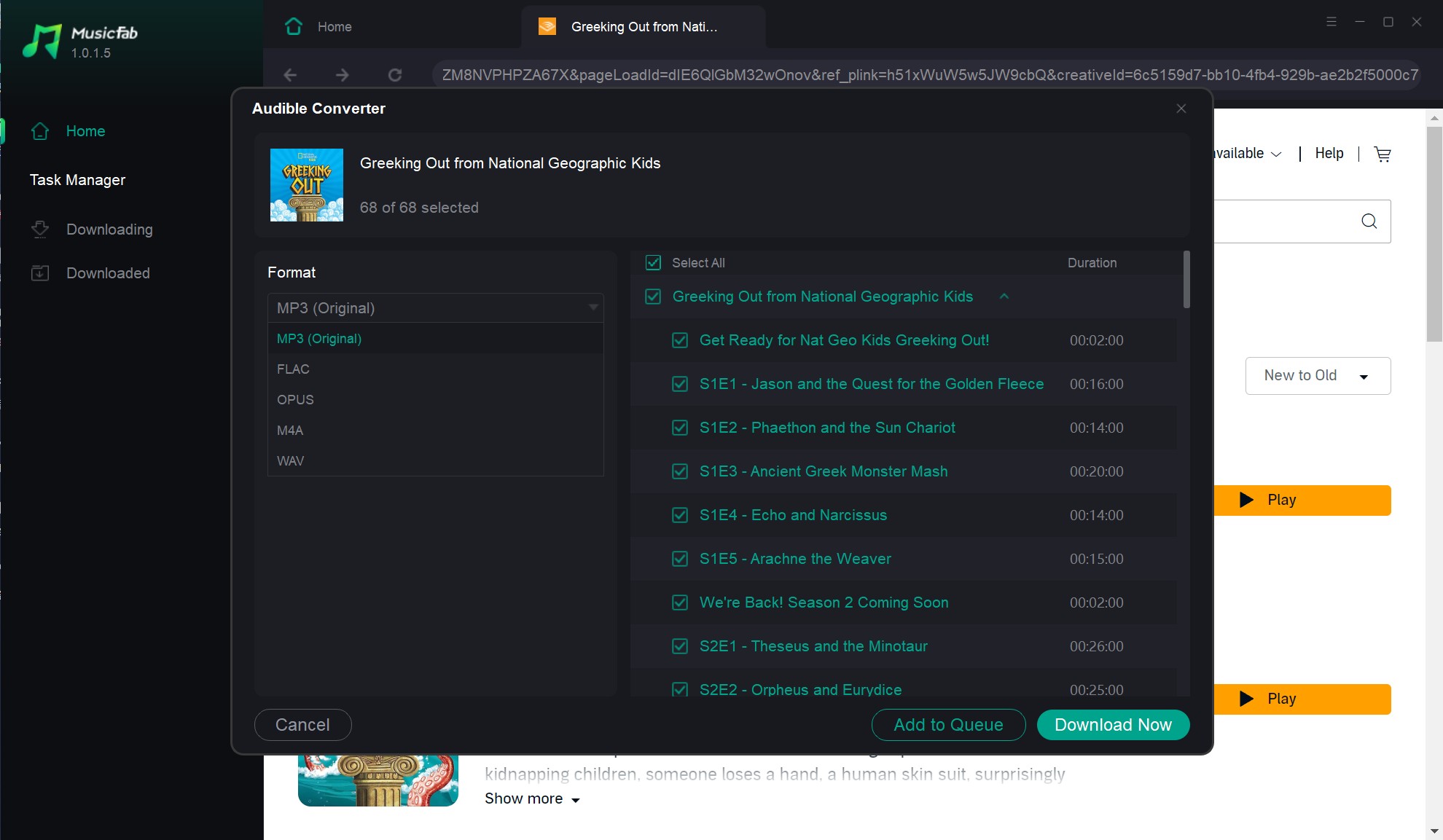
Select MP3 as the output format and adjust settings like bitrate for the best audio quality. Click the “Download Now” button to begin the conversion process.
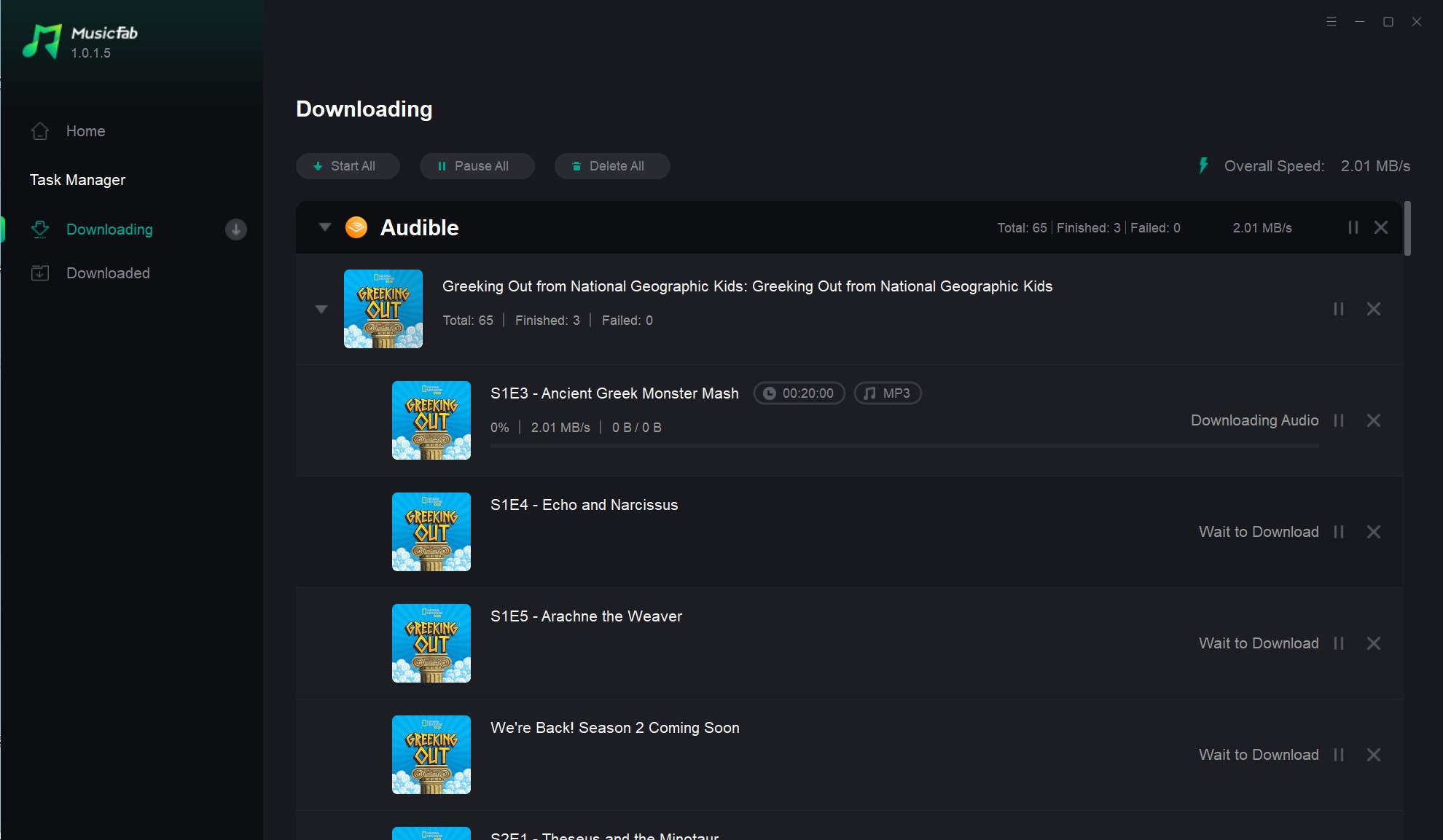
After conversion, find your MP3 files in the output folder. Transfer them to your phone, MP3 player, or car stereo to enjoy your audiobooks anywhere.
2. DumpMedia Audible Converter
DumpMedia Audible Converter offers fast conversion speeds for Audible files. Free users can try it for 15 days, converting two audiobooks, each limited to 3 minutes. While the two-audiobook limit remains, registering a free account removes the 15-day restriction. However, the 3-minute limit can be challenging for longer content.
3. KeepBeats Audible Converter
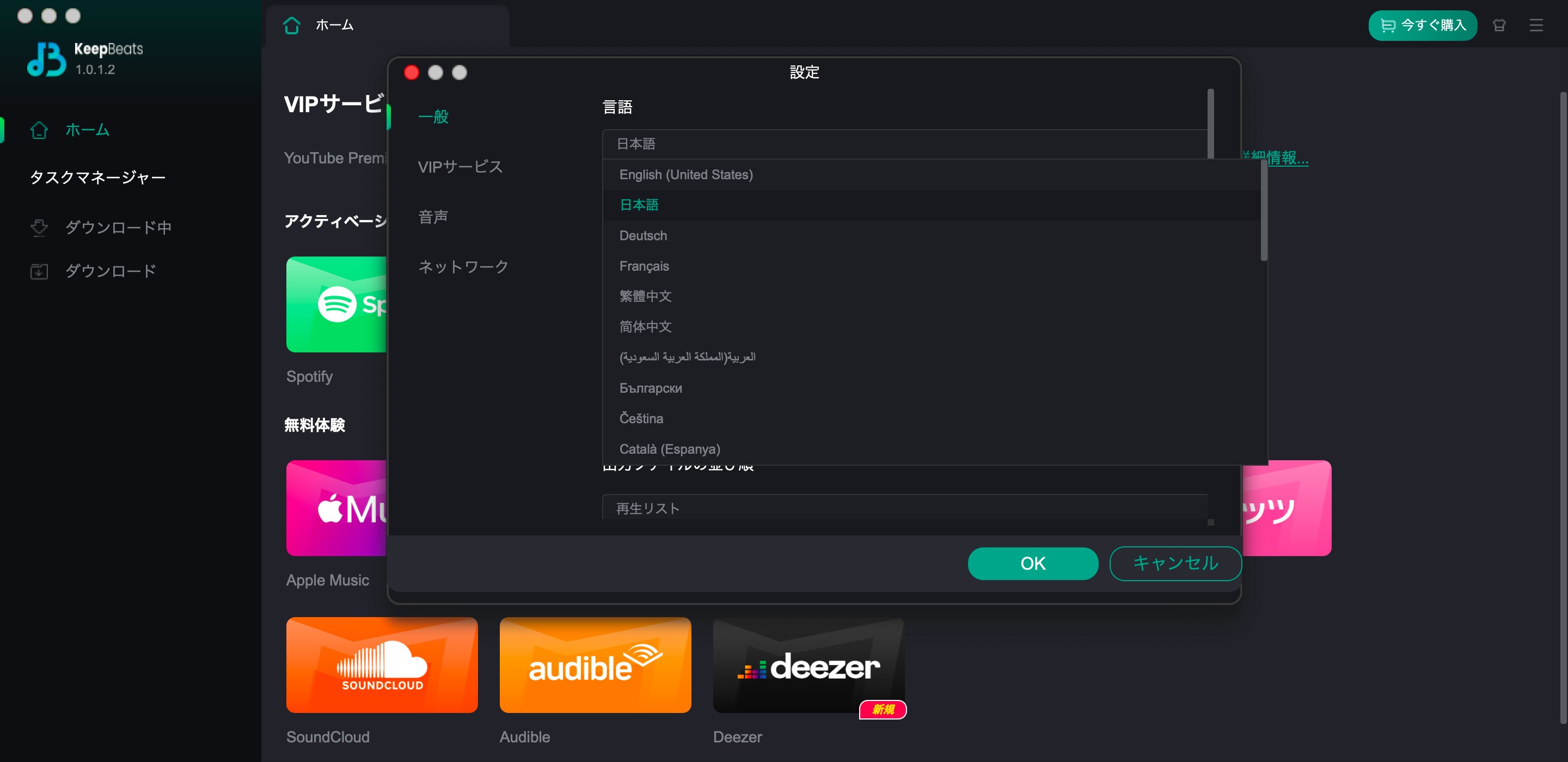
KeepBeats Audible Converter, though less well-known, is powerful for lossless Audible conversions. It's lightweight and has an integrated browser, allowing users to analyze URLs directly from the Audible web version. Perfect for downloading multiple files, it's great for series lovers. It supports MP3, WAV, FLAC, AAC, and OPUS. Free version converts up to 3 Audible books to MP3;
4. Pazu Audible Converter
Pazu Audible Converter simplifies downloading Audible books to MP3 and M4A via drag and drop. You can edit metadata to build a personalized library. The free version allows conversion of one audiobook.
How to Convert Audible to MP3 Online?
If you want to convert Audible to MP3 online, note that most web-based converters only work well with smaller, local audio files. Audible downloads are commonly protected (AAX/AAXC), which many online tools cannot process. If an online converter does accept your file, expect file-size limits and slower upload times. For full-length audiobooks, desktop tools are usually more reliable for handling long files and preserving metadata.
1. Online Audio Converter
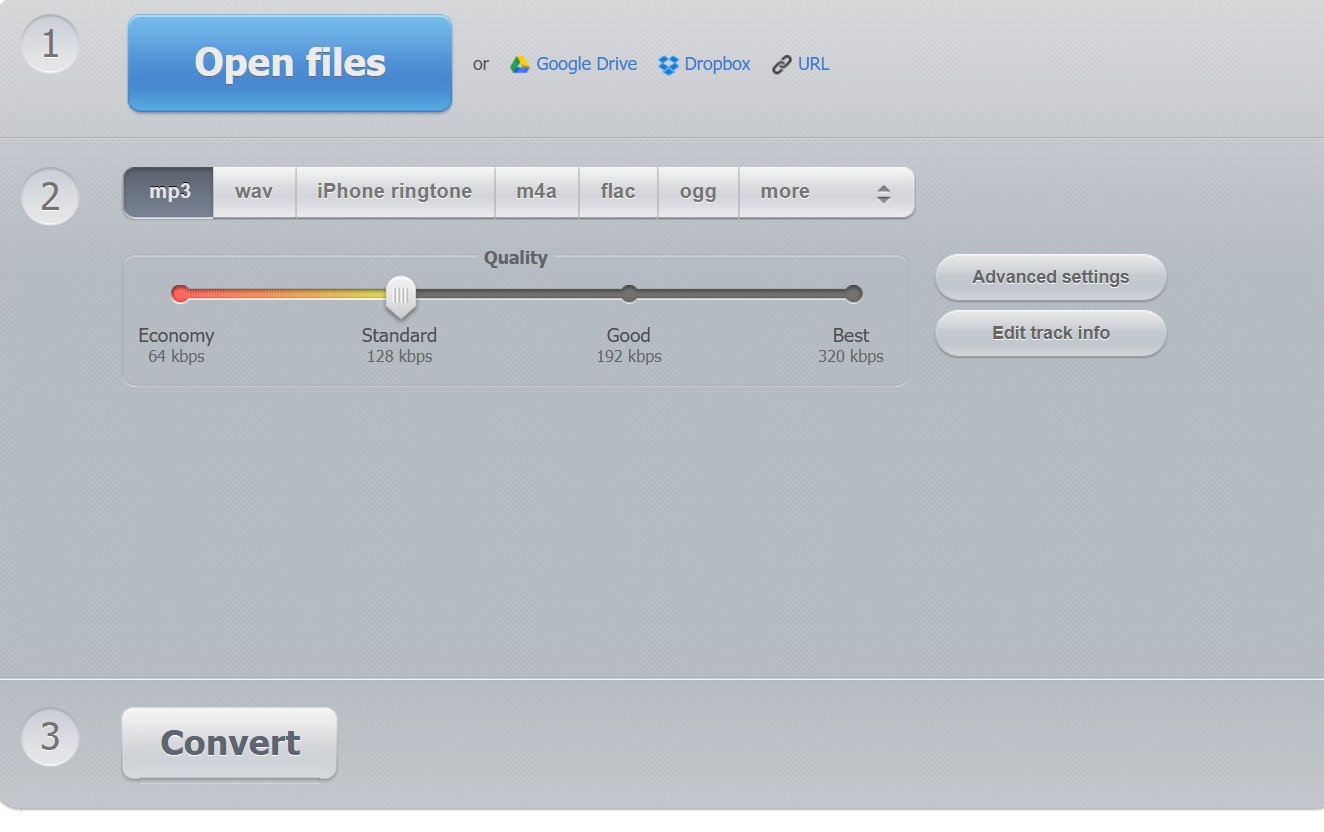
Online Audio Converter is a free tool that supports multiple audio formats, including MP3. It's user-friendly and requires no installation.
Convert Audible to MP3 effortlessly with the free Online Audio Converter tool. This user-friendly solution supports a variety of audio formats including AAX, M4A, and WAV, and requires no installation. Enjoy customizable settings to adjust bitrate, sample rate, and audio channels to your preference. Experience fast conversion of small files and seamless cloud integration with Google Drive or Dropbox.
- No software installation required.
- Free to use for small files.
- Compatible with most browsers.
- File size limits may apply.
- Low conversion success rate.
- Conversion speed depends on internet connection.
Step-by-Step Guide to Convert Audible to MP3
2. Online AAX to MP3 Converter
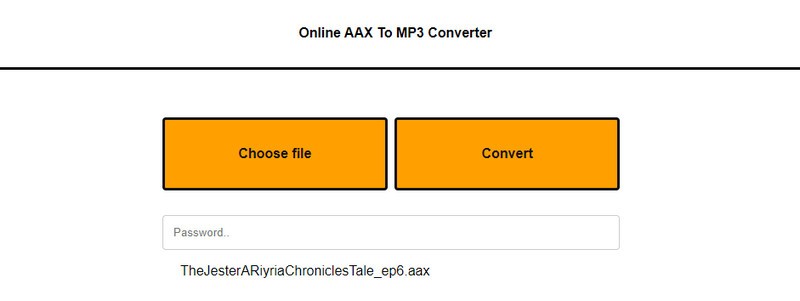
The Online AAX to MP3 Converter is a web-based tool perfect for those looking to convert Audible to MP3. It excels in simple format conversions and is tailored specifically for Audible audiobooks. Key features include AAX compatibility, batch conversion for processing multiple files at once, and an easy drag-and-drop interface that simplifies the conversion process.
- Focused on Audible file formats.
- No technical skills required.
- Free for basic conversions.
- Does not remove DRM from AAX files.
- Limited customization options.
- Dependent on internet speed and file size.
Step-by-Step Guide to Convert Audible to MP3
What Is Audible AAX Format?
The AAX format is a proprietary file type developed by Audible. It offers high-quality audio and supports features like bookmarks and chapter navigation. However, these files are protected with DRM.
Limitations of AAX Format
- Only playable on Audible-supported apps and devices.
- DRM prevents unauthorized sharing and playback.
- Not compatible with MP3 players or older devices.
Benefits of MP3 Conversion
- Universal Compatibility: MP3 works on almost every device.
- Offline Access: Listen to your audiobooks without needing the Audible app.
- Flexibility: Transfer your audiobooks to any device or platform you like.
Conclusion
Audible audiobooks use the AAX format, designed to enhance the listening experience. However, AAX files are DRM-protected, making them hard to play on regular MP3 players. If you want to listen to Audible offline or on different devices for more flexibility, you’ll need to convert Audible to MP3. This review shows 6 tools to convert Audible to MP3 with both software and free online options. If you prefer stability and quality, we recommend MusicFab.
FAQs
Is it Legal to Convert Audible to MP3?
Converting for personal use is generally acceptable. However, sharing converted files violates Audible's terms.
ADoes Conversion Affect Audio Quality?
Conversion quality depends on the original source and your export settings. A converter can preserve the source quality, but it cannot exceed it. For spoken-word audiobooks, extremely high bitrates usually don’t bring audible benefits.
A
![10 Best YouTube to WAV Converters 2025 [Safe & Fast]](https://c.musicfab.org/uploads/images/2024-07/17206996344468865-25133daf28c92d3ac9abe86a67fddcf8.)
