

Want to enjoy Amazon Music offline without limitations? While the official app allows downloads, they expire with your subscription and can’t be transferred. This guide explores three easy ways to save Amazon Music to your phone—whether through the app, purchased MP3s, or the MusicFab Amazon Music Converter for unlimited access. Find the best method to keep your favorite tracks forever!
If you are a Music fan, Amazon Music does not need an introduction. It offers a huge number of songs, playlists, albums, and podcasts. However, if you are checking out the options to download Amazon Music to your phone or any other device, you will come across several limitations.
Ever wondered how to download Amazon music to your phone? Well, in that case, this blog is just for you. We will check out the different options that you can try for achieving Amazon music download to your phone.
Method 1: Downloading Music via Amazon Music App (Official Method)
So, can you download Amazon music to your phone? If you have a subscription to Amazon Music Unlimited or even Amazon Prime, you can comfortably download music using the official Amazon Music app. Once you download the music file, you can listen to the song even without an internet connection.
You cannot play the downloaded tracks on any other device other than the device you have downloaded it on.
They cannot be played on any other device. That apart, the downloads will end when your subscription ends. The downloaded tracks are saved only in a proprietary format. The downloaded songs come with DRM protection.
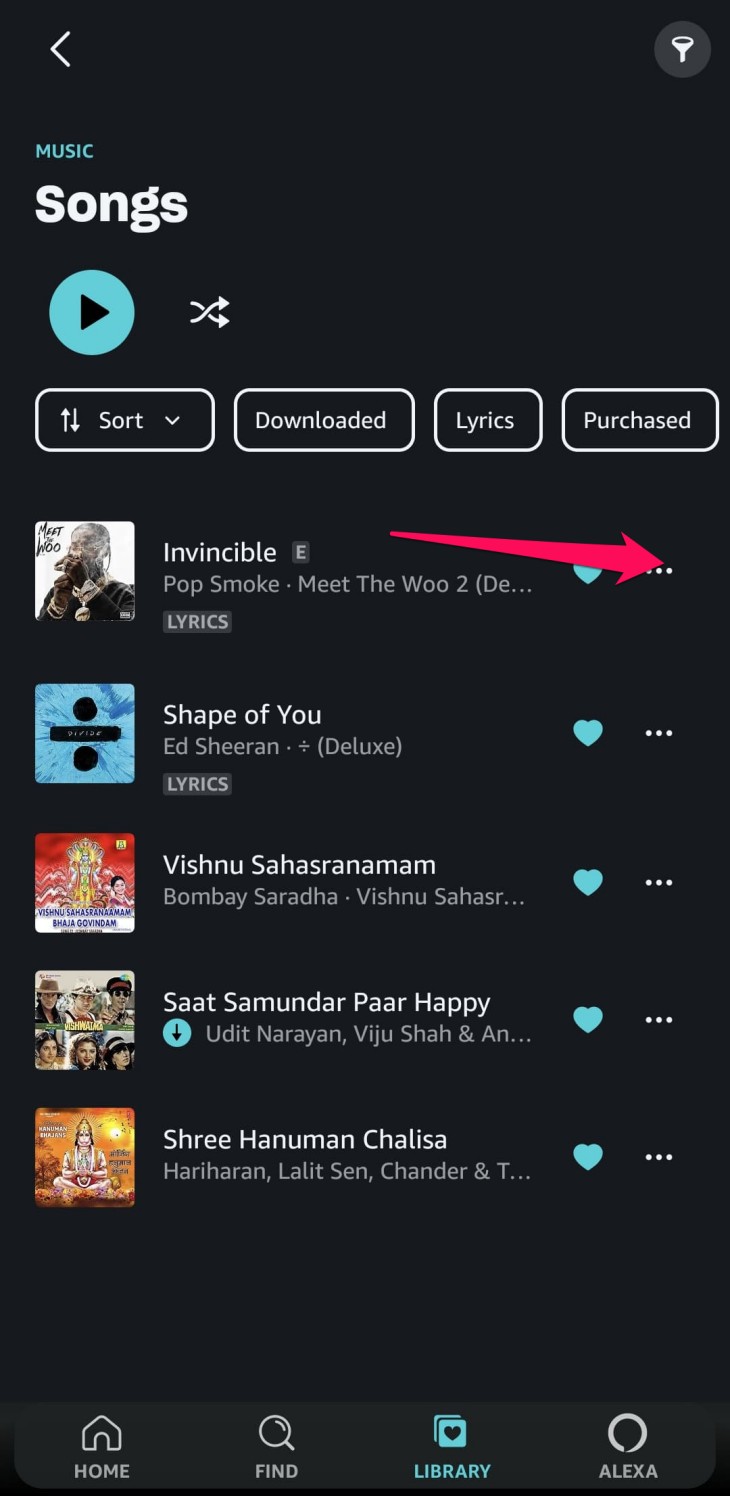
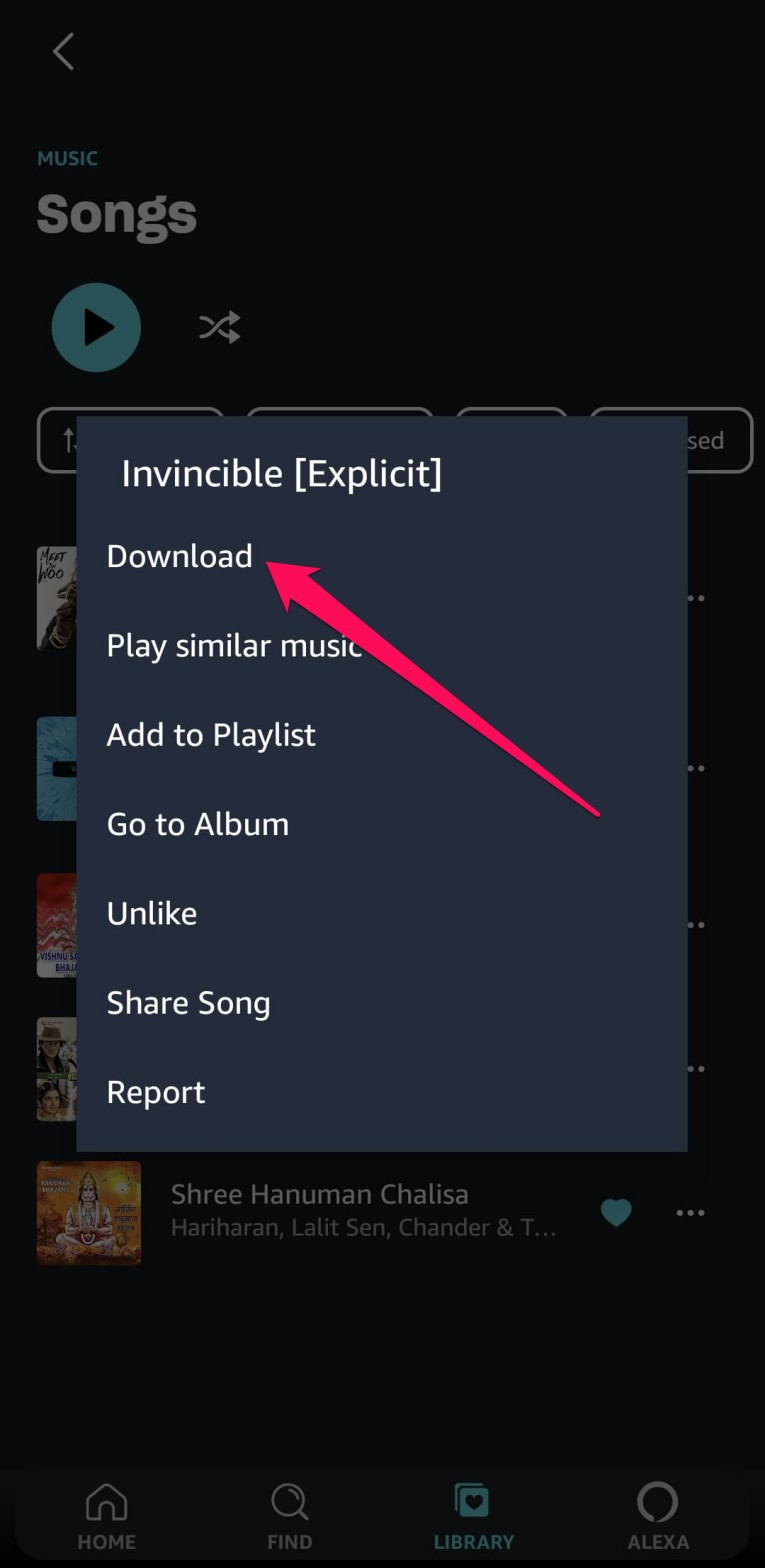
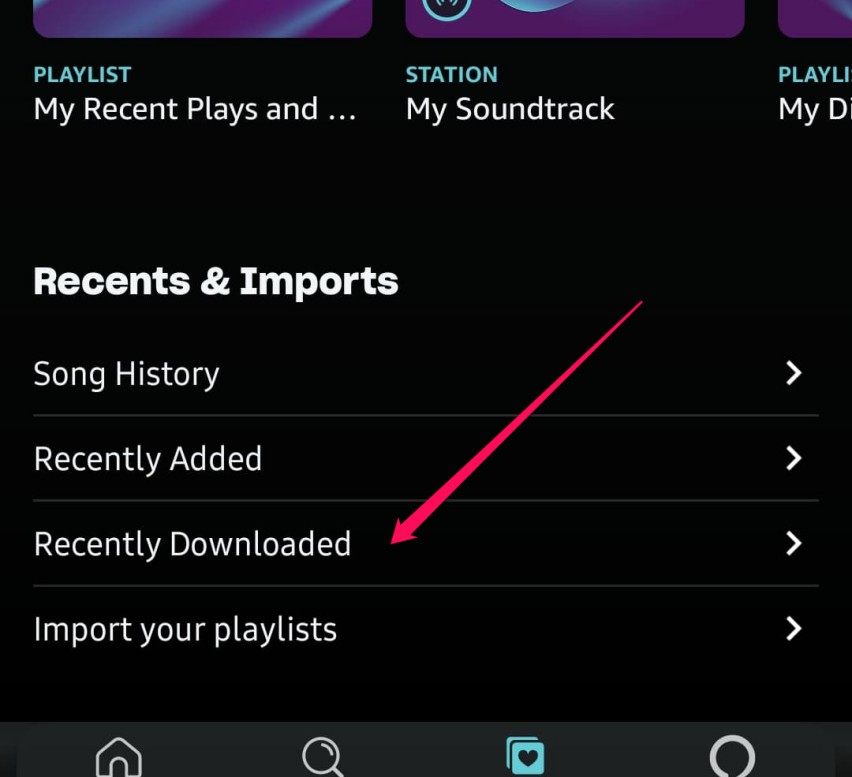
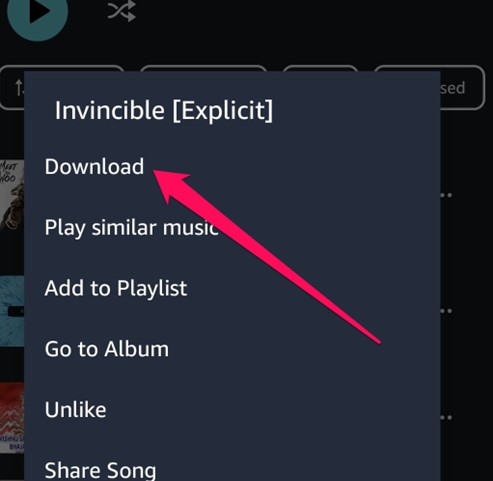
Steps to Download Amazon Music on Phone Using the App
Method 2: Downloading Purchased Amazon Music (MP3 Files)
In case you have purchased any tracks from Amazon Music, there is an option to download your downloaded tracks with ease. This is applicable in the case of people who have not subscribed to Amazon Music. You can buy songs in MP3 file format and then download them for offline listening.
The download functionality works only for the songs that you have purchased.
You cannot download subscription-based content by following this method. If you are switching devices, you will have to transfer the downloaded tracks manually.
How to Download Purchased Amazon MP3s on Your Phone?
Method 3: Using MusicFab Amazon Music Converter for Unlimited Offline Access (Recommended)
If you are looking to download the Amazon Music titles and save them forever, it is advisable to download the tracks using the best Amazon Music Downloader cum converters for downloading your videos and keeping them with you forever.
One such tool that offers you a powerful download experience is MusicFab Amazon Music Converter.

- Download songs from Amazon Music Free, Prime, and Unlimited in seconds.
- Convert Amazon Music to MP3, FLAC, WAV, M4A, or Atmos.
- Preserve Amazon Music with ID3 tags and save lyrics as LRC files.
- Download Amazon Music songs, playlists, podcast, or albums in bulk.
How to download Amazon Music titles using MusicFab Converter?
Use the official website to download the MusicFab Converter. Choose a Windows or Mac version based on your operating system. Choose a free trial to help you get used to the tool.
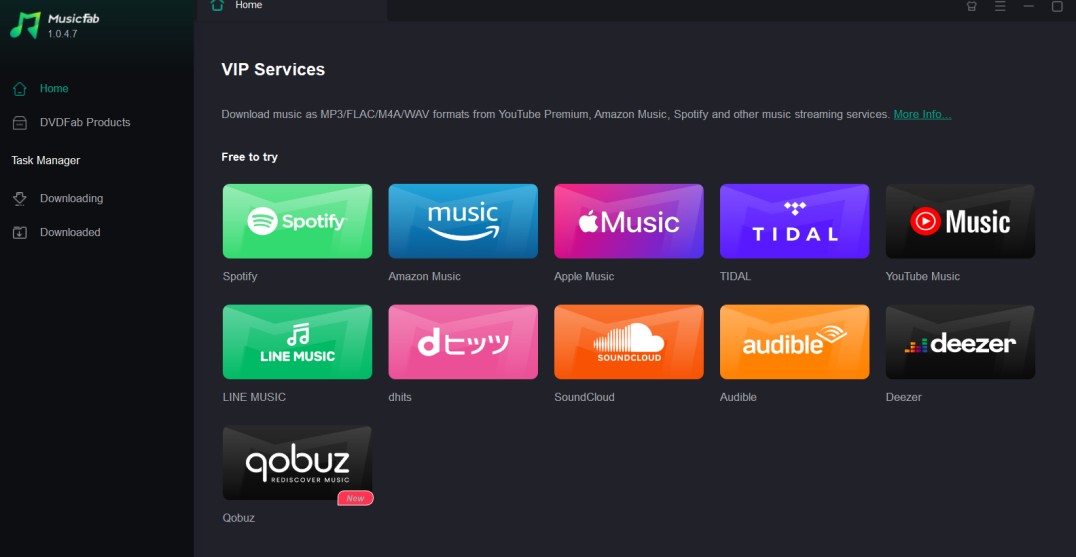
From among the available music streaming services, choose Amazon Music. Sign in to your Amazon Prime account. You can create a new account if you do not want to use the existing account with the downloader or just in case you do not have an Amazon account.
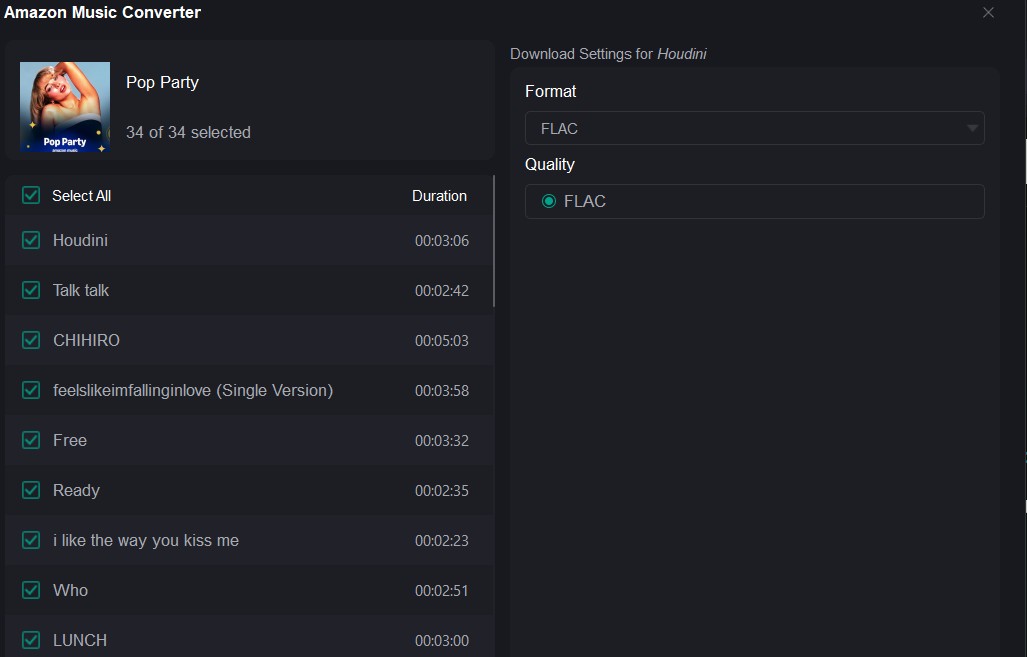
Go to the library and search for the song that you wish to download. This should bring up the download preferences. You can configure your preferences based on your preferred options. If you have selected a playlist or album, select the tracks that you wish to download. Click on the Download icon to begin downloading the track.
Click on Download Now, and the track will be downloaded to your device. You can check out the download process using the tool itself.

FAQs
Can I download Amazon Music and transfer it to another phone?
The default download option on Amazon Music does not let you transfer the downloaded tracks onto another device or another phone. However, you can use this party downloaders like MusicFab Amazon Music Downloader for downloading your favourite Amazon Music tracks and transfer them to any device you prefer.
ACan I download Amazon Music for free?
You cannot download the Amazon Music for free. You need to opt for the Amazon Prime subscription for streaming and downloading your favourite Amazon Music tracks. Even when you use third-party downloaders for the purpose, you can only download only a few tracks as part of the free trial.
AConclusion
Amazon Music is an excellent streaming service that assists you in enjoying your favourite Amazon tracks as per your preferences. But, what if you want to download purchased Amazon Music to your phone or any other tracks from Amazon Music for offline listening? How to download songs from Amazon music to phone? There are several default options to download your favorite titles. But these options come with their own limitations.
Can I download Amazon music to my Android phone and keep it with you forever? For that to happen, you need to use third-party Amazon Music downloaders and converters to download your favourite tracks and keep them with you forever. MusicFab Amazon Music Converter is an excellent option that should provide you with robust download functionality. Check it out and find the best features that it offers you.

![10 Best YouTube to WAV Converters 2025 [Safe & Fast]](https://c.musicfab.org/uploads/images/2024-07/17206996344468865-25133daf28c92d3ac9abe86a67fddcf8.)
