

In this AudFree Spotify Music Converter Review, we focus on the features and functions will guide you to use the tool according to your preferences and prioritieswe. We have tried to provide you with the most authentic and effective information about this tool. If you face some challenges as we have encountered during the conversion process, you can try the AudFree alternative, MusicFab Spotify Music Converter, and elevate your Spotify downloading experience.
- 1.What is The AudFree Spotify Music Converter?
- 2.What Does AudFree Offer In Its Service?
- 3.Is AudFree Safe?
- 4.AudFree Spotify Music Converter Review
- 5.Pricing of AudFree Spotify Music Converter
- 6.How to Use The AudFree Spotify Music Converter?
- 7.Is There Any Error in AudFree Spotify Music Converter?
- 8.Best Alternative to AudFree: MusicFab
- 9.AudFree Spotify Music Converter vs. MusicFab Spotify Music Converter
- 10.FAQs
What is The AudFree Spotify Music Converter?
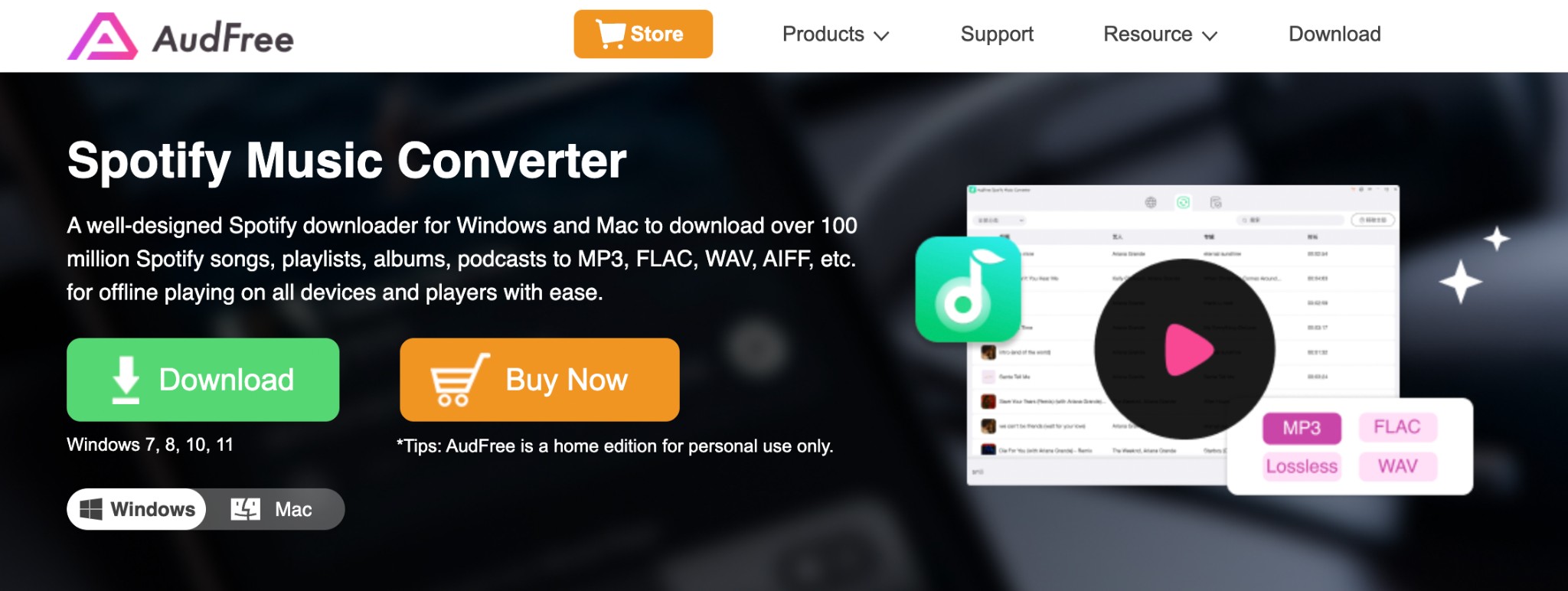
AudFree Spotify Music Converter is a versatile program designed for Windows and Mac to permanently save anything and everything from the Spotify service for offline viewing. It allows you to save music, songs, podcasts, audiobooks, albums, etc., in your desired format without encryption, regional restrictions, or other challenges. The converted and downloaded Spotify file can be shared with anyone or any device as long as you want.
What Does AudFree Offer In Its Service?
- Conversion to Various Formats: Spotify commonly uses the Ogg Vorbis format for its tracks, but this format has limited device compatibility. Hence, AudFree lets you save your Spotify library in multiple formats, such as MP3, WAV, FLAC, AIFF, etc.
- High-Speed Batch Processing in High Quality: With 13X faster speed, it downloads Spotify songs, albums, playlists, podcasts, etc. in 320Kbps. It also saves your time with batch processing and can save multiple audio tracks in one go.
- Remove Ads: While saving Spotify audio for your offline enjoyment, AudFree removes disturbing ads from Spotify's free or premium subscription. It also uses advanced technology to make the downloads playable on all devices and media players.
- ID3 tag integration & Output customization: Such as track title, number, album cover, release date, etc., while maintaining the original quality of the content.
Is AudFree Safe?
Reddit is one of the leading platforms to share and analyze users' problems, opinions, and feedback. Therefore, depending on Reddit’s feedback, it is a safe tool without any virus infection threats, malware risks, or spyware intervention. However, in the time of launching the program on your Windows or Mac system, you may have come across a virus alert if your system's security measure is not activated properly.
AudFree Spotify Music Converter Review
Trustpilot Review: 4.5/ 5
This tool has extensive positive reviews about the service, DRM-removal function, format selection flexibility, and many others. However, some users are disappointed with the software not working for slow speed, sudden shutdown, and account suspension, etc.
Pricing of AudFree Spotify Music Converter
Its free trial version is the same as the paid version in terms of features and facilities. However, in the free version, you can save only some part of the Spotify content. There are multiple subscription plans to choose from.
Individual Plans
- Annual Plan: $ 44.95/ Year
- Monthly Plan: $ 14.95/ Month
- Lifetime Plan: $ 89.95
Family Plans
- Yearly Plan: $59.95/ Year
- Monthly Plan: $ 19.95/ Month
How to Use The AudFree Spotify Music Converter?
Step 1: Launch the latest version on your Windows or Mac system by double-clicking on the shortcut icon > selecting the “Login” option at the top right corner.
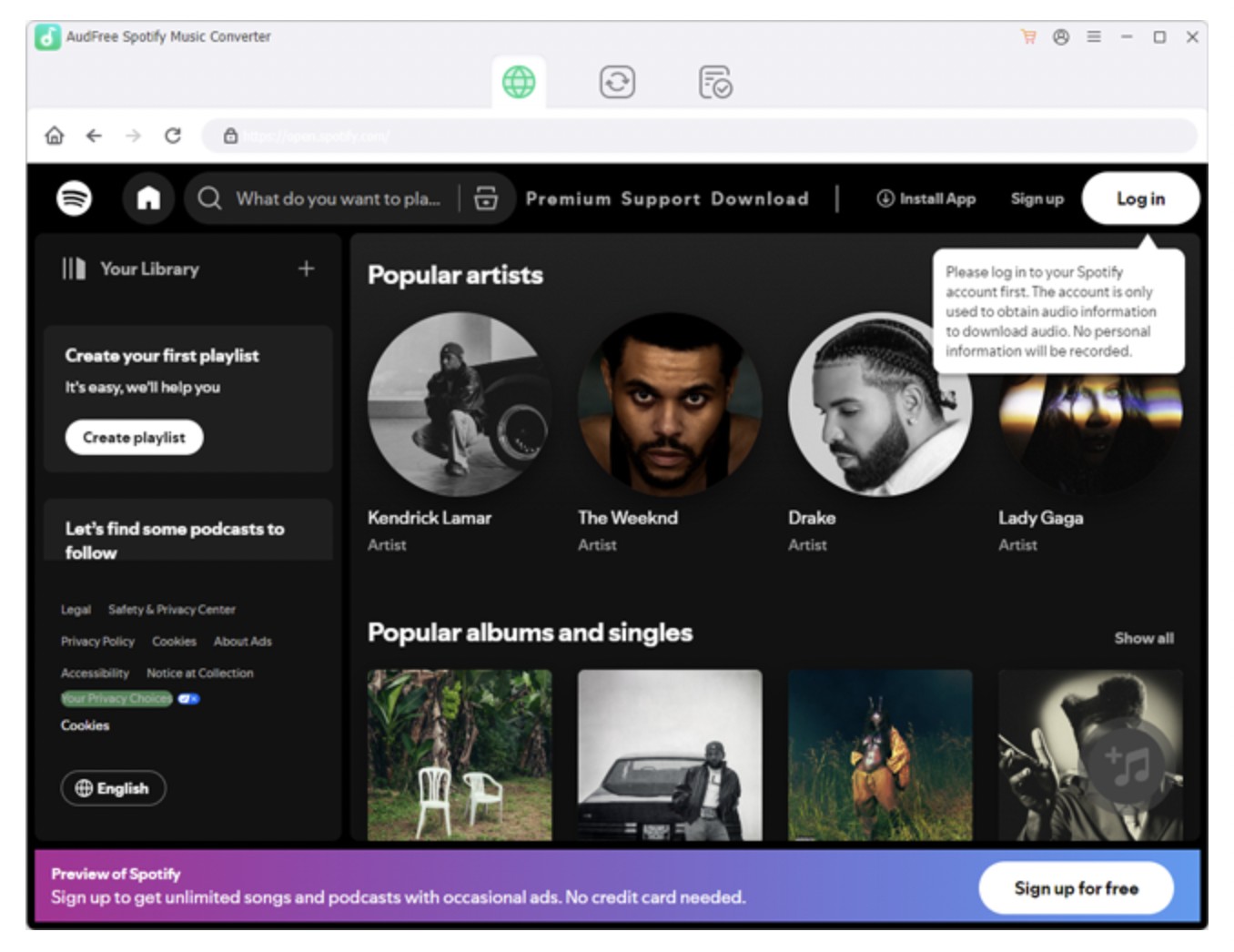
Step 2: Next, you will reach the Spotify Web Player official website, start browsing through the content from the main Spotify page, and select the Spotify audio you want to save offline.
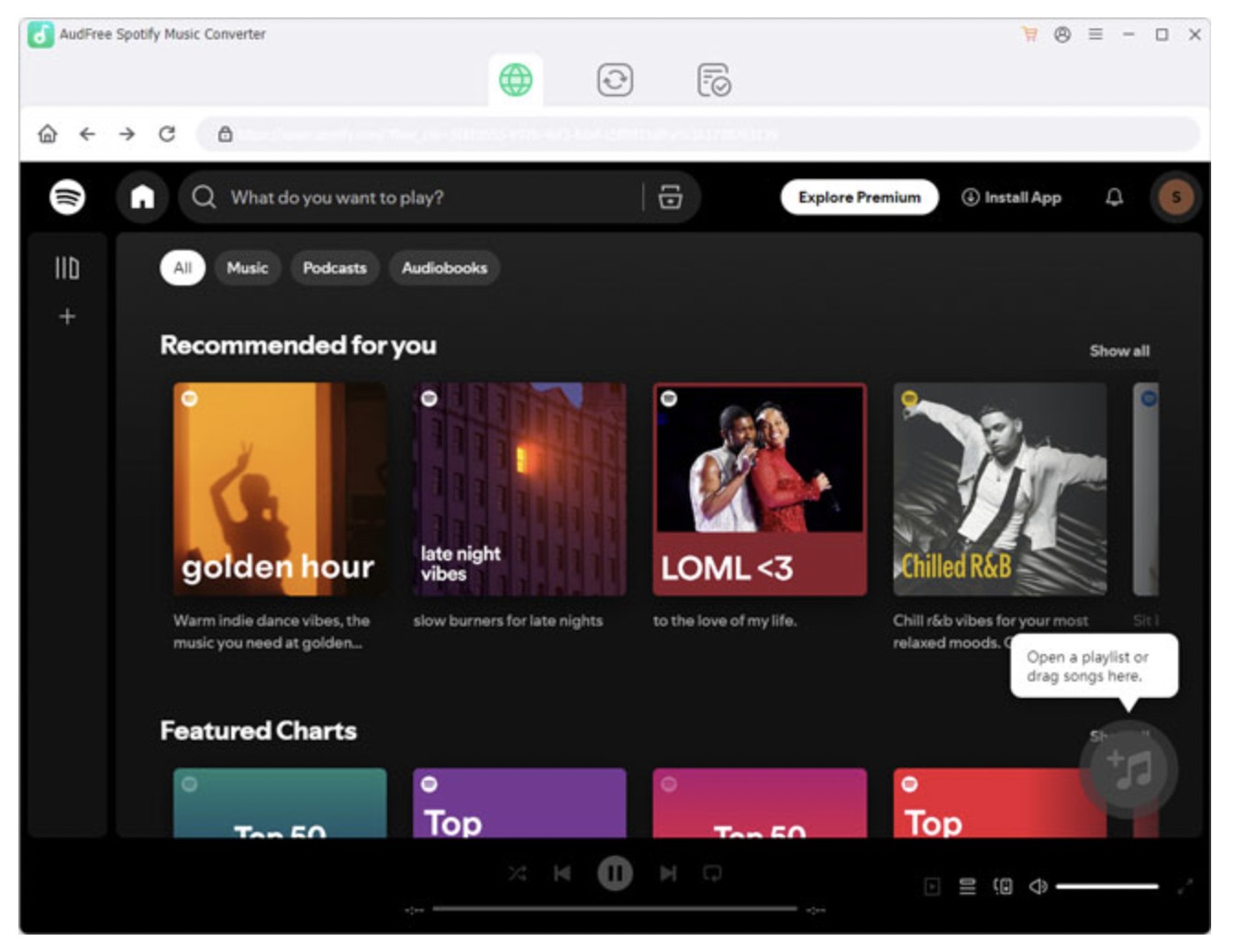
Step 3: Choose the “+” option on the right side. From a newly opened window, select “Add to List.” Then, upload the audio in the converting window. For more output customization, select the “Menu” icon > “Preferences.”
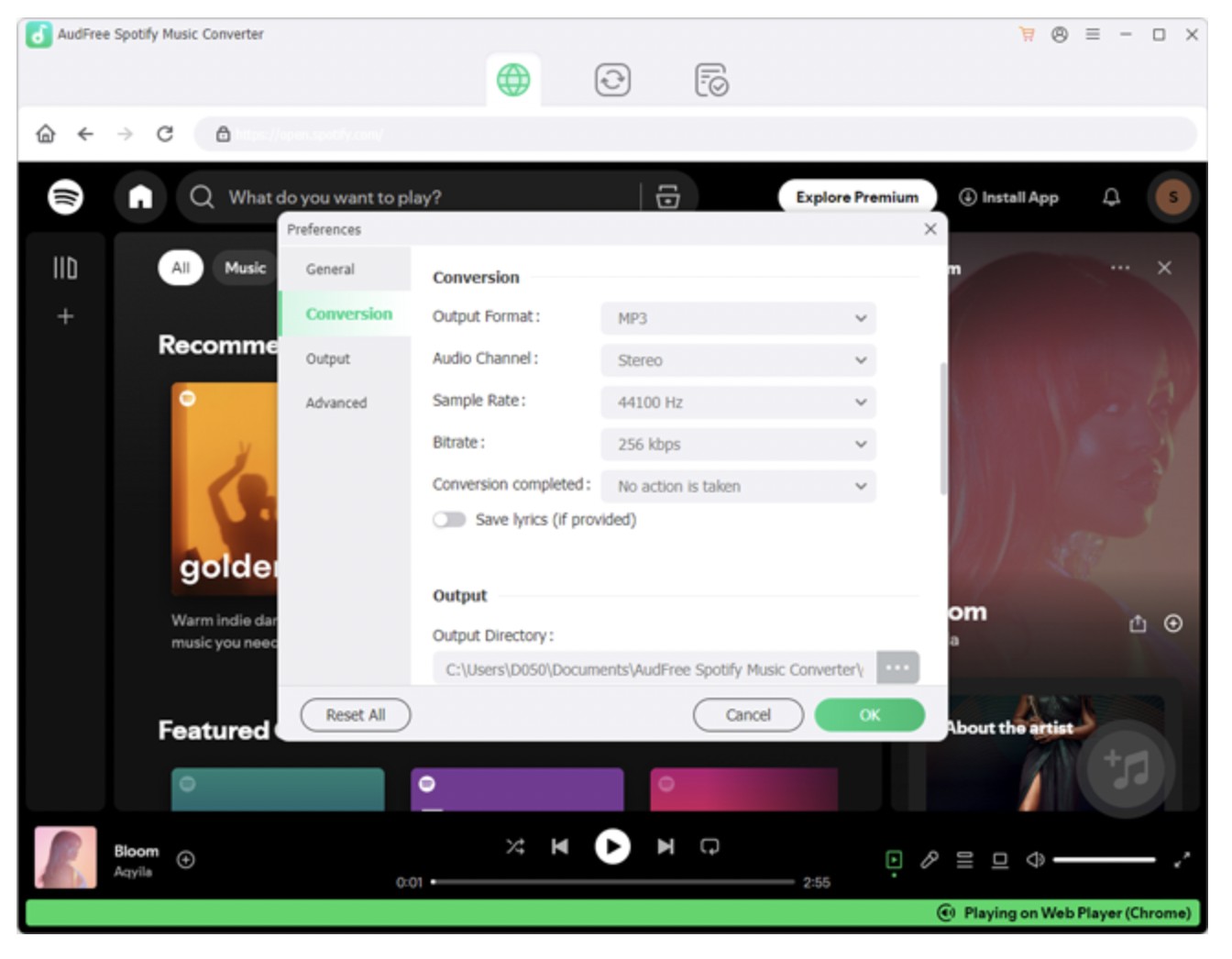
Step 4: A new window will open. Select the “Conversion” option. Then, choose the output audio format from the available options. You can also use the default setting of MP3. Here, you can customize other output parameters like sample rate, bit rate, audio channels, etc.
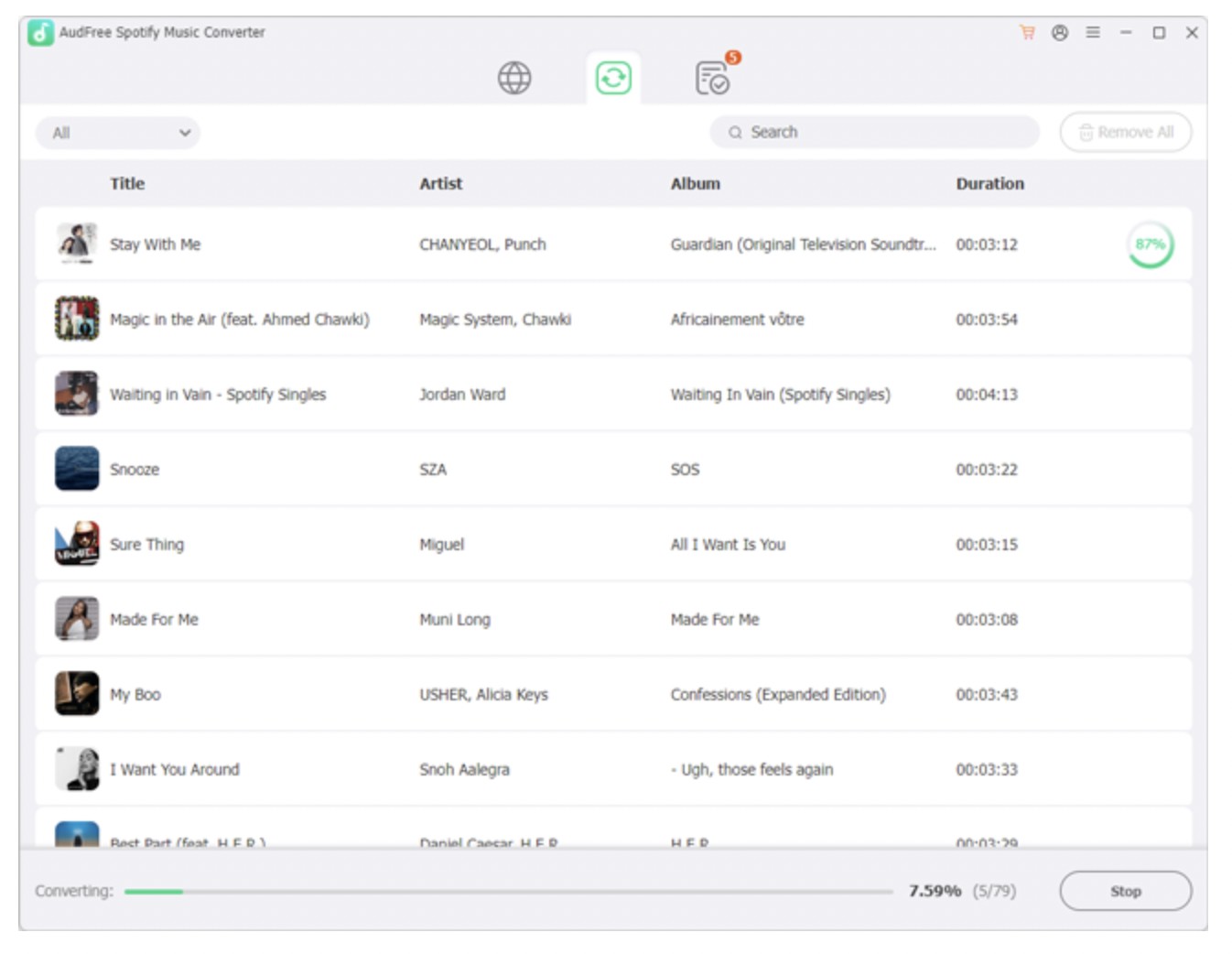
Step 5: Once you have all of the settings set up, move to the “Converting” option > select “Convert” to initiate the process. After that, you will receive your converted and downloaded video in the default MP3 or your selected format.
Is There Any Error in AudFree Spotify Music Converter?
Despite being a very useful and well-designed tool, AudFree shows multiple errors when users use it in real time. While working with this tool, we have also faced a few errors, like the “Spotify is not installed” error and the conversion error. Apart from this, users have mentioned some of the other AudFree errors on the web. So, let's see what these common errors are.
- “Convert” button doesn't work
- “Check for updates” Is not working
- Spotify installation error
- It is not opening on some of the Mac versions
- Conversion error
Best Alternative to AudFree: MusicFab
Compared with AudFree, MusicFab Spotify Music Converter downloads music directly rather than recording with a 20X faster conversion speed. It also has a built-in web browser allowing you to search and download anything, including music, podcasts, songs, albums, etc., on your Windows or Mac.
Its free trial is more friendly than AudFree, offering a 3--full-song opportunity for you to try its speed and quality.
Along with the Spotify service, if you want to download audio from other music streaming stations, MusicFab also offers MusicFab All-In-One to download content from over 10 music streaming platforms.
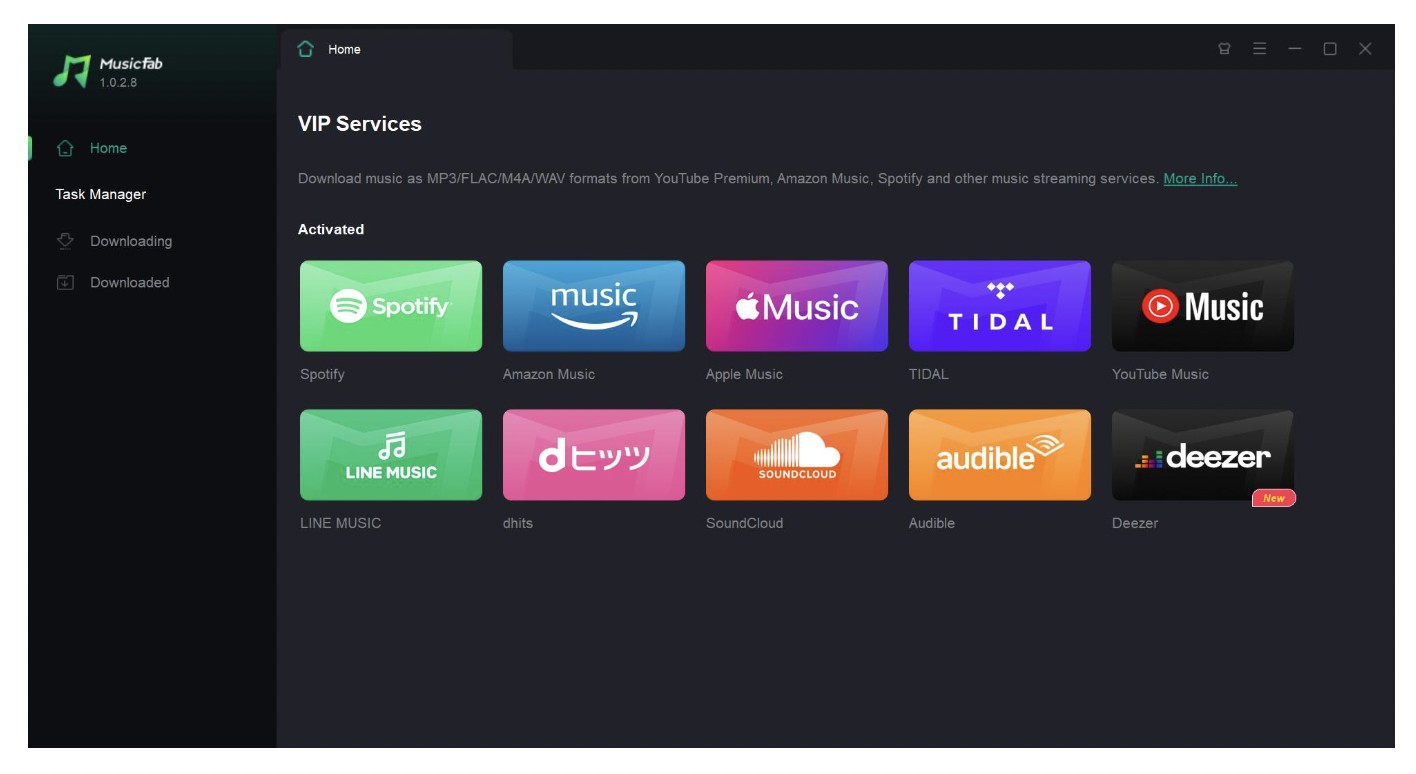
Futuristic Features
- It ensures a high-quality download in 320 kbps without any data loss
- Multiple audio format support like MP3, OPUS, FLAC, WAV etc
- Select bitrate from 128 Kbps to 320 Kbps and sample rate 44.1 kHz
- Save multiple tracks in one go with batch processing
- Organize an offline library with ID3 integration
- Built-in browser to search Spotify content inside the MusicFab app
Spotify Audio Saving Steps With MusicFab Spotify Converter
AudFree Spotify Music Converter vs. MusicFab Spotify Music Converter
To pick the right tool based on your needs, you should go through the comprehensive comparison between AudFree and MusicFab.
| Features | AudFree Spotify Music Converter | MusicFab Spotify Music Converter |
|---|---|---|
| Ease of Use |
|
|
| Compatible OS | Win/Mac | Win/Mac |
| Batch conversion | ||
| Output Formats | MP3, WAV, FLAC, AIFF, M4A, and M4B | MP3, M4A, WAV, FLAC, or OPUS format |
| Conversion Speed | 13x faster speed on Windows (practically 5x) and 1x speed on macOS | 20x faster speed |
| Retains ID3 tag info | ||
| Saves Lyrics Files | No | Yes (as external .Irc file) |
| Free Trial | Converts only the first minute of each audio file | Converts three full Spotify songs |
FAQs
Where to Get An AudFree Coupon Code?
There is no official coupon code list on the AudFree website, but you will often get various types of discounts and promotional offers during special events, holidays, etc. You can get these offers on the AudFree website, or you can try them on social media. You can also subscribe to the AudFree newsletters for giveaways and updates. They also offer discounts on some of their products, like lifetime licenses and individual converters.
Is AudFree Legit?
There is no legal issue as long as you use this tool for personal use. It is safe and legal to use without violating any copyright rules or claiming content’s ownership. To ensure the legality of your actions, you must not use this tool for any commercial or illegal purposes, such as selling the content, making a pirated version, claiming content’s ownership, etc.
What Are The Risks of Using The AudFree Spotify Music Converter Crack Version?
The AudFree Spotify Music Converter Crack is an illegal and pirated version of the app. Using the crack is not only illegal but also unsafe for users because it involves various risks, such as virus and malware infection, private data leak, important system data loss, and the app's lack of auto-updating.

![10 Best YouTube to WAV Converters 2025 [Safe & Fast]](https://c.musicfab.org/uploads/images/2024-07/17206996344468865-25133daf28c92d3ac9abe86a67fddcf8.)
