

Do you want to listen to your favorite Apple Podcasts offline on an MP3 player, Android device, or car stereo? Unfortunately, Apple restricts downloads to its own app with encrypted formats.
While many tools claim to help, most are just audio recorders that waste your time. Follow us to know the best Apple podcast downloaders to convert Apple Podcasts to MP3 or other formats, whether you're on a PC, Mac, or mobile.
How to Download Apple Podcasts to MP3 (Fast & Best Way)
Best for: stable and fast download with high quality
MusicFab Audio Converter is a professional Apple Podcast downloader that extracts the original audio stream, allowing you to save Apple Podcasts to MP3 in seconds.
If you want a full-featured desktop solution with speed, file control, and flexibility, it is one of your best bets. It’s designed to help you download podcasts, songs, and albums from Apple Podcasts and over 100 other platforms and save them as high-quality MP3s or other formats.
It offers a 3-song free trial for you to experience it.
Why MusicFab Audio Converter stands out:
- Download audio from Apple Podcasts, Bandcamp, YouTube, Last.fm and 100+ websites
- Support for multiple file formats that include MP3, M4A, FLAC, WAV and More
- Preserve lyrics and ID3 tags such as title, episode description, cover art, etc.
- Play your files without any sort of device restrictions
- Built-in web browser and search engine for the audio.
How to use MusicFab to download Apple podcasts to MP3?
- Step 1: Launch MusicFab.
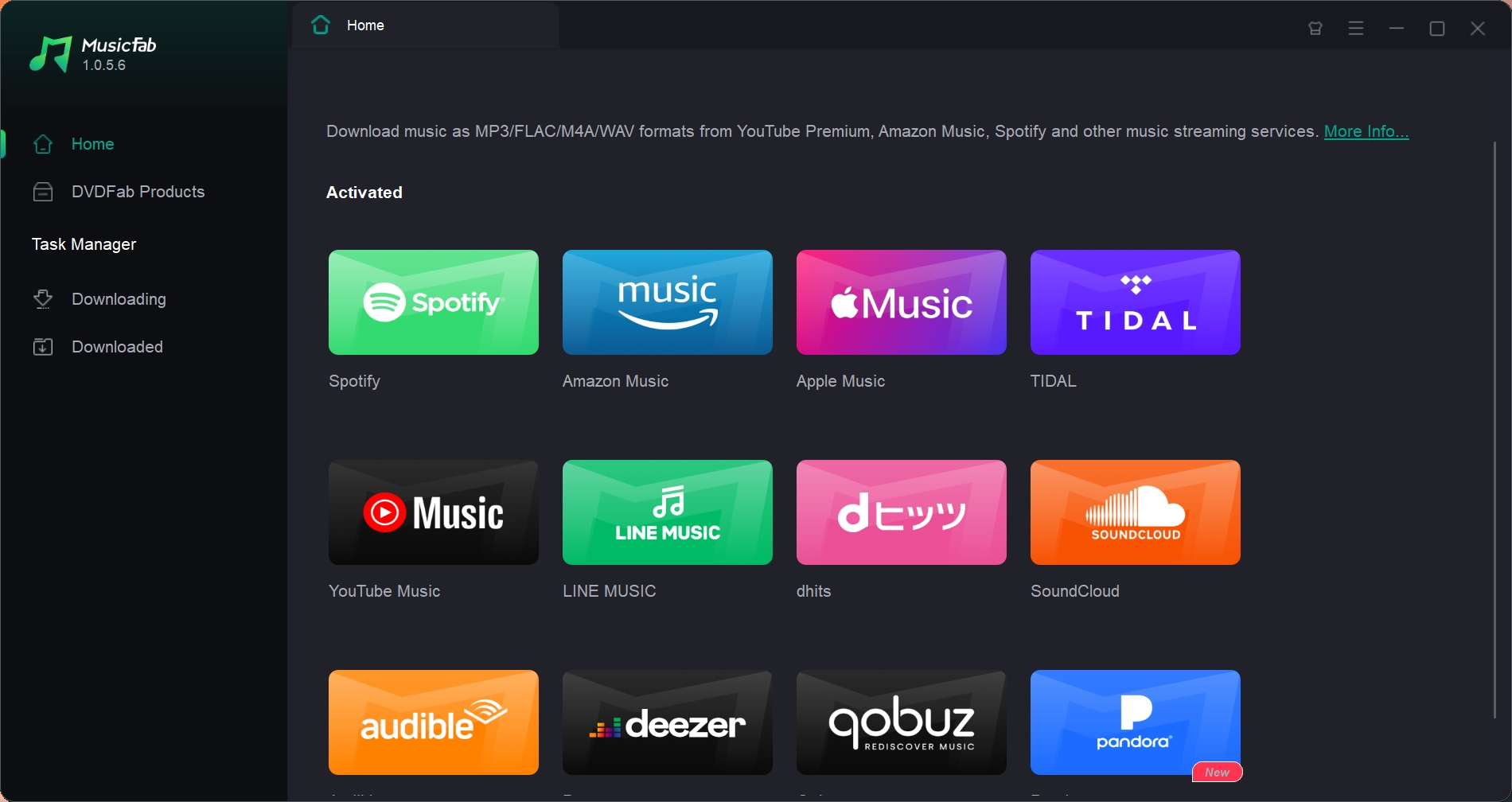
- Step 2: Copy the podcast link and paste it into the tab.
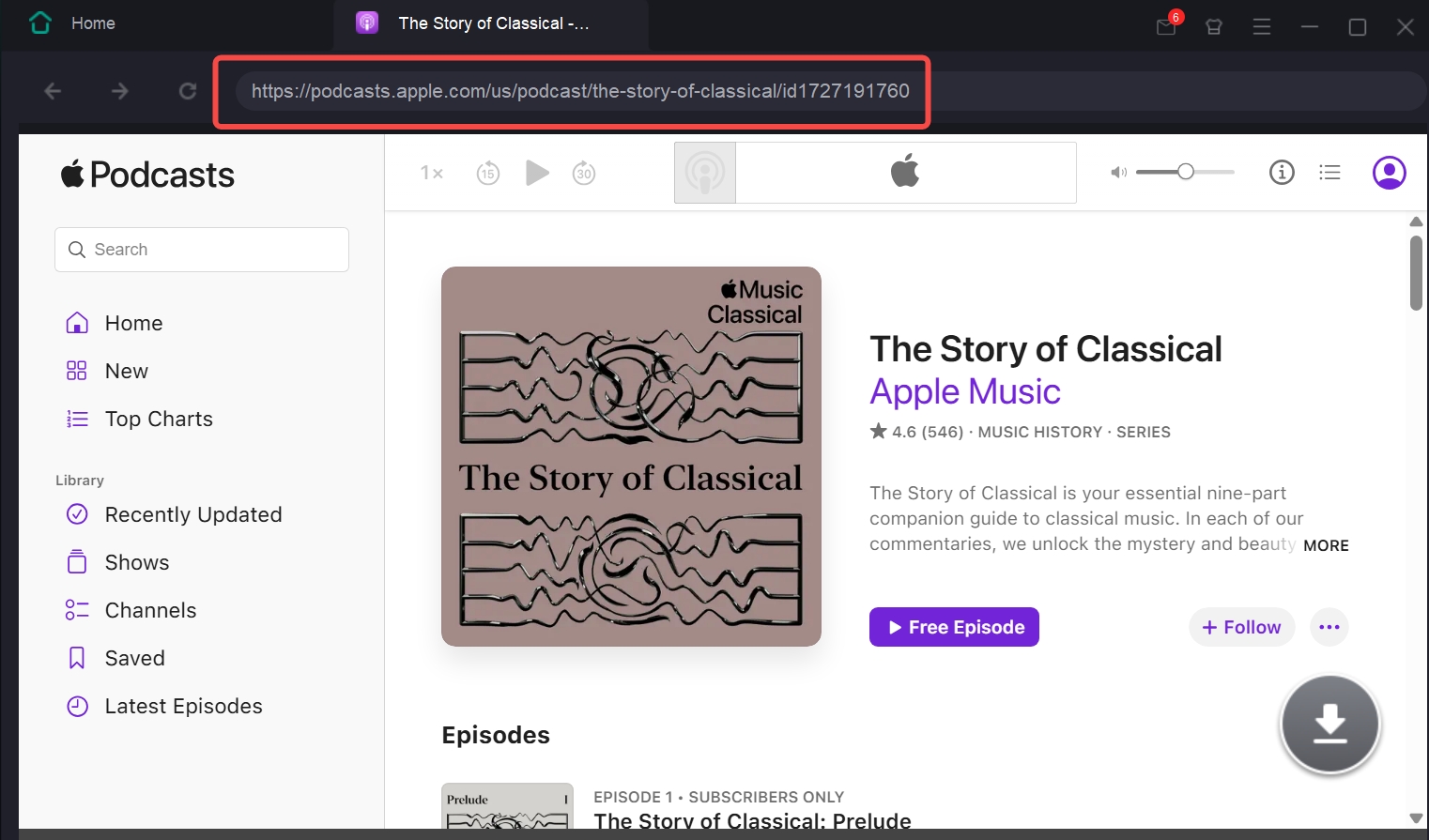
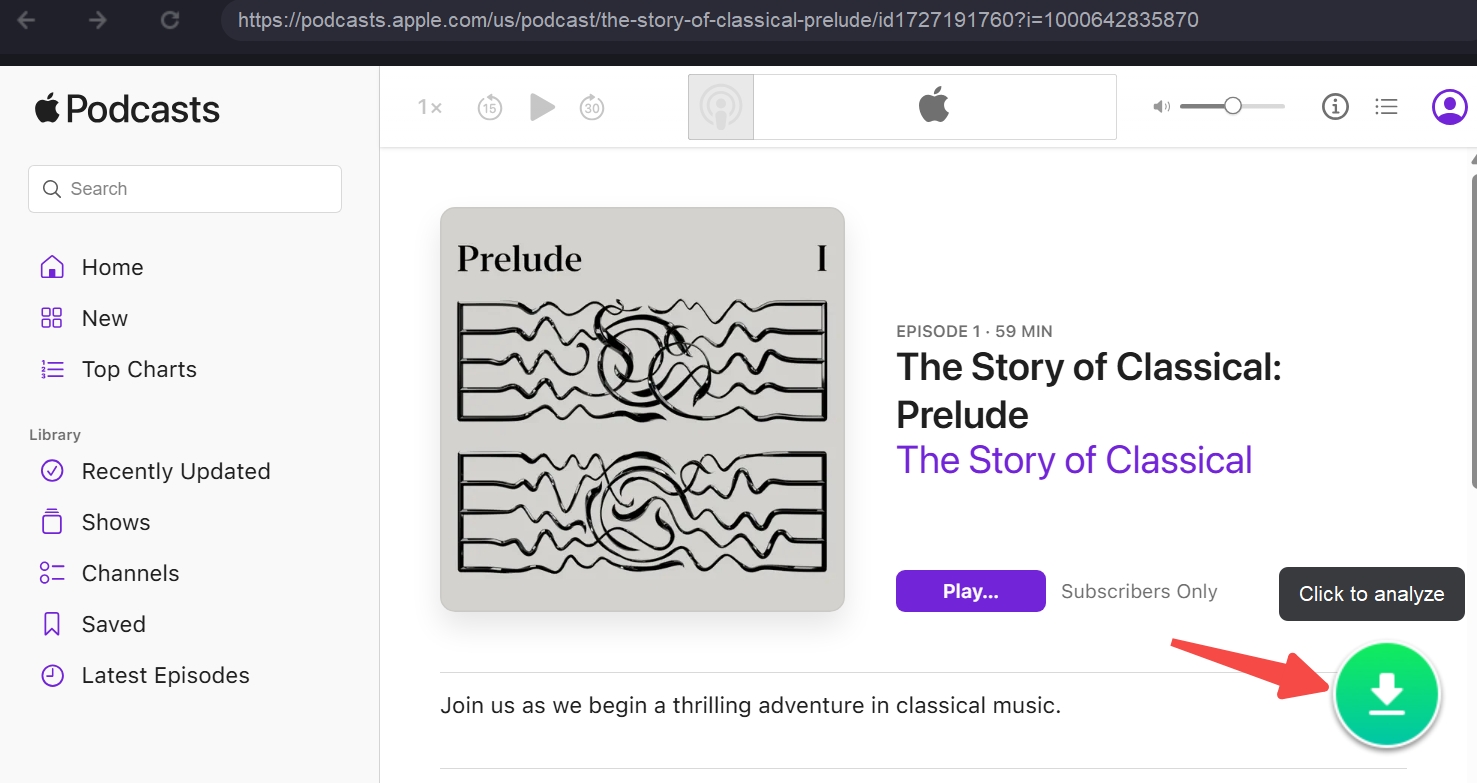
- Step 3: Click on the episode and tap the green button in the bottom-right corner. It will analyze the content and provide you with the download preferences dialog box.
- Step 4: Choose convert Apple Music to MP3 and select your preferred bitrate.
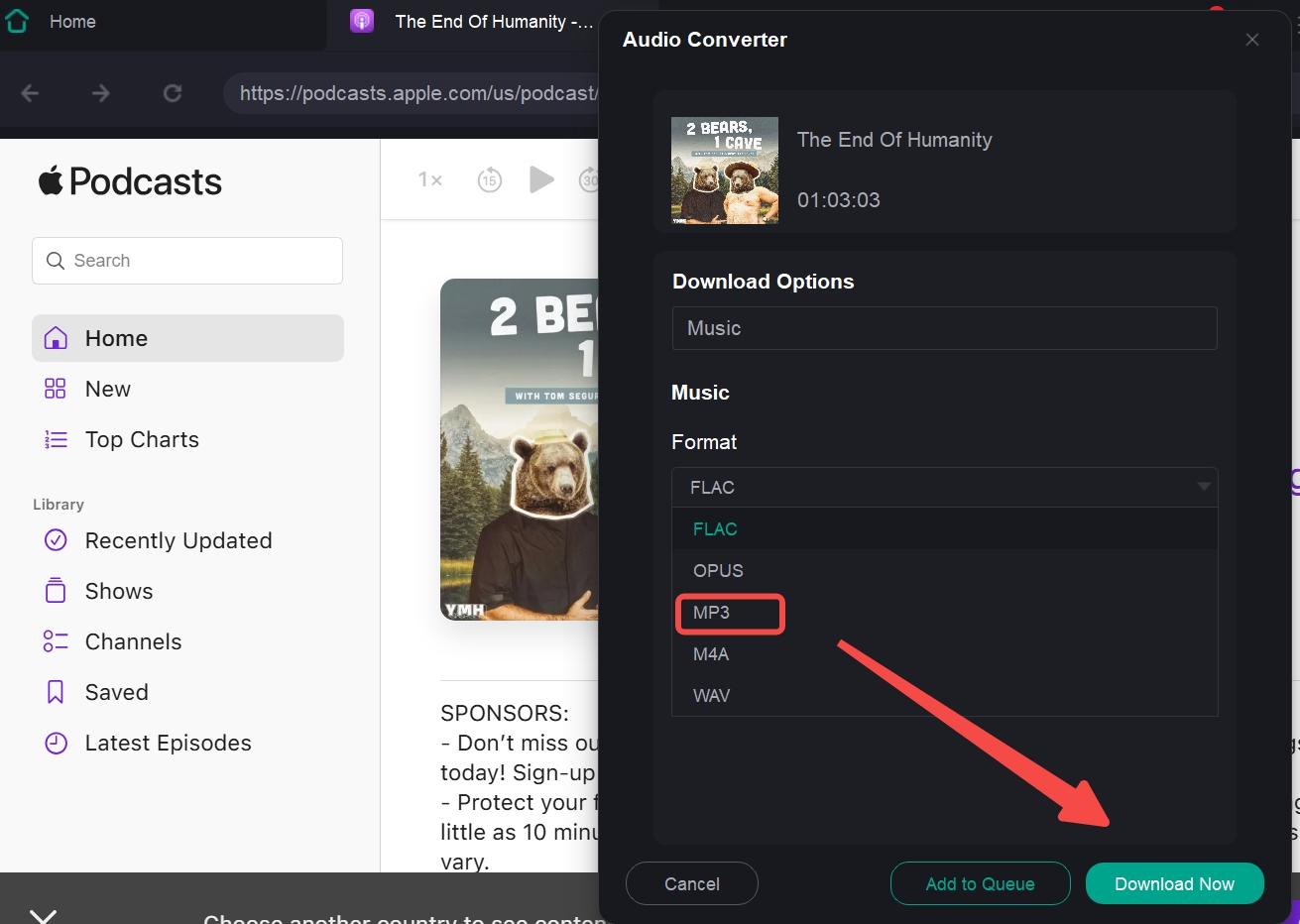
- Step 5: Click on Download Now, and that's it. Your podcast will be downloaded onto your device.
Online Apple Podcast to MP3 Downloader: FAME
Best for: no quality requirement & not many podcasts need to be downloaded.
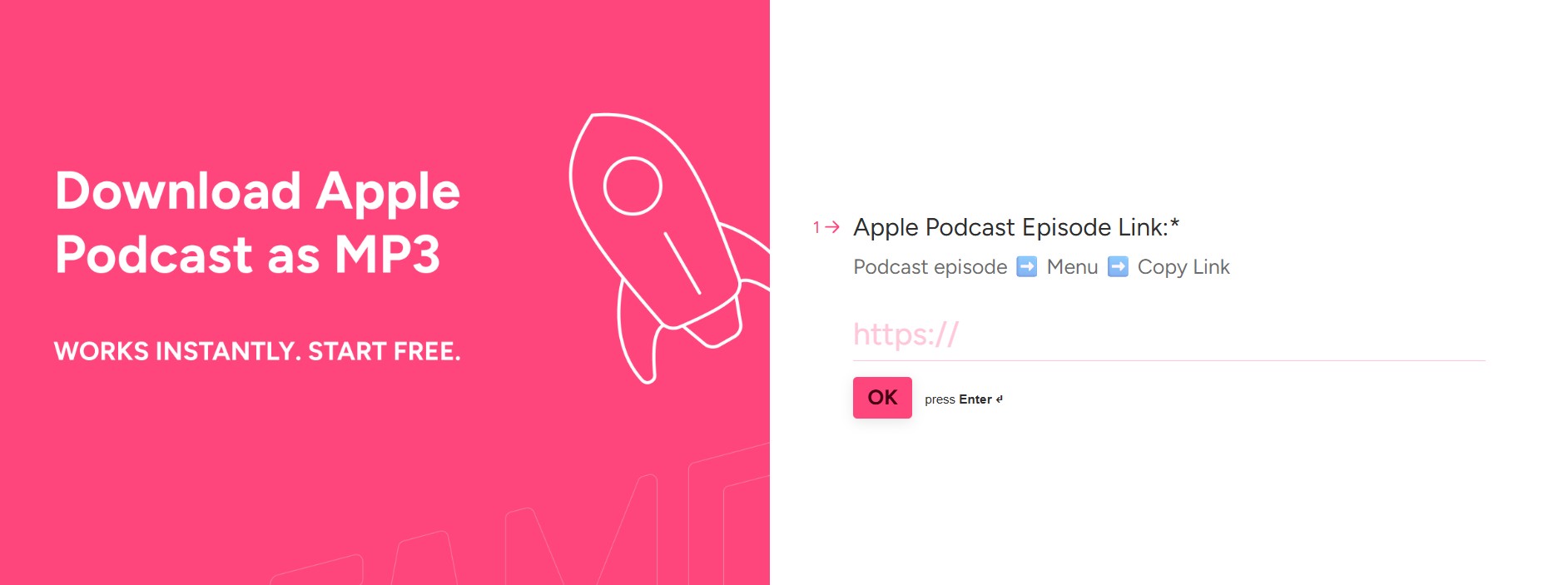
If you just want to download an episode quickly without installing software, online free podcast downloaders can help. You can simply copy and paste the podcast URL and spit out an MP3 file in minutes on sites like FAME, etc.
FAME is one of the most popular Apple podcast downloaders online that you can use. The simple interface and higher success rate make it a reliable choice for downloading Apple Podcasts in MP3. The online tool offers a dedicated option for downloading Apple Podcasts.
Pros:
- No installation
- Free
Cons:
- Slow, filled with pop-up ads
How to download Apple podcasts using FAME?
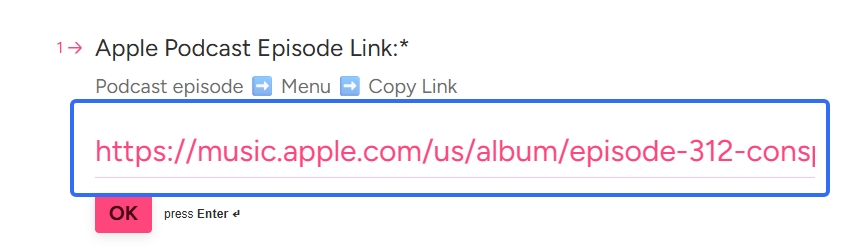
- Search for the episode that you want to download, then copy its URL.
- Paste the URL into the search tab.
- Enter an email to receive the MP3 file.

Download Apple Podcasts to MP3 Free via iTunes
Best for: iTunes users
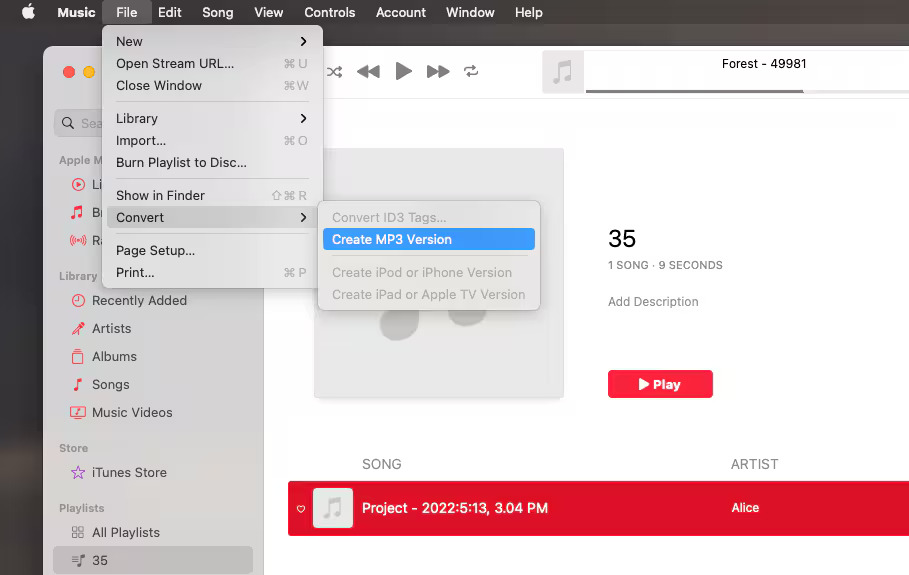
This one’s for PC users. For a built-in Apple solution, it’s pretty handy, especially if you only need a few episodes here and there. If you’re using Windows, iTunes offers you an easy and simple option to download Apple podcasts using the "Create MP3 Version" option.
Note:
- This only works on Windows. For Mac, you will only get the cached files.
- It’s a second encode, so quality depends on the original episode and your settings, and doesn’t support batch conversions or multiple formats.
How to download a podcast as MP3 on iTunes?
- 1. Install and open iTunes for Windows (not the Microsoft Store version).
- 2. Head to Edit > Preferences > Import Settings and choose MP3 Encoder.
- 3. Go to the Podcasts section and find the episode you’ve downloaded.
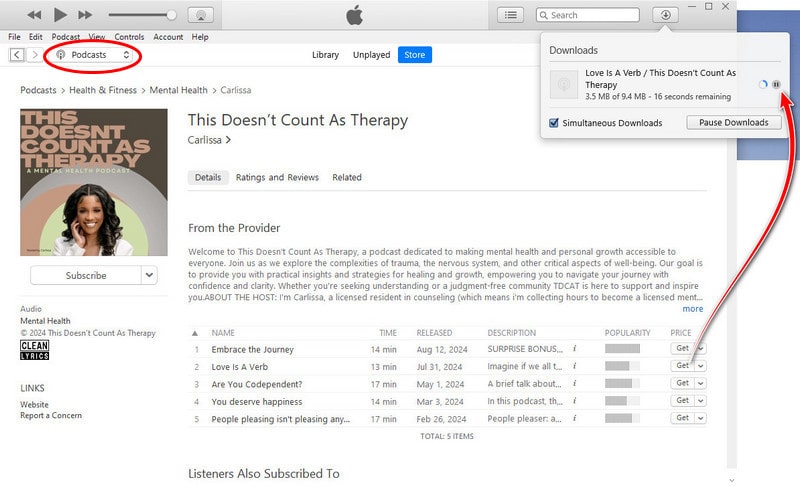
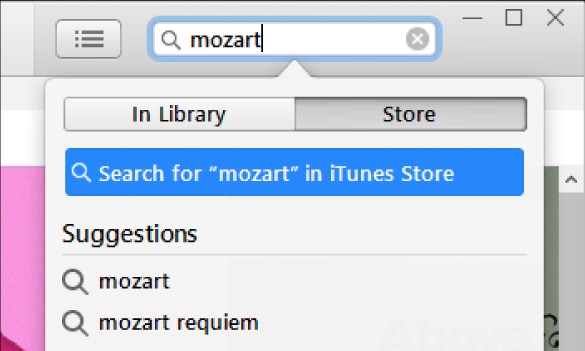
- Right-click the file and select Create MP3 Version.
Convert Apple Podcasts to MP3 Using Web Page Source
Best for: tech-savvy users
This can be a good option to download Apple podcasts to MP3 if you are an advanced user.
The method involves extracting the web page source through the Inspection tool. If the episode is hosted in MP3, it can be a good option to download the podcast episode directly.
Steps:
- Open the podcast episode’s web page in your browser (like Safari or Chrome).
- Right-click anywhere on the page and select Inspect (or press Cmd+Option+I / Ctrl+Shift+I).
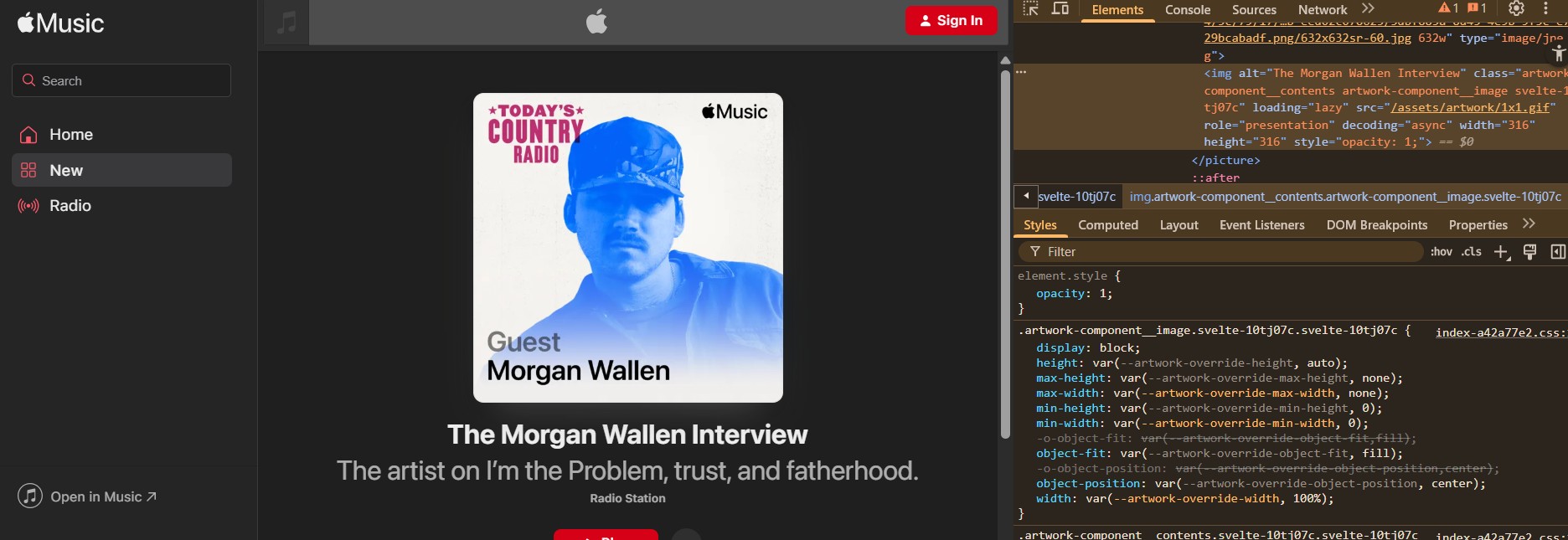
- Use the Network or Elements tab to search for .mp3 or .m4a links.
- If you find one, open it in a new tab, then right-click the player and hit Save Audio As…
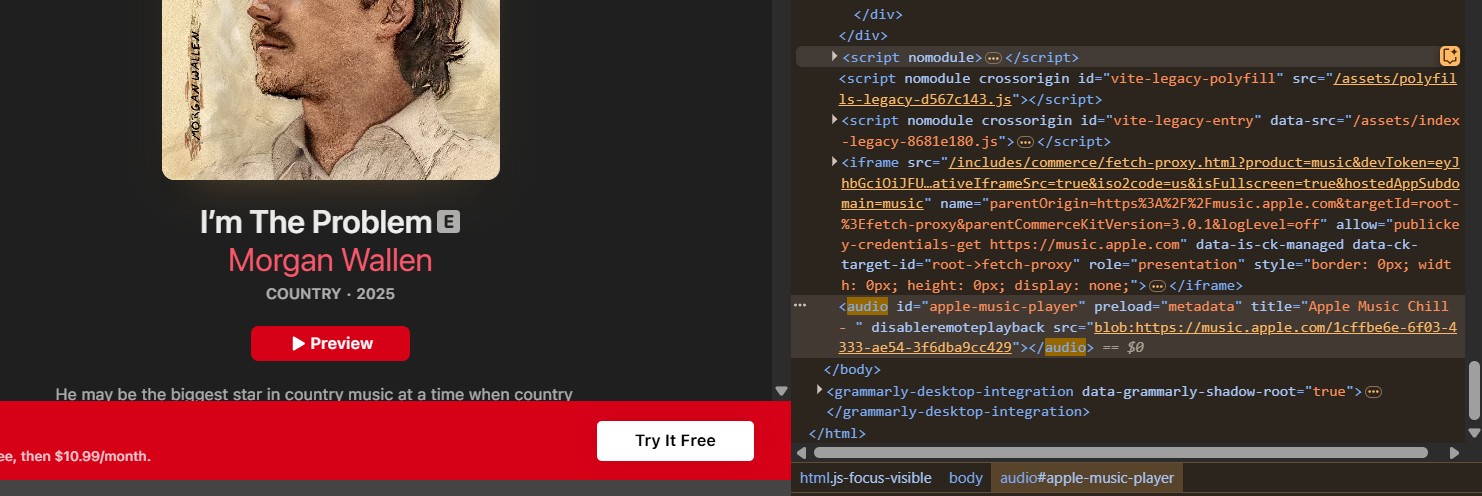
Sometimes podcasts embed the full audio file in the page, even if they don’t show a download button. When they do, this trick lets you pull the file directly.
But please note that this method doesn’t work on every site. Some audio files are streamed in chunks or protected. Always check the site’s terms of use and stay ethical. No mass downloading or redistribution.
Comparison Overview of Apple Podcast to MP3 Methods
| Method | Quality | Bitrate control | Format | Device & System | Free | Batch Download |
|---|---|---|---|---|---|---|
| MusicFab | Yes | M4A,MP3,FLAC, WAV,OPUS | Windows & Mac | Free Trial | Yes | |
| iTunes | Up to 320 kbps | Yes | M4A,MP3 | Windows | Free |
No |
| Web Page Source | Up to 128 kbps | N/A | M4A,MP3 | Windows & Mac | Free | No |
| Online Podcast Downloaders | Up to 128 kbps | N/A | MP3 | All | Free | No |
FAQs
1. Can I download Apple Podcasts as MP3 files?
Apple doesn’t support direct MP3 downloads. But third-party tools like MusicFab make it easy to convert Apple Podcasts to MP3.
2. What is the best Apple Podcast downloader?
MusicFab should ideally be the best option for your downloads. It offers seamless downloads, high-quality MP3 conversion, and works across major platforms.
3. Is there a free Apple Podcast downloader online?
Yes, tools like Fame and Online Video Converter exist as the best choice for downloading Apple podcasts online. But they often have limitations in speed, format, and reliability. For better results, go with MusicFab.
4. Are online podcast downloaders safe to use?
It depends. Check for HTTPS and privacy rules. Web pages that require your name or email address before they let you download should be avoided.
5. Is it legal to download Apple podcasts?
Apple doesn’t provide a native way to export MP3s, but downloading for personal, offline use using legal tools is typically fine. Just don’t redistribute the files or use them commercially.

![10 Best YouTube to WAV Converters 2025 [Safe & Fast]](https://c.musicfab.org/uploads/images/2024-07/17206996344468865-25133daf28c92d3ac9abe86a67fddcf8.)
